




C9650HDN
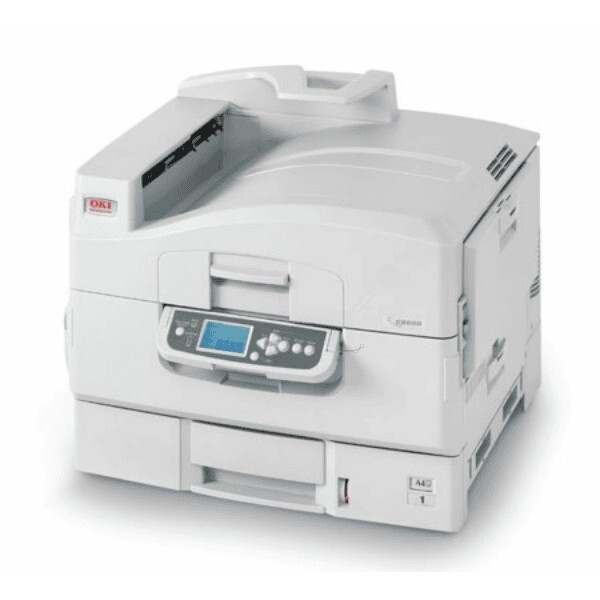
The Okidata C9650HDN is the high-capacity configuration of the C9650 wide-format color laser printer, aimed at print rooms whose output never really pauses. It shares the base machine's cartridge family end to end: yellow 42918981, magenta 42918982, cyan 42918983 and black 42918984. Any single channel can be replenished on its own — nothing in this set forces an all-four change.
The letters in the name describe a machine specified for relentless work, and its supplies routine has to match that tempo. On a printer this busy, toner management is a small logistics exercise: alerts switched on, a full spare set always on the shelf, and multipacks of black for the channel that turns over fastest. Run that way, the C9650HDN's compatible cartridges hold per-page costs down even at production-style volumes; run hand-to-mouth, it will stop a long job at the worst possible moment.
Toner Cartridges for C9650HDN
| Cartridge | Color | Page Yield |
|---|---|---|
| 42918984 | Black | See product page |
| 42918983 | Cyan | See product page |
| 42918982 | Magenta | See product page |
| 42918981 | Yellow | See product page |
Black and yellow are stocked as singles on this page; cyan and magenta arrive in the sets. Every bundle available for the family:
- C9650 4 Color Set
- C9650 5 Color Set
- C9650 8 Color Set
- C9650 3 Color Set
- C9650 6 Color Set
- C9650 2 Black
- C9650 3 Black
- C9650 5 Black
- C9650 Black 2 Pack
- C9650 Black 3 Pack
- C9650 3 Color Set (alternate listing)
- C9650 6 Color Set (alternate listing)
- C9650 8 Color Set (alternate listing)
- C9650 4 Color Set (alternate listing)
Which cartridge should you buy?
For a print-room machine, buy for continuity. The standing rule that works is a complete spare set on the shelf at all times — the 4 Color Set covers any channel that empties, and the 5 and 8 Color Sets deepen that reserve when the monthly count climbs. Layer black multipacks on top: text and mixed documents pull black far faster than any color, and the 2, 3 and 5 Black options exist precisely for that imbalance. Single yellow covers the one color sold separately. What this page cannot sell you is a lone cyan or magenta — those two travel in the sets, so let the set be your unit of planning for them.
Chip, toner and everyday use
Put the printer's reporting to work: the chip in each cartridge feeds its level readings, and enabling the machine's low-toner notifications turns a surprise outage into a scheduled swap. When a cartridge does go in, seat it firmly in the correct color slot — under time pressure, a cartridge resting unlatched is the usual story behind a sudden "no toner" error. Keep reserve sets in their sealed packaging in a cool storeroom, use them in purchase order, and rock a fading cartridge gently end to end to redistribute its toner before you write it off.
Frequently Asked Questions
Which toner does the C9650HDN use?
Yellow 42918981, magenta 42918982, cyan 42918983 and black 42918984 — the same C9650 family as the base model. It is a high-duty A3 color printer, and its consumables are sized to match that workload.
What does HDN mean in the model name?
H marks the high-capacity configuration, D is automatic duplex printing, and N is built-in networking. Together they describe a department printer built to turn out thousands of color pages a month.
How do I avoid toner running out in the middle of a long job?
Two habits cover it. Turn on low-toner email alerts through the printer's web interface so whoever manages supplies is warned before a channel empties, and keep a full spare set of all four cartridges on the shelf — on a machine this busy, a spare black alone is not enough.
Is the C9650HDN's set the same as the C9650DN's?
Yes — the C9650DN and the rest of the C9650 line use this identical family, so a set bought for one serves the other. Only the printer configuration differs, never the cartridges.
More printers that use the same cartridges
The same set serves the whole C9650 group: