




C9650DN
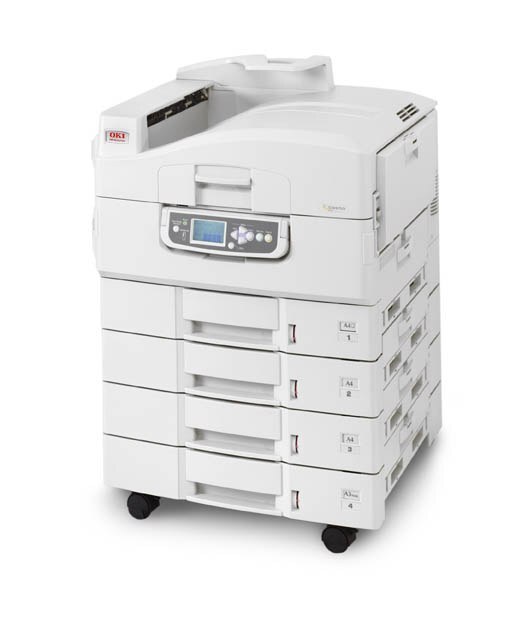
The Okidata C9650DN is the duplex-and-network variant of the C9650 wide-format color laser printer, built for departments that print large jobs in bulk. Its appetite is the same four numbers as the base model: yellow 42918981, magenta 42918982, cyan 42918983 and black 42918984. Note carefully that this is the C9650 family — not the C9600 family, whose cartridges look similar on a shelf and do not fit.
Everything about this variant points at volume with lower waste. Automatic two-sided printing halves the paper under long reports, and the network connection lets a department share one heavy machine instead of scattering desktop printers. The toner routine follows the same logic: costs stay manageable when a machine like this is fed from planned stock — black in multipacks for text-heavy work, complete sets when the colors come due together — rather than one emergency cartridge at a time.
Toner Cartridges for C9650DN
| Cartridge | Color | Page Yield |
|---|---|---|
| 42918984 | Black | See product page |
| 42918983 | Cyan | See product page |
| 42918982 | Magenta | See product page |
| 42918981 | Yellow | See product page |
On this page black and yellow are the singles; cyan and magenta come in the sets. All the bundles stocked for this family:
- C9650 4 Color Set
- C9650 5 Color Set
- C9650 8 Color Set
- C9650 3 Color Set
- C9650 6 Color Set
- C9650 2 Black
- C9650 3 Black
- C9650 5 Black
- C9650 Black 2 Pack
- C9650 Black 3 Pack
- C9650 3 Color Set (alternate listing)
- C9650 6 Color Set (alternate listing)
- C9650 8 Color Set (alternate listing)
- C9650 4 Color Set (alternate listing)
Which cartridge should you buy?
Let your duplex workload decide. Departments that duplex long reports burn through black at a pace the colors never match, so the black single and the 2, 3 and 5 Black multipacks deserve the shelf space; they also keep cost per page down precisely where this printer spends its life. Yellow, the remaining single, covers the one color channel sold on its own. When cyan or magenta runs low, or when several channels are nearing empty together, step up to a 4 Color Set — and if the machine's monthly volume is high enough that even sets feel frequent, the 8 Color Set is the same cartridges in a deeper reserve.
Chip, toner and everyday use
Because the C9650DN is usually shared, its level reporting matters: the chip in each cartridge feeds the printer's status display, so a quick look before queuing a bulk job prevents the classic mid-run stop. Push each cartridge fully into its color slot until it locks; a half-seated unit can read as absent. Store spare sets flat and sealed, out of sunlight, and rotate them oldest-first. If a color comes out uneven toward the end of a cartridge's life, rocking it gently lengthwise spreads the remaining toner and usually restores an even laydown until the replacement goes in.
Frequently Asked Questions
Which toner does the C9650DN use?
Yellow 42918981, magenta 42918982, cyan 42918983 and black 42918984 — the C9650 set. Do not substitute cartridges from other heavy-duty Oki models; similar-looking families carry different part numbers, and the number has to match your model.
How is the C9650DN different from the C9600HDN?
Both are heavy-duty color workgroup printers, but they drink from different wells: the C9650DN takes the 42918981–42918984 set, while the C9600 family uses its own cartridge numbers. Always verify the cartridge number against your specific model instead of assuming sibling machines share toner.
Does the C9650DN print two-sided automatically?
Yes — that is what the suffix promises: D for duplex, N for network, both built in. Duplexing long reports halves paper use, and pairing that habit with the high-capacity black cartridge keeps per-page costs down on text-heavy work.
My black runs out long before the colors. Am I doing something wrong?
No — that is the normal pattern for document-heavy departments, and it is exactly why black is stocked here as a single and in multipacks while the colors ride in sets. Replace each channel as it empties rather than changing all four on black's schedule.
More printers that use the same cartridges
These members of the C9650 line share the same four cartridges: