




C532
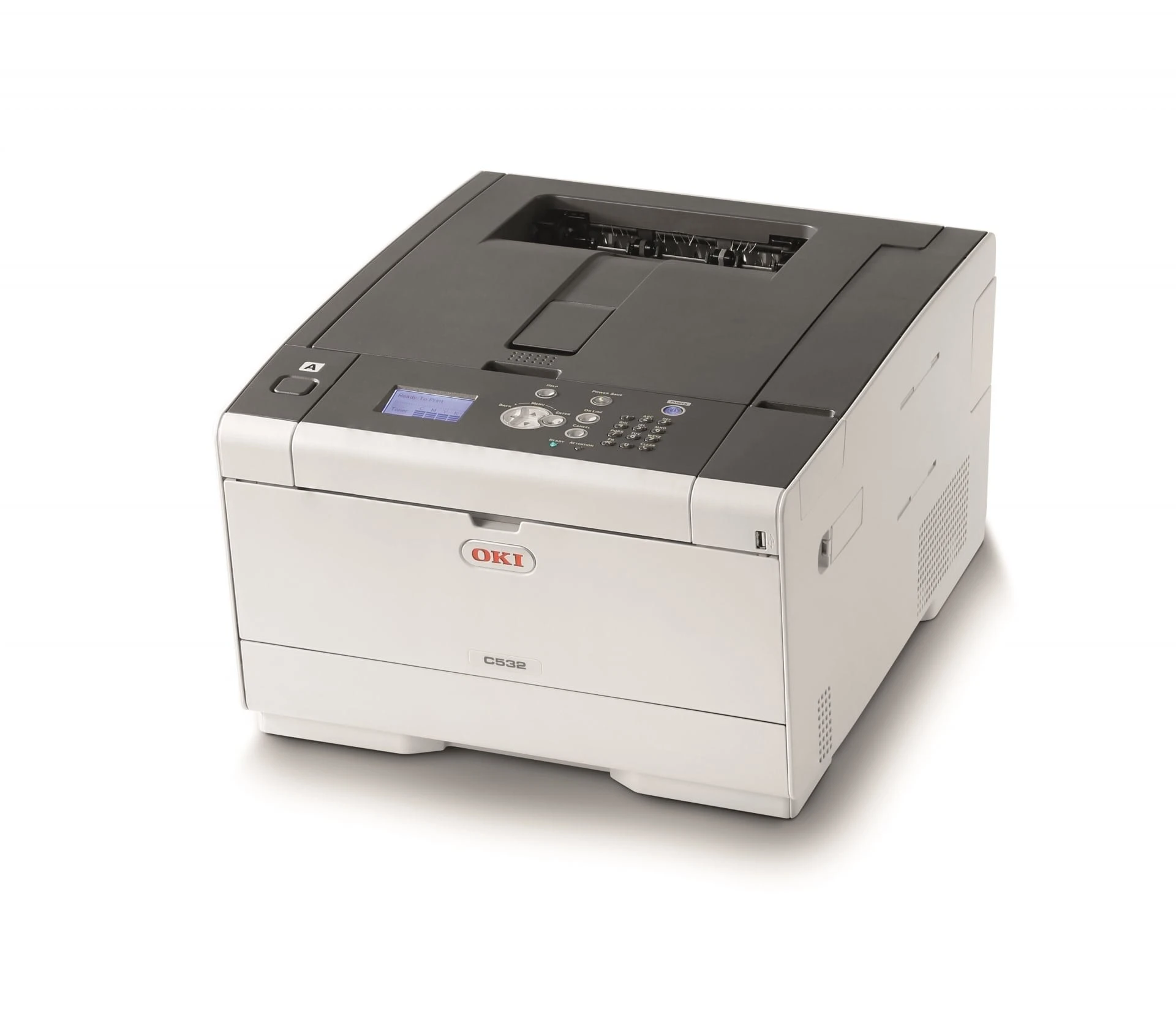
The Okidata C532 is a compact color laser printer designed for small businesses and remote offices that need professional color output without a large machine. OKI gives it two cartridge families: a standard set — 46490501 yellow, 46490502 magenta, 46490503 cyan and 46490504 black — and the high-capacity family stocked on this page, 46490601 yellow, 46490602 magenta, 46490603 cyan and 46490604 black, rated at around 6,000 pages per color and 7,000 pages for black.
This is a printer bought to bring marketing work in-house: flyers, brochures and proposals in full color from a desktop footprint. That workload shapes its toner story. Marketing pages drink color toner far faster than office documents do, which is precisely why the high-capacity family is the one stocked here — longer runs between swaps for the colors a small business actually prints.
Toner Cartridges for C532
| Cartridge | Color | Page Yield |
| 46490604 | Black | About 7,000 pages |
| 46490603 | Cyan | About 6,000 pages |
| 46490602 | Magenta | About 6,000 pages |
| 46490601 | Yellow | About 6,000 pages |
| 46490604 — Black 2 Pack | Black | About 7,000 pages each |
| 46490604, 46490603, 46490602, 46490601 — 4 Color Set | All four colors | See set listing |
| 46490604 — Black, further listing | Black | About 7,000 pages |
| 46490604 — Black, further listing | Black | About 7,000 pages |
| 46490604 — Black 2 Pack, further listing | Black | About 7,000 pages each |
| 46490604 — Black 2 Pack, further listing | Black | About 7,000 pages each |
| 46490603 — Cyan, further listing | Cyan | About 6,000 pages |
| 46490603 — Cyan, further listing | Cyan | About 6,000 pages |
| 46490602 — Magenta, further listing | Magenta | About 6,000 pages |
The same cartridges appear under more than one listing in the store; every row above is the same high-capacity family, so any listing for the color you need is the right cartridge.
Which cartridge should you buy?
First, know which family is in your machine: read the number on the cartridge you remove. Printers running the high-capacity 464906xx family reorder from this page; the standard 464905xx family is the lighter-use alternative for the same slots. Within the stocked family, buy by slot and by workload — a single color when one runs out, the black 2 Pack where everyday documents dominate, and the 4 Color Set when a marketing run has pulled all four levels down together or the spare shelf needs a complete refill in one order.
Chip, toner and everyday use
The single biggest lever on this printer's toner bill is a driver setting: make monochrome the default and everyday documents print from the black cartridge alone, leaving the colors untouched for the jobs that need them. Cartridges are chipped and report levels individually, so switch to color deliberately rather than by accident. Yields assume light coverage — a full-bleed flyer spends toner nothing like a memo does. Keep spares sealed and flat, and rock a fading cartridge gently before deciding it is finished.
Frequently Asked Questions
What toner cartridges does the Oki C532 use?
Two families fit: the standard 46490501–46490504 set and the high-capacity 46490601–46490604 set stocked here, with black at the top of each numbering run — 46490504 standard, 46490604 high capacity. Each color is a separate cartridge, replaced as it empties.
Is the C532 a good fit for a small business printing marketing materials?
That is the work it was designed for: compact color printing that brings flyers and brochures in-house. For heavy color runs, watch the color levels — marketing pages consume color toner far faster than office documents, and the high-capacity family exists for exactly that pattern.
Can I set the C532 to print black-and-white by default?
Yes. Change the driver default to monochrome and everyday documents use only the black cartridge; switch to color manually for the jobs that need it. It is the simplest saving available on this machine.
Can I mix the standard and high-capacity families in one printer?
Slot by slot, yes — each position takes either capacity of its own color. Match the color and keep the family straight per slot: a high-capacity black alongside standard colors is a legitimate combination.
More printers that use the same cartridges
These family partners run on the same cartridges: