




C532CD
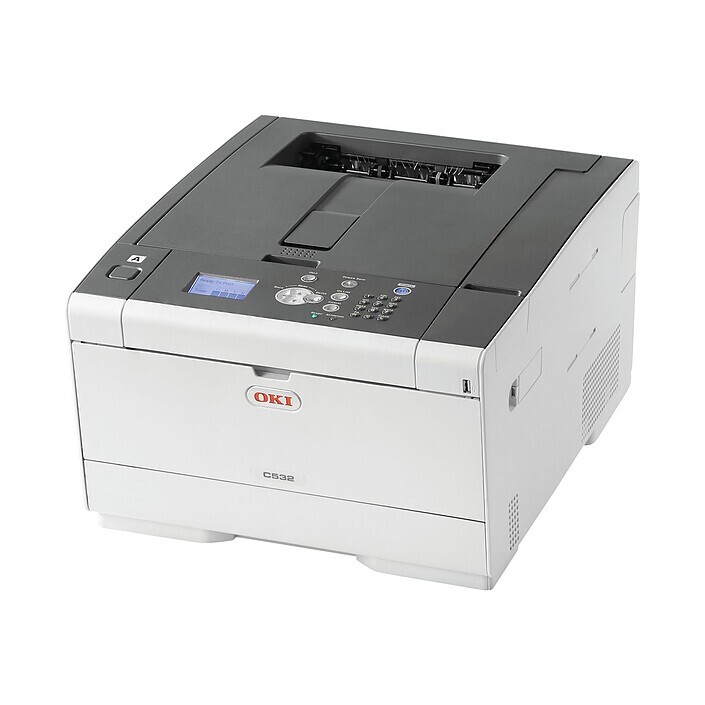
The Okidata C532CD is a color printer from OKI's C532 series — a compact office machine for everyday color documents. Its standard toner set is black 46490504, rated at 3,500 pages, with cyan 46490503, magenta 46490502 and yellow 46490501 at 3,000 pages each. High-yield versions of the same four colors carry numbers of their own, and the one stocked on this page is the high-yield magenta, 46490602, listed under the shared C532 family name — the same cartridge this printer takes. The remaining high-yield numbers, 46490604 in black, 46490603 in cyan and 46490601 in yellow, are not listed here.
The C532CD's everyday work is the office staples — letters, invoices, presentations and the occasional color handout. The cheapest toner habit for a machine like this costs nothing: leave the driver default on monochrome, so drafts and internal documents draw only on the black cartridge, and switch to color deliberately when a document actually needs it. Full-page color backgrounds are the other drain worth avoiding; coverage, not page count alone, is what empties color cartridges ahead of schedule.
Toner Cartridges for C532CD
| Cartridge | Color | Page Yield |
|---|---|---|
| 46490602 | Magenta (high-yield) | See product page |
This page stocks the high-yield magenta only; the same cartridge also appears here under the C532, C532DN, MC573 and MC573DN names.
Which cartridge should you buy?
Start from how much color you actually print. The standard set — 3,500 pages in black and 3,000 pages per color — suits a C532CD that prints color only occasionally, and those figures are the honest baseline for comparison. The high-yield versions exist for offices that find themselves changing cartridges more often than they would like: they lower cost per page and stretch the interval between changes. Magenta is the high-yield cartridge stocked on this page. Whichever capacity you choose, replace colors one at a time as they empty rather than all together. Compatible cartridges for this printer carry a 1-year warranty and 1-year returns.
Chip, toner and everyday use
Before installing a cartridge, rock it gently from side to side so the toner distributes evenly, then fit it into its matching color slot until it seats and let the machine read its chip. Yield figures such as the standard black's 3,500 pages are quoted at 5% coverage, so photo-heavy or background-heavy documents will finish a cartridge sooner than the rating implies. Keep a sealed spare of the color you use most, store it flat and out of direct light, and order the next one when the low warning appears rather than when the pages start to fade.
Frequently Asked Questions
What toner cartridges does the Oki C532cd use?
The standard set is yellow 46490501, magenta 46490502, cyan 46490503 and black 46490504 — the same set as the rest of the C532 family. The high-yield versions are numbered 46490604 (black), 46490603 (cyan), 46490602 (magenta) and 46490601 (yellow) for offices that would rather change cartridges less often.
What does the "cd" in C532cd signify?
It denotes a configuration bundle of the C532 platform — color ("c") with duplex ("d") capability among its features. The toner is unchanged across the C532 family: the 46490501 to 46490504 standard set and its high-yield counterparts fit them all.
How do I get the most life out of the C532cd's color cartridges?
Print color only when needed by keeping the driver default on monochrome — marketing drafts and internal documents then consume only the 46490504 black cartridge. Also avoid printing full-page color backgrounds; heavy coverage is what drains the color cartridges fastest.
More printers that use the same cartridges
These models run on the same cartridge family: MC573, MC573DN, C532, C532DN.