




LaserJet Pro P1606
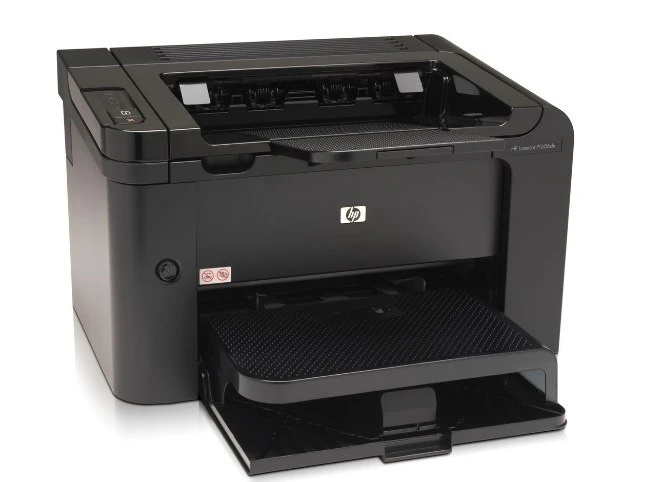
HP's LaserJet Pro P1606 brought the P1606's quicker mono printing to small-business buyers under the Pro banner — a desk-friendly workhorse from around 2010. Its single consumable is the black 78A, the CE278A, and the family offers two extensions: the maximum-yield 78X (CE278X) for heavy queues, and the CE278D variant listed within this range.
Quicker printing changes the cartridge conversation: a faster engine empties a standard fill sooner, especially in a small office where this one machine absorbs everyone's overflow. The P1606's owners tend to learn their real volume within the first two cartridges — after that, the choice between standard and maximum yield makes itself.
Toner Cartridges for LaserJet Pro P1606
- CE278X Toner Cartridge — Maximum Yield Black (single) — Black — See product page
- CE278X Toner Cartridge — Maximum Yield Black, 4 Pack — Black — See product page
- CE278A Toner Cartridge — Black, 10 Pack — Black — See product page
- CE278A Toner Cartridge — Black, 8 Pack — Black — See product page
- CE278A Premium Quality Toner Cartridge — Black, 5 Pack — Black — See product page
- CE278A Toner Cartridge — Black, 5 Pack — Black — See product page
- CE278A Toner Cartridge — Black, 4 Pack — Black — See product page
- CE278A Toner Cartridge — Black, 3 Pack — Black — See product page
- CE278A Toner Cartridge — Black, 2 Pack — Black — See product page
- CE278A Toner Cartridge — Black (single) — Black — See product page
- CE278A Toner Cartridge — MICR Black (single) — Black — See product page
- HP 78A (CE278D) Toner Cartridge — Black — Black — See product page
- HP 78A (CE278A) Toner Cartridge — Black — Black — See product page
- HP 78A (CE278A) Toner Cartridge — alternate listing — Black — See product page
- HP 78A (CE278A) Toner Cartridge — second alternate listing — Black — See product page
- HP 78A (CE278A) Toner Cartridge — Black, alternate listing A — Black — See product page
- HP 78A (CE278A) Toner Cartridge — Black, alternate listing B — Black — See product page
- HP 78A (CE278A) Toner Cartridge — Black, alternate listing C — Black — See product page
- HP 78A (CE278A) Toner Cartridge — Black, alternate listing D — Black — See product page
- HP 78A (CE278A) Toner Cartridge — 3 Black — Black — See product page
Also stocked for other models in this family: the HP P1566 (CE278A) Toner Cartridge — Black, the HP P1566 (CE278A) Toner Cartridge — 3 Black, the HP P1566 (CE278D) Toner Cartridge — 2 Black, the HP M1536D (CE278A) Toner Cartridge — Black, the HP M1536F (CE278A) Toner Cartridge — Black and the HP P1606DN (CE278A) Toner Cartridge — Black.
Which cartridge should you buy?
Order around your queue, not your intentions. The standard CE278A single suits lighter desks, and the mid-size multipacks keep a small office stocked without a big outlay. The CE278X at the top of the list is the maximum-yield build — the right answer for shared machines that drain a standard cartridge quickly, since it lowers both the swap frequency and the cost per page. The CE278D-coded listings are an alternate form of the cartridge in this range; read the listing before picking one. Check printing calls for the MICR version. All compatible cartridges here are backed by a 1-year warranty and 1-year returns.
Chip, toner and everyday use
The P1606 tells you about toner before it becomes a problem: a low message appears while usable toner remains, and the level can be checked in the printer's software as well. Storage is the quiet half of cartridge care — keep spares sealed in their original packaging, in a cool, dry place away from direct light, and install them only when the current cartridge runs out. When a swap is due, the new cartridge's chip reports its level as soon as it seats correctly.
Frequently Asked Questions
How do I know when the CE278A in my LaserJet Pro P1606 is running low?
The printer shows a toner-low message before the cartridge is empty, and the software reports the level too. Order the replacement when that first warning appears, then swap once prints start fading.
How should I store a spare cartridge for the P1606?
Sealed, in its original packaging, somewhere cool and dry and out of direct light. Toner keeps well that way for a long time; install the spare only when the running cartridge is finished.
How do I replace the toner cartridge in the P1606?
Open the cartridge door, pull the spent cartridge out by its handle, and slide the new CE278A in until it clicks. Close the door and print a test page — a clean page confirms the cartridge is seated and recognized.
More printers that use the same cartridges
The rest of the 78A family, in reverse order:
LaserJet Pro P1606dn, LaserJet Pro P1566, LaserJet Pro M1536DNF, LaserJet Pro M1536, LaserJet P1606DN, LaserJet P1606, LaserJet P1566, LaserJet P1560, LaserJet M1536NF, LaserJet M1536N, LaserJet M1536F, LaserJet M1536DNF MFP, LaserJet M1536DNF, LaserJet M1536DN, LaserJet M1536D, LaserJet M1536, LaserJet M1530MFP, LaserJet M1530, LaserJet M1530, LASERJET M1536, HP CE278A