




LaserJet P1606
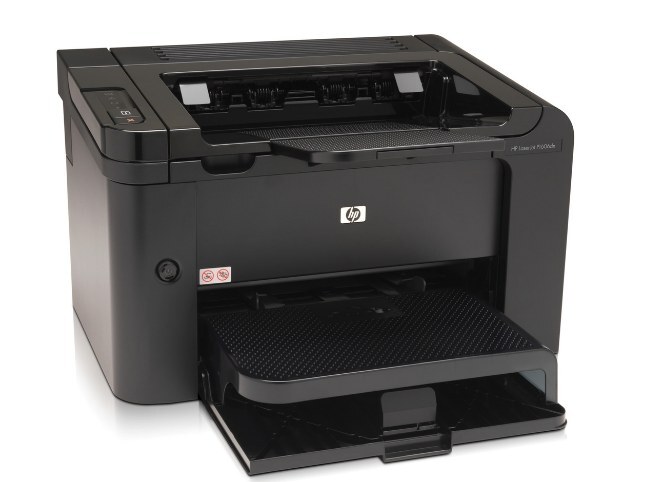
The HP LaserJet P1606 stepped up from the P1566 with faster mono printing and networking options, becoming a popular small-office printer. It runs on one cartridge for the whole printer: the black CE278A, HP's 78A. Beyond the standard cartridge, the P1606 also runs the CE278X — the maximum-yield 78X build — for desks that print enough to feel every swap, and a two-cartridge listing under the CE278D code covers paired restocking.
The P1606's buyers were the step-up crowd: home offices that had outgrown a personal printer and small teams adding their first networked unit. That middle ground shows in how the machine gets used — heavier than a desk printer, lighter than a departmental one, with printing that arrives in bursts around deadlines and month-ends. A cartridge plan that matches that rhythm, standard fills for quiet desks and the maximum-yield build for the busy one, keeps the step-up from becoming a supply headache.
Toner Cartridges for LaserJet P1606
Singles first, then the multi-packs — every version of this printer's one cartridge:
| Cartridge | Version | Color | Page Yield |
|---|---|---|---|
| CE278A | Standard fill, single cartridge | Black | See product page |
| CE278A | MICR build for check printing | Black | See product page |
| CE278X | Maximum-yield fill | Black | See product page |
| CE278A | Listed under the 78A name | Black | See product page |
| CE278A | Listed under the 78A name | Black | See product page |
| CE278A | MICR build for check printing | Black | See product page |
| CE278A | Listed under the P1566 name | Black | See product page |
| CE278A | Listed under the M1536D name | Black | See product page |
| CE278A | Listed under the M1536F name | Black | See product page |
| CE278A | Listed under the P1606DN name | Black | See product page |
| CE278A | Listed under the 78A name | Black | See product page |
| CE278A | Listed under the 78A name | Black | See product page |
| CE278A | Listed under the 78A name | Black | See product page |
| CE278A | Listed under the 78A name | Black | See product page |
| CE278D | Listed under the 78A name | Black | See product page |
| CE278A | A box of two cartridges | Black | See product page |
| CE278D | Two black cartridges in one listing | Black | See product page |
| CE278A | A box of three cartridges | Black | See product page |
| CE278A | Three black cartridges in one listing | Black | See product page |
| CE278A | Three black cartridges in one listing | Black | See product page |
| CE278A | A box of four cartridges | Black | See product page |
| CE278X | Maximum-yield fill, four cartridges in one box | Black | See product page |
| CE278A | A box of five cartridges | Black | See product page |
| CE278A | Premium-quality build in a box of five | Black | See product page |
| CE278A | A box of eight cartridges | Black | See product page |
| CE278A | A box of ten cartridges | Black | See product page |
Which cartridge should you buy?
Match the fill to the desk. The standard CE278A is the right default for a P1606 serving one or two people. Desks that print all day, or a unit shared over the network, should take the maximum-yield CE278X and enjoy the longer gaps between orders. Packs from two to ten cartridges suit anyone standardizing a small fleet of family printers on one shelf stock; the premium five-pack is the standard fill in its higher build tier. The MICR cartridge exists solely for printing checks. All compatible options here come with a one-year warranty and one-year returns.
Chip, toner and everyday use
If the P1606 does not recognize a new cartridge, the fix is mechanical nine times out of ten: open the door, pull the cartridge, check that every strip of sealing tape and every protective piece came off, and reseat it firmly. Toner levels are estimates, so treat the first light pages as a warning rather than a verdict — a gentle side-to-side rock redistributes what is left and often restores solid blacks for a good while longer. Spares keep best sealed, flat and out of direct sunlight.
Frequently Asked Questions
What is the difference between the CE278A and the CE278X?
They are the standard and maximum-yield fills of the same cartridge family, and both fit the P1606. The CE278X simply holds more toner, so it runs longer between swaps; output and fitting are otherwise the same.
Which cartridge does the LaserJet P1606 use?
The black CE278A. One cartridge feeds the whole printer, and the code is printed on the cartridge you remove — match it when you reorder.
Can the P1606 print checks with the MICR cartridge?
Yes. The CE278A MICR cartridge carries magnetic toner that bank readers need for the character line on checks. It is a specialty swap-in for check runs, not a cartridge for everyday documents.
Why does my P1606 not recognize the new cartridge?
Usually the cartridge is not fully seated or a piece of its sealing tape remains. Remove the CE278A, clear any leftover tape, and slide it back in until it clicks; that resolves most recognition messages.
More printers that use the same cartridges
Also running on this cartridge family: HP CE278A, LASERJET M1536, LaserJet M1530, LaserJet M1530, LaserJet M1530MFP, LaserJet M1536, LaserJet M1536D, LaserJet M1536DN, LaserJet M1536DNF, LaserJet M1536DNF MFP, LaserJet M1536F, LaserJet M1536N, LaserJet M1536NF, LaserJet Pro M1536, LaserJet Pro M1536DNF, LaserJet P1560, LaserJet P1566, LaserJet P1606DN, LaserJet Pro P1566, LaserJet Pro P1606, LaserJet Pro P1606dn.