




LaserJet Pro P1606dn
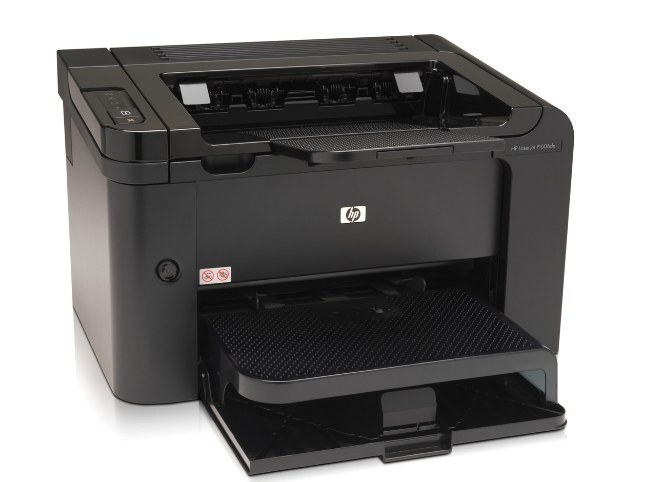
Duplex plus networking made the HP LaserJet Pro P1606dn the shared-workspace P1606 — two-sided mono printing on Ethernet for small teams.
It uses the black HP 78A (CE278A) as its single consumable.
Toner Cartridges for LaserJet Pro P1606dn
This printer works with the following toner cartridges:
- HP CE278A
More HP Printers
- LaserJet M1530
- LaserJet M1530MFP
- LaserJet M1536
- LaserJet M1536D
- LaserJet M1536DN
- LaserJet M1536DNF
- LaserJet M1536DNF MFP
- LaserJet M1536F
- LaserJet M1536N
- LaserJet M1536NF
- LaserJet P1560
- LaserJet P1566
- LaserJet P1606
- LaserJet P1606DN
- LaserJet Pro M1536
- LaserJet Pro M1536DNF
- LaserJet Pro P1566
- LaserJet Pro P1606
Frequently Asked Questions
Can I keep printing on the LaserJet Pro P1606dn after the toner-low warning?
Yes — the warning on the LaserJet Pro P1606dn comes early, so normal jobs can continue while the remaining CE278A toner lasts. Keep a spare CE278A ready and swap it into the LaserJet Pro P1606dn once pages start fading.
Is the LaserJet Pro P1606dn a monochrome or color printer?
The LaserJet Pro P1606dn is a monochrome laser printer, so it prints in black only using the CE278A cartridge. If you need color output, look at HP's color LaserJet models instead.
What should I do if the LaserJet Pro P1606dn prints blank pages?
Blank pages from the LaserJet Pro P1606dn usually mean the CE278A cartridge is empty or not seated properly. Remove it, make sure the sealing tape was pulled, reseat it firmly, and print again.