




LaserJet P1560
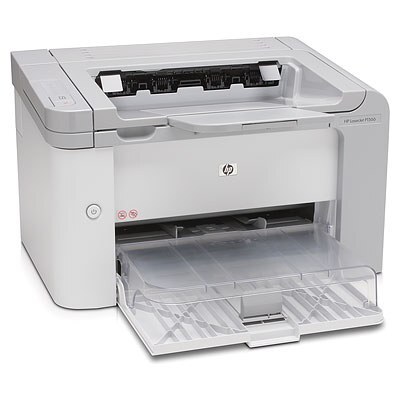
The HP LaserJet P1560 was a no-frills mono printer for home and small offices around 2010 — fast black-and-white A4 output with a small footprint and a smaller price tag.
It takes the HP 78A cartridge — black CE278A — a single, easy-to-replace consumable.
Toner Cartridges for LaserJet P1560
This printer works with the following toner cartridges:
- HP CE278A
More HP Printers
- LaserJet M1530
- LaserJet M1530MFP
- LaserJet M1536
- LaserJet M1536D
- LaserJet M1536DN
- LaserJet M1536DNF
- LaserJet M1536DNF MFP
- LaserJet M1536F
- LaserJet M1536N
- LaserJet M1536NF
- LaserJet P1566
- LaserJet P1606
- LaserJet P1606DN
- LaserJet Pro M1536
- LaserJet Pro M1536DNF
- LaserJet Pro P1566
- LaserJet Pro P1606
- LaserJet Pro P1606dn
Frequently Asked Questions
What toner cartridge does the LaserJet P1560 use?
The LaserJet P1560 takes the CE278A toner cartridge. Always match the cartridge code to your exact model number before ordering.
How do I replace the toner cartridge in the LaserJet P1560?
Open the LaserJet P1560's cartridge door, pull the spent cartridge out by its handle, then slide the new CE278A in until it clicks into place. Close the door and print a test page to confirm it is seated correctly.
Why is my LaserJet P1560 printing faded or streaky pages?
Faded or streaky output on the LaserJet P1560 usually means the CE278A cartridge is running low or the toner has settled. Rock the cartridge gently side to side to redistribute toner, and replace it if print quality does not improve.