




LaserJet Pro M1536
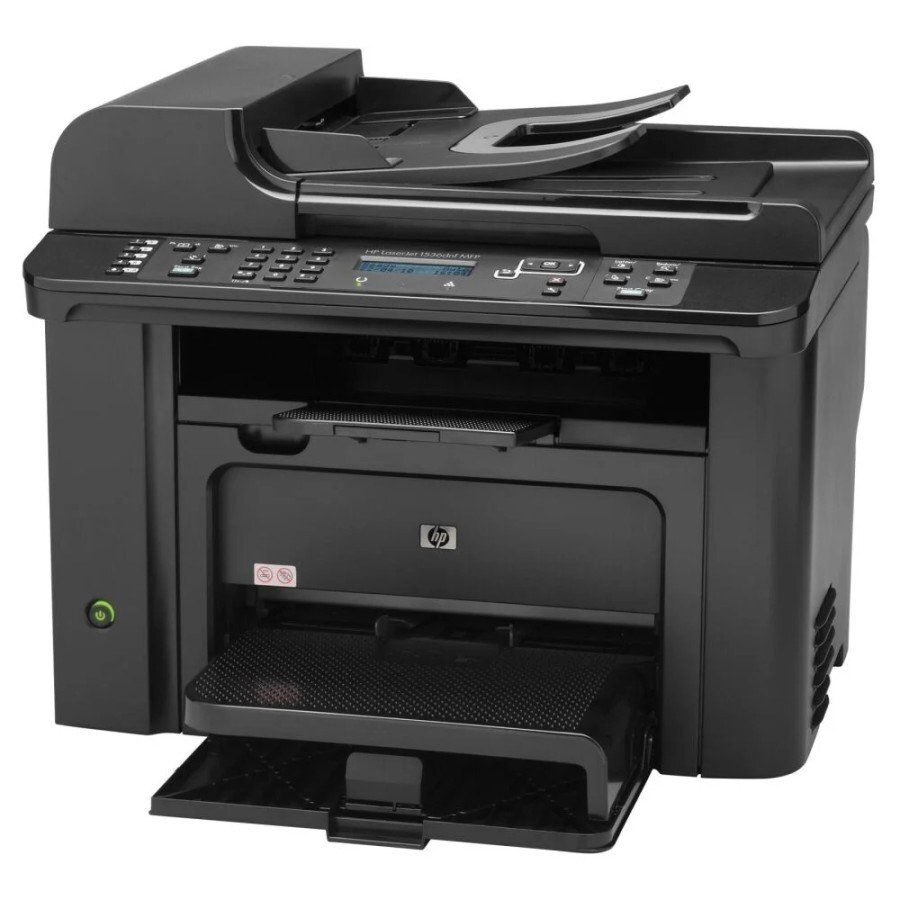
The HP LaserJet Pro M1536 carried the M1536's compact mono multifunction design under HP's Pro branding for small-business buyers around 2010. It accepts a single cartridge, the black HP 78A — the CE278A — and for teams printing well past a standard cartridge's pace, toner also comes in a maximum-yield compatible form, the CE278X (78X), alongside the CE278D variant listed below.
Small businesses bought this machine to put print, scan and copy on one desk without an IT department, and plenty of those desks still run one. Its economics stay simple fifteen years on: one bay, one cartridge code to remember, and a choice of how much toner to load into that bay at a time. The shelf below is deep because this cartridge family has been stocked in many builds over the years — standard, premium, MICR and maximum-yield among them.
Toner Cartridges for LaserJet Pro M1536
| Cartridge | Color | Page Yield |
|---|---|---|
| CE278A — Black, single cartridge | Black | See product page |
| CE278A — Black, 2 Pack | Black | See product page |
| CE278A — Black, 3 Pack | Black | See product page |
| CE278A — Black, 4 Pack | Black | See product page |
| CE278A — Black, 5 Pack | Black | See product page |
| CE278A — Black, 8 Pack | Black | See product page |
| CE278A — Black, 10 Pack | Black | See product page |
| CE278A — Premium Quality Black, 5 Pack | Black | See product page |
| CE278A — MICR Black (check printing) | Black | See product page |
| CE278X — Maximum Yield Black, single | Black | See product page |
| CE278X — Maximum Yield Black, 4 Pack | Black | See product page |
| CE278A — Black (listing A) | Black | See product page |
| CE278A — (listing B) | Black | See product page |
| CE278A — (listing C) | Black | See product page |
| CE278A — Black, 3 Pack (listing D) | Black | See product page |
| CE278A — Black (listing E) | Black | See product page |
| CE278A — Black (listing F) | Black | See product page |
| CE278A — Black (listing G) | Black | See product page |
| CE278A — Black (listing H) | Black | See product page |
| CE278D — Black, single | Black | See product page |
This page also stocks listings named for sibling models that share the same cartridge family — the Compatible HP P1566 (CE278A) Toner Cartridge Black, Compatible HP P1566 (CE278A) Toner Cartridge 3 Black, Compatible HP M1536D (CE278A) Toner Cartridge Black, Compatible HP M1536F (CE278A) Toner Cartridge Black, Compatible HP P1606DN (CE278A) Toner Cartridge Black, Compatible HP P1566 (CE278D) Toner Cartridge 2 Black. They are stocked alongside this model's own listings because the cartridge line crosses those nameplates; check the cartridge code on any listing before ordering.
Which cartridge should you buy?
Start with pace. A standard CE278A suits a desk that prints weekly; a working office that prints daily should load the maximum-yield CE278X and keep its four-pack as the standing order, since each unit runs far longer than the standard build. The standard cartridge's own multipacks — two through ten — reward offices standardizing several family machines on one shelf. The premium five-pack is the customer-facing choice, and the MICR build is for check printing only. The CE278D listing is another variant of this same 78A line carried on this page; read its listing for its exact contents before choosing it over the standard code. Compatible cartridges here carry a 1-year warranty and 1-year returns.
Chip, toner and everyday use
A compatible cartridge that the printer refuses almost always needs one of two things: its seal fully removed, or one firm reseat so the chip meets its contacts squarely. Before installing, rock the cartridge gently side to side to redistribute toner that settled in transit. Do not swap a cartridge at the first low warning — let it run until pages stay faded or streaked even after that same gentle redistribution, or until the toner-low alert will not clear. Store spares sealed and upright at room temperature, and remember yield figures are estimates at light coverage.
Frequently Asked Questions
Will a remanufactured CE278A cartridge work in the LaserJet Pro M1536?
Usually yes — remanufactured cartridges built for this machine install and print like the original. If the printer does not recognize one, reseat it firmly and confirm the seals were removed before trying another unit.
When is it time to replace the cartridge?
Replace it when pages stay faded or streaked even after you redistribute the toner, or when the toner-low alert will not clear. There is no need to swap early just because the first warning appears — that warning is a planning cue, not a deadline.
Where do I download drivers for the LaserJet Pro M1536?
Download the latest drivers from HP's official support website by searching the exact model name. The full software package includes the utilities for checking toner levels and managing the printer.
What is the CE278D listing on this page?
It is a D-suffixed variant within the same 78A cartridge line, stocked here both as a single and inside a two-cartridge listing named for the P1566. If you are matching an existing cartridge, compare its code letter by letter — A, X and D are different listings.
More printers that use the same cartridges
The 78A family crosses the M1530 line and the P1560/P1606 printers — the complete list of models on this cartridge:
HP CE278A, LASERJET M1536, LaserJet M1530, LaserJet M1530, LaserJet M1530MFP, LaserJet M1536, LaserJet M1536D, LaserJet M1536DN, LaserJet M1536DNF, LaserJet M1536DNF MFP, LaserJet M1536F, LaserJet M1536N, LaserJet M1536NF, LaserJet P1560, LaserJet P1566, LaserJet P1606, LaserJet P1606DN, LaserJet Pro M1536DNF, LaserJet Pro P1566, LaserJet Pro P1606, LaserJet Pro P1606dn