




LaserJet M1536DN
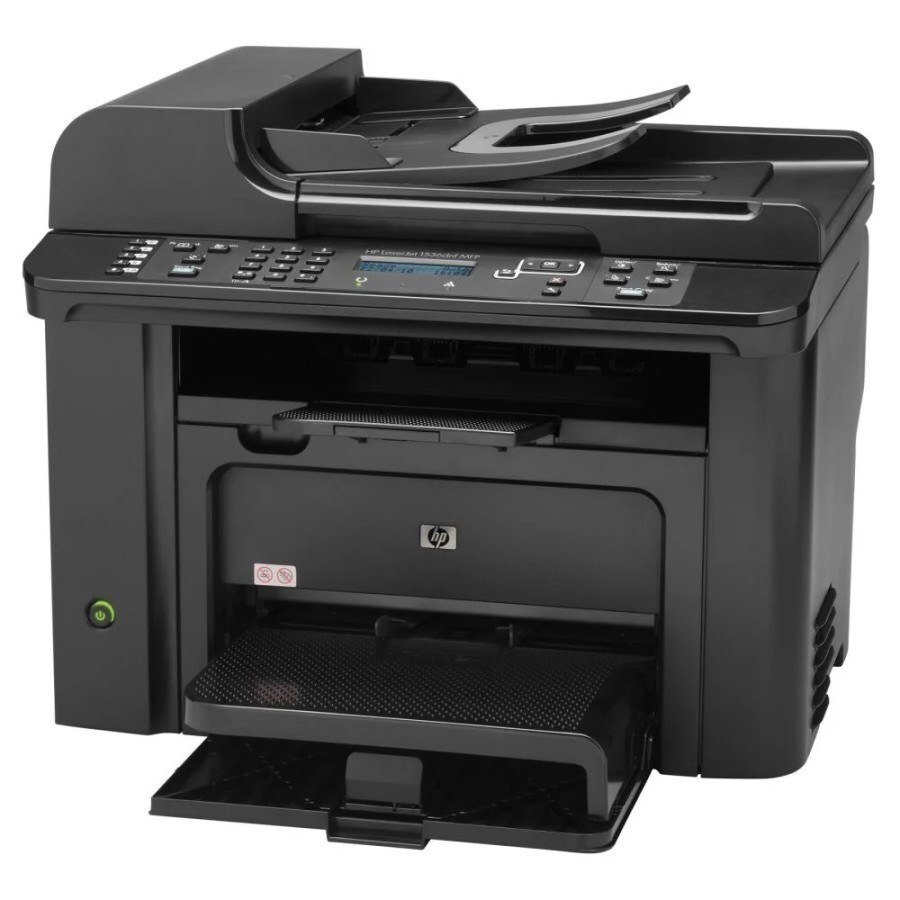
Duplex plus Ethernet networking made the HP LaserJet M1536DN the shared-office configuration of the M1536 line — two-sided output on the network for small teams. It accepts the black HP 78-series CE278A, a single cartridge for all functions; for a unit that empties one too quickly, the step up is the CE278X, a maximum-yield compatible cartridge that carries more toner per unit. The CE278D code covers the two-cartridge option.
A networked MFP lives a different life from a personal one. Its print queue is the team's queue, its copies are everyone's copies, and its empty cartridge is a shared problem that always surfaces mid-job. The M1536DN was built for exactly that duty — which is why its one-cartridge simplicity matters: there is only ever one consumable to monitor, order and shelve.
Toner Cartridges for LaserJet M1536DN
| Cartridge code | Color | Rated yield |
|---|---|---|
| CE278A (78A) — MICR | Black | See product page |
| CE278X — 4-pack bundle, Maximum-capacity build | Black | See product page |
| CE278X (78X) — Maximum-capacity build | Black | See product page |
| CE278A — 5-pack bundle, Premium Quality | Black | See product page |
| CE278A | Black | See product page |
| CE278A | Black | See product page |
| CE278A | Black | See product page |
| CE278A | Black | See product page |
| CE278A — 3-pack | Black | See product page |
| CE278A — 3-pack | Black | See product page |
| CE278A | Black | See product page |
| CE278A | Black | See product page |
| CE278A | Black | See product page |
| CE278A | Black | See product page |
| CE278A | Black | See product page |
| CE278A | Black | See product page |
| CE278A | Black | See product page |
| CE278D | Black | See product page |
| CE278D — 2-pack | Black | See product page |
| CE278A | Black | See product page |
| CE278A — 10-pack bundle | Black | See product page |
| CE278A — 2-pack bundle | Black | See product page |
| CE278A — 3-pack bundle | Black | See product page |
| CE278A — 5-pack bundle | Black | See product page |
| CE278A — 4-pack bundle | Black | See product page |
| CE278A — 8-pack bundle | Black | See product page |
Which cartridge should you buy?
Shared use argues for capacity and a spare. The standard cartridge is fine for a quiet network corner, but a team machine usually belongs on the maximum-yield build: longer between swaps, lower cost per page, fewer interruptions landing on other people's work. The paired option under the D code builds the spare into the purchase. However you buy, keep one cartridge in reserve per shared machine — the cost of the spare is trivial next to a morning of faded printouts.
Chip, toner and everyday use
Assign the toner warning an owner: whoever sees the low-toner message first orders or flags it, so the message never becomes background noise. Swapping is a slide-and-click job with automatic chip recognition — no tools, no settings. Store the reserve cartridge sealed and flat near the machine; heat and sunlight are the enemies of a cartridge waiting its turn.
Frequently Asked Questions
What does the DN add to the M1536?
Duplex plus Ethernet networking — the shared-office configuration of the line. Several people print to one machine, and one black CE278A cartridge keeps up with all of them.
Which cartridge suits a shared M1536DN?
Shared machines empty cartridges faster than personal ones, so busy teams often step up to the CE278X maximum-yield build. The standard cartridge remains the right pick for a lightly used network unit.
What is the CE278D option on this page?
A two-cartridge pack sold under a single code — handy for a shared machine, because the replacement is already in the cupboard when the installed cartridge finishes.
How do I know when the shared printer needs toner?
The machine reports its toner-low state on its display and to the network. Order — or better, shelve — the replacement at the first warning, not when a colleague's job fades.
More printers that use the same cartridges
One cartridge design covers this whole group of HP machines:
HP CE278A, LaserJet M1530, LaserJet M1530, LaserJet M1530MFP, LASERJET M1536, LaserJet M1536, LaserJet M1536D, LaserJet M1536DNF, LaserJet M1536DNF MFP, LaserJet M1536F, LaserJet M1536N, LaserJet M1536NF, LaserJet P1560, LaserJet P1566, LaserJet P1606, LaserJet P1606DN, LaserJet Pro M1536, LaserJet Pro M1536DNF, LaserJet Pro P1566, LaserJet Pro P1606, LaserJet Pro P1606dn.