




LaserJet Pro P1566
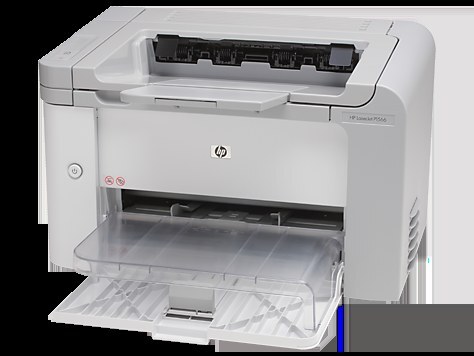
The LaserJet Pro P1566 was the Pro-branded version of HP's compact mono printer for small businesses — simple, fast black-and-white output sized for a single desk. It runs on HP's 78A cartridge, the black CE278A, and the family reaches further than one fill level: the maximum-yield 78X (CE278X) for long runs, and a CE278D variant listed for this model below.
Single-desk printers live a particular life: close at hand, switched on all day, expected to produce the label, the letter and the invoice copy without ceremony or queueing. The P1566's cartridge story matches that life — one slot, one standard code to remember, and higher-yield options for the desks whose 'occasional printing' quietly turns into daily printing.
Toner Cartridges for LaserJet Pro P1566
The same family is also stocked under sibling model names, which fit those machines' pages: the HP M1536D (CE278A) Toner Cartridge — Black, the HP M1536F (CE278A) Toner Cartridge — Black and the HP P1606DN (CE278A) Toner Cartridge — Black.
Which cartridge should you buy?
For a single desk printing ordinary office pages, the standard CE278A single is the straightforward buy, and the multipacks in the table exist for desks that would rather not reorder often. The CE278X is the maximum-yield member of the family — more toner per cartridge, fewer swaps — and it makes the most sense on the busiest desks. The CE278D-coded listings are an alternate build of the cartridge sold for this model; check the listing details before choosing one over the standard code. If this desk prints checks, the MICR cartridge is the specialist for that work. Compatible cartridges here carry a 1-year warranty and 1-year returns.
Chip, toner and everyday use
If a fresh cartridge is not recognized, reseat it before anything else: chip recognition issues are the most common cause, and a firm seat usually settles it. Vertical lines running down every page point the other way — they often come from a damaged or nearly empty cartridge, so try a fresh one before booking service. Keep the spare sealed in a cool, dry place, and when output fades near the end of a cartridge, a gentle side-to-side rock redistributes the toner for a final run of clean pages.
Frequently Asked Questions
Can I use a compatible CE278A in the LaserJet Pro P1566, or do I need genuine HP?
Both work. Genuine cartridges come from HP; compatible versions are third-party cartridges built for the same printer. What matters is the code on the box — match CE278A (or the CE278X for maximum yield) and choose on budget and quality expectations.
Why does my P1566 leave vertical lines on every page?
Lines that repeat down the page often trace back to a damaged or nearly empty cartridge. Fit a fresh CE278A and print again; if the lines survive a new cartridge, the printer itself needs a cleaning cycle or service.
Will a remanufactured CE278A cartridge work in the P1566?
Generally yes — third-party cartridges are built for this model — though quality varies by maker. If the printer ever rejects one, reseat it or try another unit; the chip handshake is the usual stumbling point.
More printers that use the same cartridges
These HP models share the same 78A cartridge family:
HP CE278A, LASERJET M1536, LaserJet M1530, LaserJet M1530, LaserJet M1530MFP, LaserJet M1536, LaserJet M1536D, LaserJet M1536DN, LaserJet M1536DNF, LaserJet M1536DNF MFP, LaserJet M1536F, LaserJet M1536N, LaserJet M1536NF, LaserJet P1560, LaserJet P1566, LaserJet P1606, LaserJet P1606DN, LaserJet Pro M1536, LaserJet Pro M1536DNF, LaserJet Pro P1606, LaserJet Pro P1606dn