




LaserJet M1530
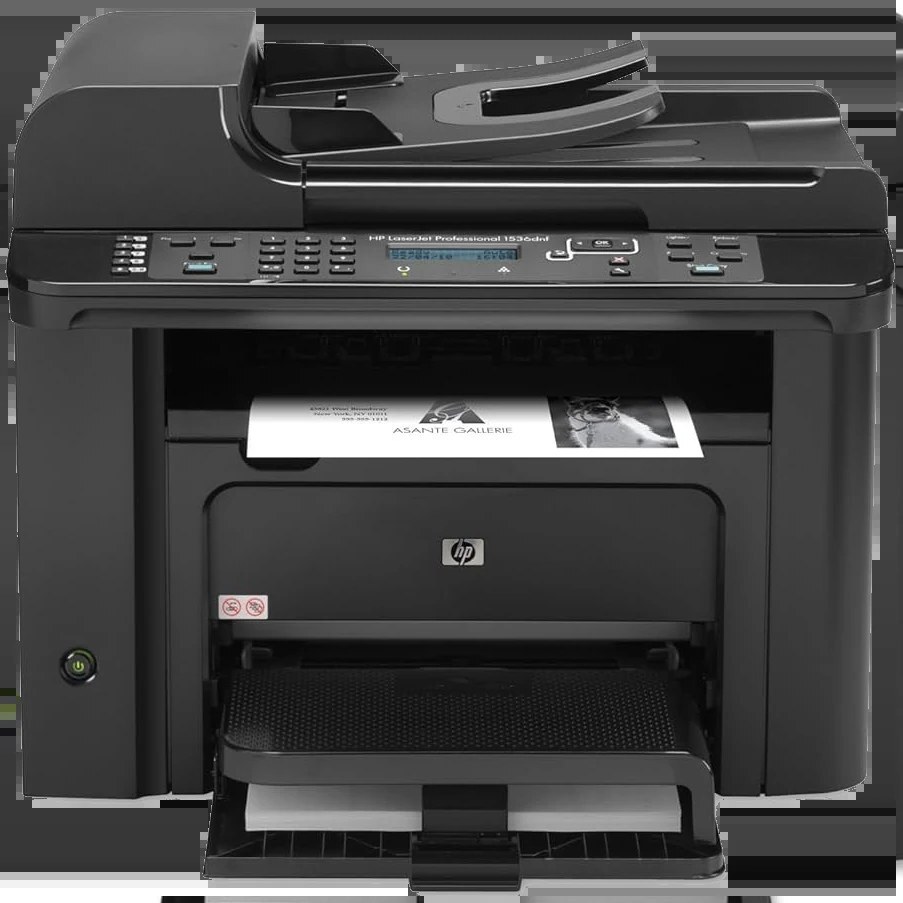
The LaserJet M1530 belongs to HP's late-2000s small-office laser line, a straightforward machine whose appeal was keeping pages flowing with quick toner changes and rare interruptions. HP's documentation for the model names the Q7553A — the HP 53A — as its toner cartridge. The cartridge stocked on this page is the CE278D black two-pack, cataloged under the P1566 name, so compare the code printed on the cartridge you are replacing before you order.
Machines of this vintage stay in service because they are simple: one black cartridge, a short paper path and very little to go wrong. For a small office still running one, the real question is supply — keeping the right cartridge on the shelf so a low-toner warning never turns into a stopped workday. A two-pack answers that neatly, with one cartridge in the machine and its twin waiting in the drawer.
Toner Cartridges for LaserJet M1530
| Cartridge | Color | Page Yield |
|---|---|---|
| Compatible HP P1566 (CE278D) Toner Cartridge 2 Black | Black | See product page |
That is the full shelf for this page: a CE278D two-pack listed under the P1566 name. The M1530's documented cartridge code is Q7553A, so confirm the code on your current cartridge before buying.
Which cartridge should you buy?
Start with the code, not the model name. The documentation for this printer points to the Q7553A, while the listing stocked here carries the CE278D code under a P1566 title — the two are not interchangeable descriptions, and the label on the cartridge coming out of your machine is the authority. If your cartridge is the CE278D type, the two-pack is the sensible buy for a working office: the per-cartridge cost of a pair beats buying singles, and the spare means the next change takes minutes instead of days. If your cartridge reads Q7553A, look for that code rather than substituting on a guess.
Chip, toner and everyday use
You can see where you stand before a cartridge runs dry: print a supplies-status page from the control panel, or check the levels in the printer software on your computer, and plan the replacement while there is still toner in reserve. When you fit a fresh cartridge, pull its sealing tape fully, seat it firmly, and keep the spent one until the first clean pages prove the new one is good. Spares store best sealed in their packaging, upright, in a cool dry cupboard — treated that way, a two-pack bought today is still ready when the second half is needed.
Frequently Asked Questions
Which toner cartridges work with the LaserJet M1530?
HP's documentation for this model lists the Q7553A. The cartridge stocked on this page is a CE278D black two-pack listed under the P1566 name, so match the code on your existing cartridge before ordering.
How can I check how much toner is left in my LaserJet M1530?
Print a supplies-status page from the control panel, or view the levels in the printer software on your computer. Plan a replacement when the cartridge runs low or pages start to fade.
How do I clear a paper jam in the LaserJet M1530?
Turn the printer off and remove the jammed sheet slowly through the rear or toner access door, pulling in the direction of the paper path. Check for torn scraps, then reload the tray with fanned paper.
More printers that use the same cartridges
The cartridge family behind this page also serves these models:
HP CE278A, LASERJET M1536, LaserJet M1530, LaserJet M1530MFP, LaserJet M1536, LaserJet M1536D, LaserJet M1536DN, LaserJet M1536DNF, LaserJet M1536DNF MFP, LaserJet M1536F, LaserJet M1536N, LaserJet M1536NF, LaserJet P1560, LaserJet P1566, LaserJet P1606, LaserJet P1606DN, LaserJet Pro M1536, LaserJet Pro M1536DNF, LaserJet Pro P1566, LaserJet Pro P1606, LaserJet Pro P1606dn