




LaserJet Pro P1606
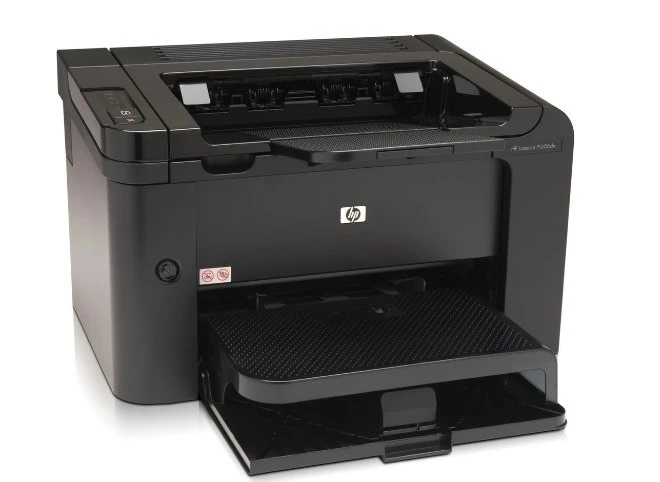
HP's LaserJet Pro P1606 brought the P1606's quicker mono printing to small-business buyers under the Pro banner, a desk-friendly workhorse around 2010.
The cartridge is the HP 78A (CE278A) black, available genuine or compatible.
Toner Cartridges for LaserJet Pro P1606
This printer works with the following toner cartridges:
- HP CE278A
More HP Printers
- LaserJet M1530
- LaserJet M1530MFP
- LaserJet M1536
- LaserJet M1536D
- LaserJet M1536DN
- LaserJet M1536DNF
- LaserJet M1536DNF MFP
- LaserJet M1536F
- LaserJet M1536N
- LaserJet M1536NF
- LaserJet P1560
- LaserJet P1566
- LaserJet P1606
- LaserJet P1606DN
- LaserJet Pro M1536
- LaserJet Pro M1536DNF
- LaserJet Pro P1566
- LaserJet Pro P1606dn
Frequently Asked Questions
How do I know when the CE278A in my LaserJet Pro P1606 is running low?
The LaserJet Pro P1606 shows a toner-low message before the CE278A is empty, and you can check the level in the printer's software too. Order a replacement CE278A when the warning first appears on the LaserJet Pro P1606, and swap it once prints start fading.
How should I store a spare CE278A cartridge for the LaserJet Pro P1606?
Keep spare CE278A cartridges for the LaserJet Pro P1606 sealed in their original packaging in a cool, dry place away from direct light. Install them only when the current cartridge runs out.
How do I replace the toner cartridge in the LaserJet Pro P1606?
Open the LaserJet Pro P1606's cartridge door, pull the spent cartridge out by its handle, then slide the new CE278A in until it clicks into place. Close the door and print a test page to confirm it is seated correctly.