




LaserJet P1606
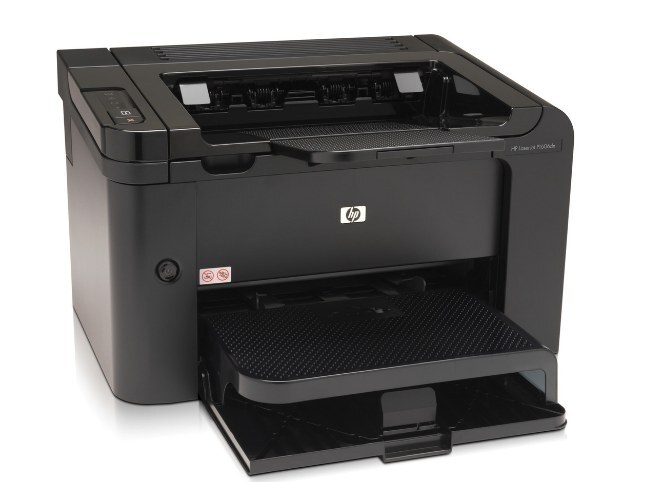
The HP LaserJet P1606 stepped up from the P1566 with faster mono printing and networking options, a popular small-office printer around 2010.
It runs on the HP 78A cartridge — black CE278A — one cartridge for the whole printer.
Toner Cartridges for LaserJet P1606
This printer works with the following toner cartridges:
- HP CE278A
More HP Printers
- LaserJet M1530
- LaserJet M1530MFP
- LaserJet M1536
- LaserJet M1536D
- LaserJet M1536DN
- LaserJet M1536DNF
- LaserJet M1536DNF MFP
- LaserJet M1536F
- LaserJet M1536N
- LaserJet M1536NF
- LaserJet P1560
- LaserJet P1566
- LaserJet P1606DN
- LaserJet Pro M1536
- LaserJet Pro M1536DNF
- LaserJet Pro P1566
- LaserJet Pro P1606
- LaserJet Pro P1606dn
Frequently Asked Questions
What toner cartridge does the LaserJet P1606 use?
The LaserJet P1606 takes the CE278A toner cartridge. Always match the cartridge code to your exact model number before ordering.
Why doesn't my LaserJet P1606 recognize the new CE278A cartridge?
Reseat the CE278A cartridge firmly in the LaserJet P1606 and check that every protective seal and pull tab was removed. If the message stays, power the printer off and on so it re-detects the cartridge.
What should I do when the LaserJet P1606 shows a toner-low warning?
A toner-low alert on the LaserJet P1606 means the CE278A cartridge is nearly empty, though you can usually keep printing for a while. Order a replacement now so you have one ready when quality starts to fade.