




Phaser 6000
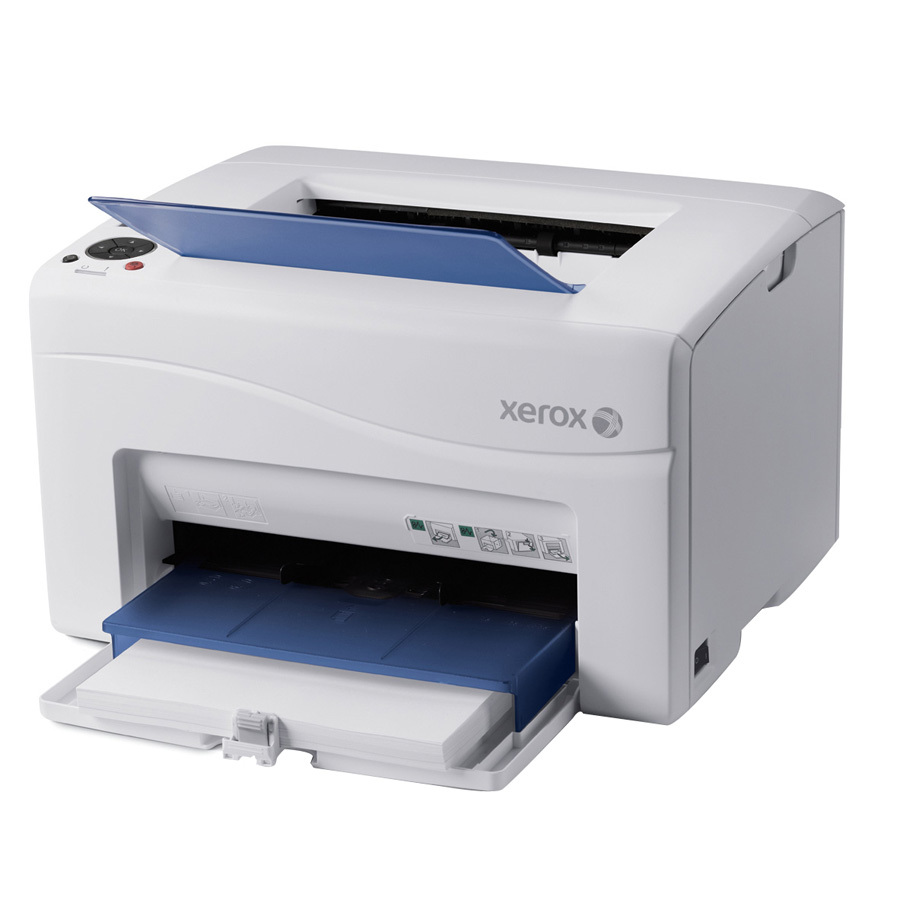
Color printing in an office only stays affordable when you replace the cartridge that is empty — not a whole set — and the Xerox Phaser 6000 is built around exactly that discipline. Its four cartridges are sold individually: the 106R01630 black, rated at 2,000 pages, plus the 106R01627 cyan, 106R01628 magenta and 106R01629 yellow at 1,000 pages each. This page lists the compatible versions of all four, together with the multi-color sets assembled from them.
The 6000 is a straightforward color laser for office duty: known for simple operation and durable construction rather than novelty features. That temperament suits supply planning — the cartridge shelf is small, every color is separately replaceable, and the black cartridge carries twice the rating of each color because everyday documents spend black toner fastest.
Toner Cartridges for Phaser 6000
| Cartridge | Color | Page Yield |
|---|---|---|
| 106R01630 | Black | 2,000 pages |
| 106R01627 | Cyan | 1,000 pages |
| 106R01628 | Magenta | 1,000 pages |
| 106R01629 | Yellow | 1,000 pages |
| 4 Color Set (all four cartridges) | Black + CMY | 2,000 / 1,000 pages each |
| 4 Color Set (Phaser 6000 listing) | Black + CMY | 2,000 / 1,000 pages each |
| 4 Color Set (Phaser 6000 laser listing) | Black + CMY | 2,000 / 1,000 pages each |
| 3 Color Set (cyan, magenta, yellow) | CMY | 1,000 pages each |
| 5 Color Set | Black + CMY | 2,000 / 1,000 pages each |
| Black 2 Pack (106R01630) | Black | 2,000 pages each |
Also sold for this model: the 6 Color Set, the 8 Color Set, the Black 3 Pack and Black 5 Pack, the model-named singles black, cyan, magenta and yellow, and the Premium 4 Color Set.
Which cartridge should you buy?
Let the printer's warning tell you. When a single color runs out, buy that single cartridge — the 4 Color Set only earns its shelf space when several colors are near empty together, or when you want a complete fresh set after a long run. Black is the exception to single-buying discipline: at 2,000 pages it is replaced more often than any color, so the black multi-packs make sense for steady offices. One more nuance for color work: colors rarely empty at the same speed, because a logo-heavy document diet spends one or two colors faster. Watch which colors your office actually consumes before committing to sets, and let that pattern, not habit, drive the order.
Chip, toner and everyday use
Each color cartridge is keyed to its own slot, so a swap is hard to get wrong — still, confirm the color on the box before the seal comes off, because an opened cartridge cannot go back. Fit the new unit until it clicks and let the printer recognize its chip before sending a job. Yield ratings assume about 5% coverage; a page of full-color graphics can spend many times the toner of a text page, which is why presentation-heavy offices see color cartridges finish sooner than the rating suggests. Keep singles sealed, flat and out of sunlight until their slot calls for them.
Frequently Asked Questions
What toner does the Phaser 6000 use?
Four separate cartridges: 106R01630 black (2,000 pages) and 106R01627 cyan, 106R01628 magenta and 106R01629 yellow at 1,000 pages each. All four are listed in the table above.
Only one color is empty. Do I need a whole set?
No. The colors are independent, so replace just the empty one. Sets are for restocking several low colors at once or starting a machine on a completely fresh shelf.
Why does black run out first?
Most office pages are mostly text, and text is black. Xerox rated the black cartridge at twice the color yield for that reason; offices that print heavily still keep a black multi-pack on hand.
Are the compatible cartridges guaranteed?
Yes — the compatible cartridges here carry a 1-year warranty and 1-year returns, so a cartridge that misbehaves in normal use can be returned instead of absorbed as a loss.
More printers that use the same cartridges
This four-cartridge shelf is shared with the WorkCentre side of the family as well. Every model that uses the same cartridges: Phaser 6000B, Phaser 6010, Phaser 6010N, WorkCentre 6015, WorkCentre 6015V/B, WorkCentre 6015V/N, WorkCentre 6015V/NI, WorkCentre 6015b, WorkCentre 6015n, WorkCentre 6015ni.