




CLX-6220FX
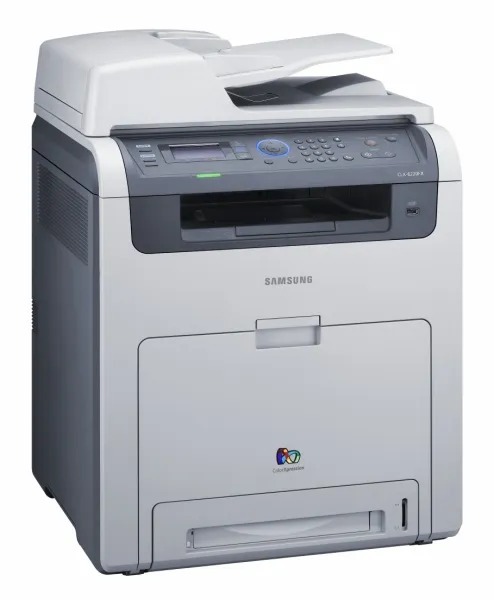
The Samsung CLX-6220FX is a color laser multifunction printer from the late 2000s, part of the CLX-6220 generation and pitched squarely at workgroups that needed robust color output. It feeds on two related toner lines: the standard-yield CLT-K508S in black with CLT-C508S, CLT-M508S and CLT-Y508S for the colors, and the high-yield L line led by CLT-K508L with CLT-C508L, CLT-M508L and CLT-Y508L. The two lines are also cataloged as the CLT-508S and CLT-508L ranges in the multi-packs and sets below. Compatible and genuine Samsung cartridges are both stocked on this page.
One practical advantage of this generation is how widely its consumables are shared: the same cartridges serve the rest of the CLX-6220 group and the CLP-620 and CLP-670 printers listed below, so a workgroup running several of these machines can stock one shelf of toner for all of them. The FX model was the office workhorse of the range, and its appetite matches — steady document volume, color reports and presentations, with black carrying most of the load week after week.
Toner Cartridges for CLX-6220FX
Which cartridge should you buy?
Start with the S-versus-L decision. The S line is the standard-yield range and suits lighter, intermittent printing. The L line is the high-yield range: each cartridge is built to run longer between swaps, which suits a shared workgroup machine that prints every day. Within a line, buy singles and replace only the color the printer flags — the four cartridges are independent. Choose a 4 Color Set when several are fading together, or when a machine changes hands and needs a full refresh in one order. Black multi-packs exist in both lines for offices that burn through black fastest. Match the full code, including the S or L suffix, because ordering the wrong suffix gets you the other capacity rather than the one you planned.
Chip, toner and everyday use
If the front cover will not close after a swap, the cartridge is not fully seated: pull it out, slide it back along the rails and push until it clicks. Handle cartridges by their ends or their handle only, and keep fingers off the drum shutter and the chip contacts — fingerprints on either can show up as marks on every page, or as a cartridge the printer refuses to read. Keep a new cartridge out of direct sunlight while it waits its turn, and pull all seals and tape clear before it goes in.
Frequently Asked Questions
Can a low CLT-K508S cartridge cause paper jams in the CLX-6220FX?
No. Low toner announces itself as faded prints, not feed errors. If jams started at roughly the same time as a toner warning, treat them as two separate problems: check the paper stack and the rollers first, and replace the cartridge only when print density actually drops.
The front cover will not close after I installed a cartridge. Why?
The cartridge has not traveled all the way home. Open the cover, draw the cartridge out by its handle, remove any seals or tape still attached, and slide it in along the rails until it clicks. Then close the cover and print a test page to confirm even coverage.
Do I need to shake a brand-new cartridge before installing it?
A gentle rock from side to side helps level the toner inside; violent shaking does not. What matters more is what you do not touch: keep hands off the drum shutter and the chip contacts, and do not leave the cartridge sitting in bright light while you work.
Should my workgroup buy the S line or the L line?
Volume decides. A machine that prints all day, every day, belongs on the high-yield L cartridges so swaps interrupt work less often. A lightly used machine is served just as well by the standard S line. Both lines fit this printer; the suffix on the code is the difference.
More printers that use the same cartridges
The same two toner lines serve the rest of this generation — the CLP-620 and CLP-670 printers and the other CLX models listed here: CLP-620, CLP-620ND, CLP-670, CLP-670N, CLP-670ND, CLX-6220, CLX-6220FX/XAA, CLX-6250, CLX-6250FR, CLX-6250FX, Samsung-CLT508.