




CLX-6220FX
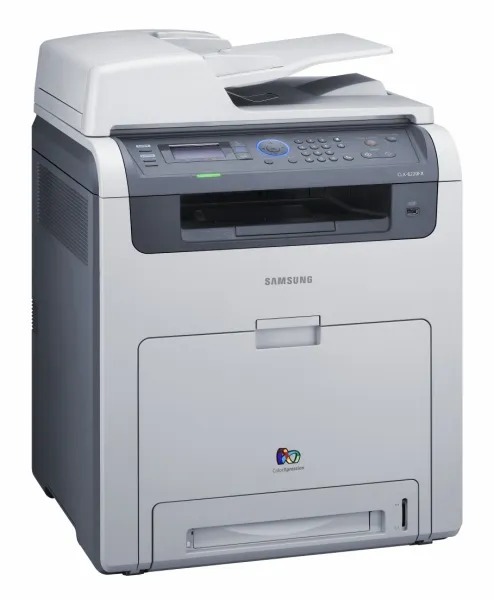
The CLX-6220FX joined Samsung's CLP/CLX stable in the late 2000s as a color laser multifunction printer. The model sits in the CLX-6220 generation, sharing consumables across that whole group. It was pitched squarely at workgroups that needed robust color laser performance.
The specified toner is Samsung's CLT-K508 range: CLT-K508S black alongside CLT-C508S magenta. Both compatible and genuine OEM versions of the CLT-K508 set are available here, shipping fast from Clever Supplies.
Toner Cartridges for CLX-6220FX
This printer works with the following toner cartridges:
- Samsung CLT-K508S
- Samsung CLT-C508S
- Samsung CLT-M508S
- Samsung CLT-Y508S
- Samsung CLT-K508L
- Samsung CLT-C508L
- Samsung CLT-M508L
- Samsung CLT-Y508L
More Samsung Printers
Frequently Asked Questions
Can a low CLT-K508S cartridge cause paper jams in the CLX-6220FX?
A low CLT-K508S cartridge does not cause jams in the CLX-6220FX; low toner shows up as faded prints, not feed errors. If jams started around the same time, treat them as separate issues and check the paper and rollers first. Replacing toner early will not fix a mechanical feed problem.
The CLX-6220FX front cover will not close after I installed the cartridge - why?
Open the front cover of the CLX-6220FX, pull out the spent CLT-K508S by its handle, and slide the new cartridge in along the rails until it clicks. Remove any orange seals or tape from the new cartridge before installing. Close the cover and print a test page to confirm even toner coverage.
Do I need to shake a brand-new CLT-K508S before installing it in the CLX-6220FX?
Handle the CLT-K508S by its ends or handle only — never touch the green drum shutter or the chip contacts. Fingerprints left on the drum turn into permanent flaws on CLX-6220FX pages. During installation, keep the cartridge shielded from direct sunlight.