




CLP-670N
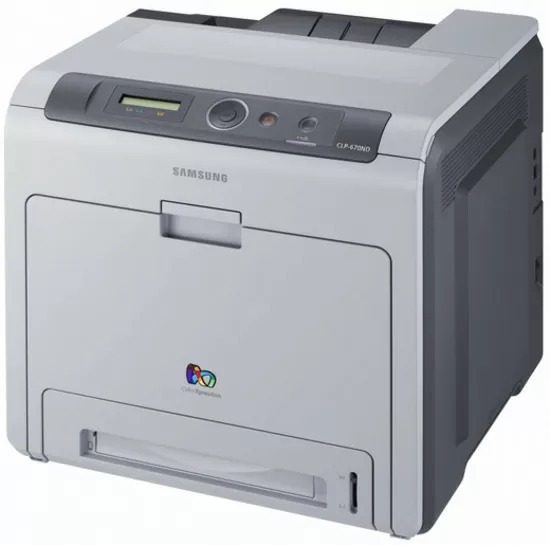
The CLP-670N is Samsung's late 2000s color laser printer, sold under the CLP/CLX banner. The letter in its model name means it adds wired Ethernet networking, setting it apart from the base CLP-670. It found its niche with workgroups that needed robust color laser performance.
Its consumable is the CLT-K508 set — CLT-K508S in black, CLT-C508S in magenta, with cyan and yellow to complete the quartet. Whether you want compatible savings or genuine OEM CLT-K508 cartridges, we ship fast from Clever Supplies.
Toner Cartridges for CLP-670N
This printer works with the following toner cartridges:
- Samsung CLT-K508S
- Samsung CLT-C508S
- Samsung CLT-M508S
- Samsung CLT-Y508S
- Samsung CLT-K508L
- Samsung CLT-C508L
- Samsung CLT-M508L
- Samsung CLT-Y508L
More Samsung Printers
Frequently Asked Questions
My first prints with the new CLT-K508S look light on the CLP-670N - is that normal?
Avoid touching the green drum shutter or the metal chip contacts on the CLT-K508S; handle it by the ends or the handle. Fingerprints on the drum become permanent print defects on the CLP-670N. Keep the cartridge out of direct sunlight during installation.
Do I need special software to share the CLP-670N with several computers?
If the link light is on but jobs never arrive, the driver port on the computer probably points at a stale IP address. Compare the port setting with the address on a freshly printed network report from the CLP-670N. Updating the port or reinstalling the driver with the current address clears it up.
What does the blinking toner light on the CLP-670N indicate?
A toner error right after installing a new CLT-K508S in the CLP-670N is usually a seating issue: the cartridge may not be fully clicked in or the protective seal was left on. Power the printer off, remove the cartridge, check for leftover tape or seals, and reinstall it. The printer should recognize it on the next power-up.