




CLX-6250FX
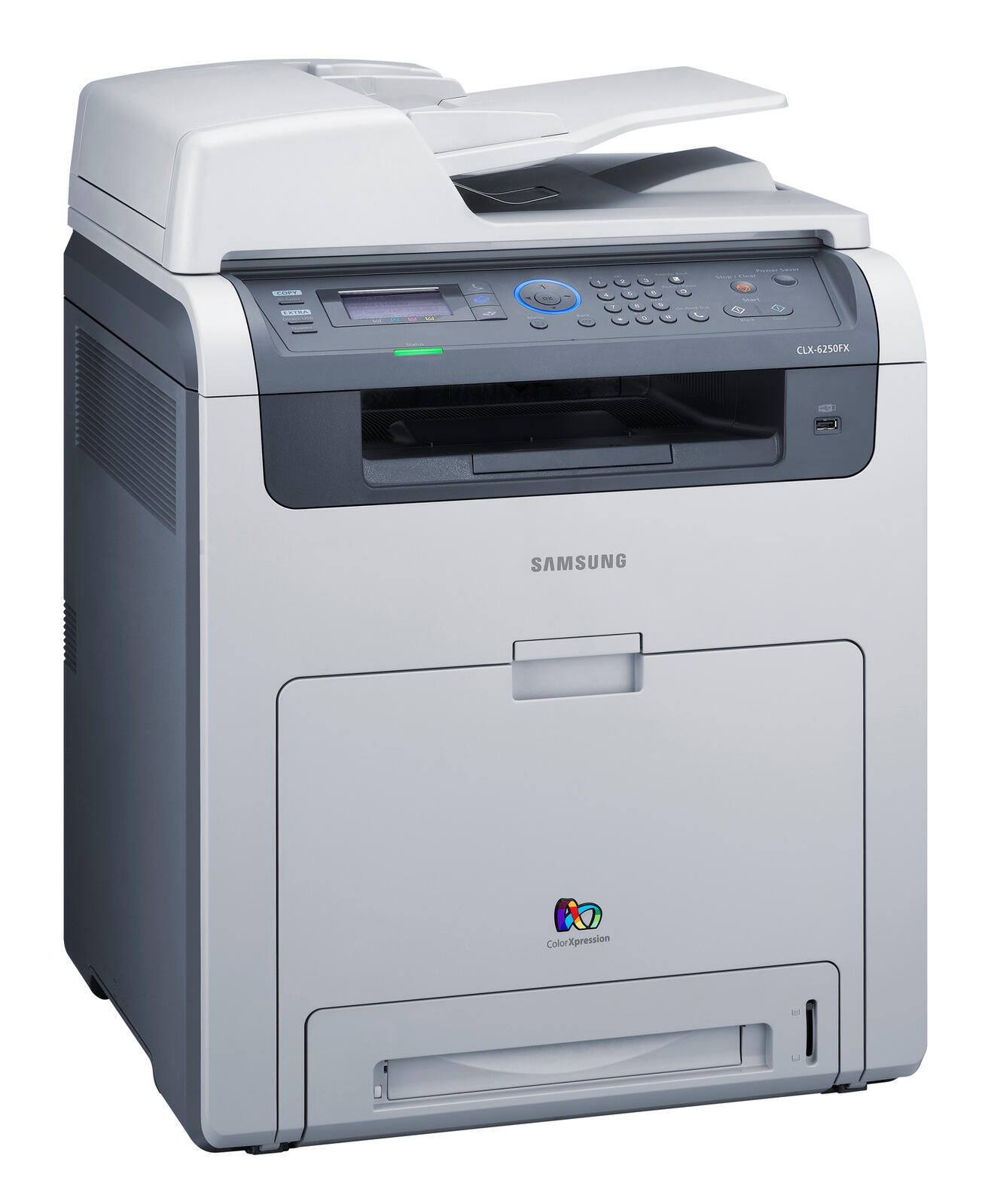
Samsung's CLX-6250FX arrived in the late 2000s as a color laser multifunction printer with running costs kept firmly in check, aimed at workgroups that needed robust color performance without departmental prices. It belongs to the CLX-6250 generation and shares its toner with that family: standard-yield CLT-K508S black, CLT-C508S cyan, CLT-M508S magenta and CLT-Y508S yellow, plus a high-yield L range — CLT-K508L, CLT-C508L, CLT-M508L and CLT-Y508L — for busier offices. Shoppers will also meet the two ranges under the CLT-508S and CLT-508L labels in the pack and set listings below. Compatible and genuine Samsung versions are both available.
Cost control was the sales pitch for this model, and the cartridge system is where it shows. Two capacities for every color means a buyer can match spending to actual volume instead of over-buying yield the office will never use up. In practice these machines lived in busy workgroups — shared corridor printers turning out reports, proposals and color handouts all week — where the machine that simply keeps working is the one nobody notices or complains about.
Toner Cartridges for CLX-6250FX
Which cartridge should you buy?
Think in terms of cost per month rather than price per box. Light, occasional printing is served best by the standard-yield S cartridges, replaced one at a time as each color fades. Steadier volume favors the high-yield L cartridges, which stretch the interval between orders and swaps. When the whole set is tired, a 4 Color Set refreshes all four slots in a single delivery; when only black is low — the common case — a black single or multi-pack is the honest buy. Compatible cartridges trim the bill further for everyday work, while genuine Samsung stock is there for offices that prefer it. Check the suffix on your old cartridge before choosing, since S and L are different orders.
Chip, toner and everyday use
A fresh cartridge that prints blank almost always still has its sealing tape partly in place — find the pull tab and draw the tape out completely before reinstalling. If the printer's eco mode is switched on, remember it lightens every page on purpose to save toner; turn it off for final-quality work rather than blaming the cartridge. And when copies look worse than prints from the same machine, the toner is innocent: the scanner glass or lamp needs a wipe, because copies travel a different path than computer print jobs.
Frequently Asked Questions
Which toner cartridges fit the CLX-6250FX?
Eight cartridges across two lines: CLT-K508S, CLT-C508S, CLT-M508S and CLT-Y508S in standard yield, and the same four colors as CLT-K508L, CLT-C508L, CLT-M508L and CLT-Y508L in high yield. Each slot takes its own color, and each cartridge is replaced independently of the others.
Will eco mode make my prints look bad?
Eco mode deliberately prints lighter to use less toner, which suits internal monochrome documents perfectly well. For anything where appearance matters — client copies, presentations — switch back to normal quality for that job. The setting never harms the printer or the cartridge.
Does a new cartridge need any break-in before it prints normally?
No break-in period exists. Full, even printing from the first page is the expectation; if a new cartridge prints blank or patchy, check that the sealing tape came fully out, then reseat the cartridge and try once more.
Why do copies from the CLX-6250FX look worse than the original, while prints look fine?
Prints and copies use different hardware paths. When computer prints are clean but copies fade, the scanner glass or lamp is dirty, not the toner. Wipe the glass and copy again before spending money on cartridges.
More printers that use the same cartridges
Generation sharing runs throughout this range — these CLP and CLX models all draw on the same cartridge shelf: CLX-6220, CLX-6220FX, CLX-6220FX/XAA, CLX-6250, CLX-6250FR, Samsung-CLT508, CLP-620, CLP-620ND, CLP-670, CLP-670N, CLP-670ND.