




CLX-6220
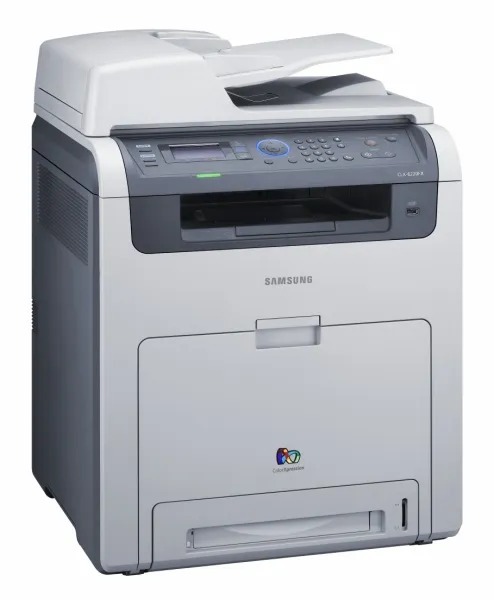
Samsung built the CLX-6220 as a color laser multifunction printer for the late 2000s, part of its CLP/CLX family. It belongs to the CLX-6220 generation, so parts and toner cross over within that family. It was a practical fit for workgroups that needed robust color laser performance.
Its cartridge family is CLT-K508 — think CLT-K508S for black and CLT-C508S for cyan. Clever Supplies carries both compatible and genuine OEM CLT-K508 cartridges for it, with fast shipping on every order.
Toner Cartridges for CLX-6220
This printer works with the following toner cartridges:
- Samsung CLT-K508S
- Samsung CLT-C508S
- Samsung CLT-M508S
- Samsung CLT-Y508S
- Samsung CLT-K508L
- Samsung CLT-C508L
- Samsung CLT-M508L
- Samsung CLT-Y508L
More Samsung Printers
Frequently Asked Questions
What is the orange tab on the new CLT-K508S cartridge for the CLX-6220?
Slightly light first pages with a new CLT-K508S in the CLX-6220 are normal while toner distributes - print a few pages and output should reach full density. If pages stay light after ten or so, reseat the cartridge and check that no seal remains. Persistent lightness with a new cartridge is uncommon and worth a supplier call.
Why does scan-to-PC fail on the CLX-6220?
Place the document face-down on the CLX-6220 glass or in the feeder, then start the scan from the printer panel or the Samsung scan software on your computer. Scanning is a separate function from printing, so the toner level in the CLT-K508S cartridge does not matter. Save as PDF for documents or JPEG for photos.
Are the cartridges for the CLX-6220 the same as for other Samsung models?
You never need to replace all four CLX-6220 cartridges at once; replace only the color the printer reports as empty. Keeping a spare CLT-K508S on hand makes sense since black empties fastest in most offices. Store spares sealed in a cool, dry place until needed.