




CLX-6220FX/XAA
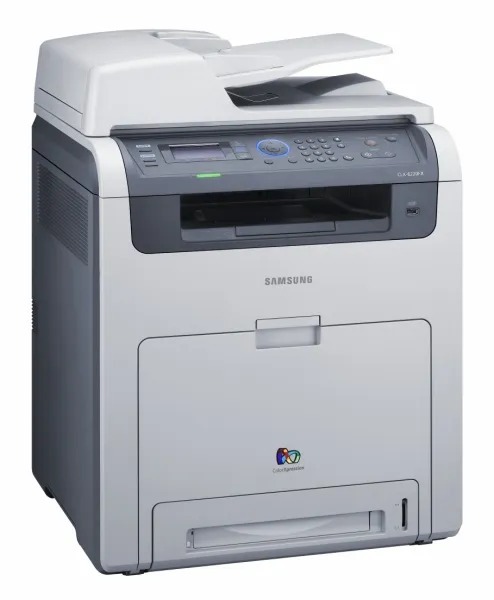
The CLX-6220FX/XAA was Samsung's color laser multifunction printer entry in the late 2000s CLP/CLX generation. It belongs to the CLX-6220 generation, so parts and toner cross over within that family. The machine suited workgroups that needed robust color laser performance well.
Samsung paired this model with CLT-K508 toner — CLT-K508S for black pages and CLT-C508S among the colors. You can pick up compatible or genuine OEM CLT-K508 toner for this model with fast shipping from Clever Supplies.
Toner Cartridges for CLX-6220FX/XAA
This printer works with the following toner cartridges:
- Samsung CLT-K508S
- Samsung CLT-C508S
- Samsung CLT-M508S
- Samsung CLT-Y508S
- Samsung CLT-K508L
- Samsung CLT-C508L
- Samsung CLT-M508L
- Samsung CLT-Y508L
More Samsung Printers
Frequently Asked Questions
My CLX-6220FX/XAA prints blank only sometimes - what does that suggest?
A new CLT-K508S can cause blank pages on the CLX-6220FX/XAA if its seal is intact or it is not seated, but a genuinely defective cartridge is rare. Reseat it and confirm the printer recognizes the cartridge in the supplies status. If a different CLT-K508S prints normally, the first cartridge is the problem.
Will the CLX-6220FX/XAA report levels differently for a high-yield cartridge?
For heavy use, keeping a spare CLT-K508L for the CLX-6220FX/XAA means fewer interruptions and fewer orders over the year. Light users may still prefer CLT-K508S since an opened cartridge slowly ages. Either way, match the code exactly - CLT-K508S and CLT-K508L are the two correct options for this model.
What do vertical streaks on CLX-6220FX/XAA printouts usually mean?
Fading on the CLX-6220FX/XAA most often means the CLT-K508S cartridge is running low - the printer usually warns you first, and shaking the cartridge gently redistributes remaining toner for a while. If a fresh cartridge still fades, the imaging drum may be worn. Also rule out economy or toner-save mode in the driver, which intentionally lightens output.