




CLX-3186FN
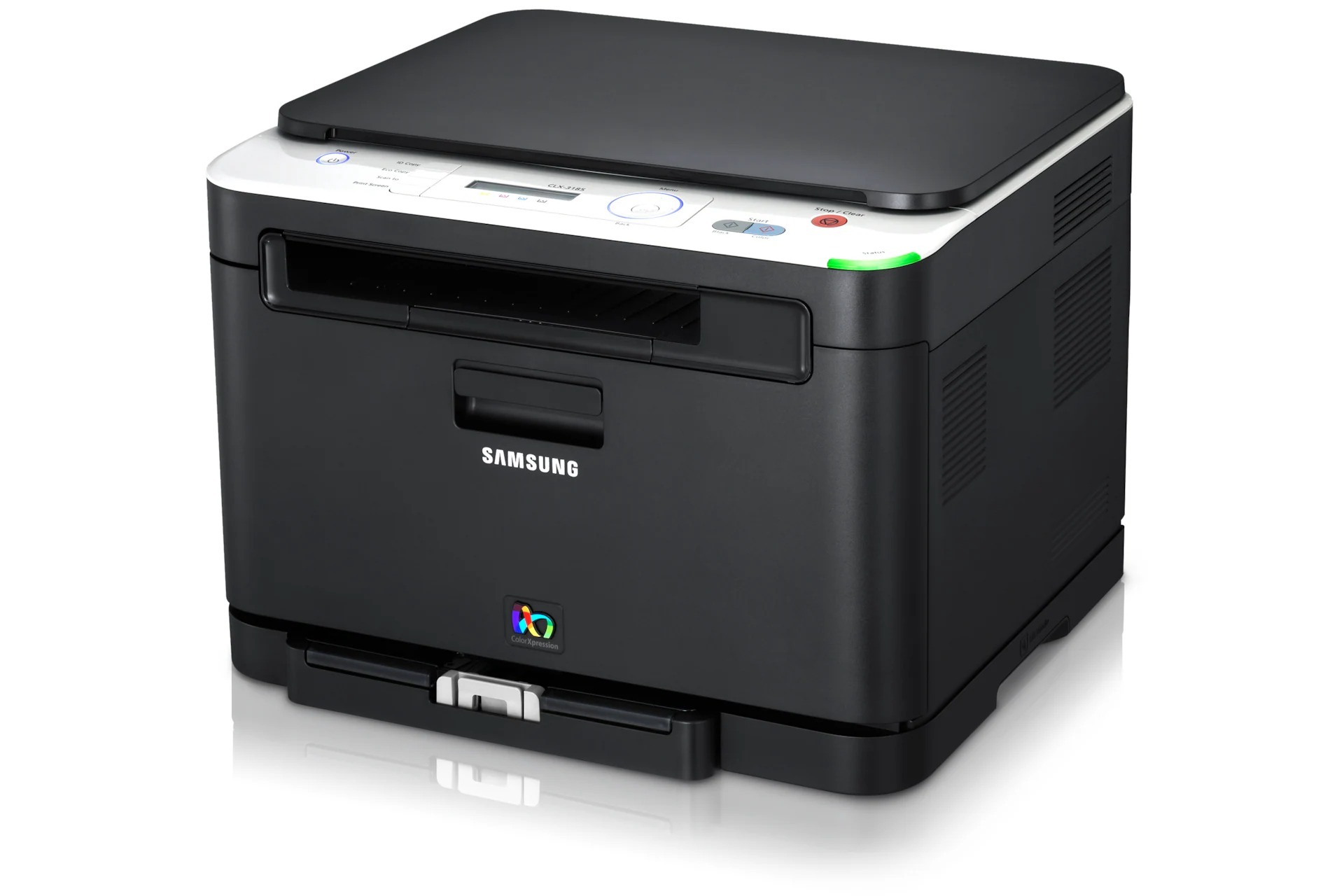
The Samsung CLX-3186FN is a color laser multifunction printer from the early 2010s CLP/CLX generation, and its letters spell out its job: F for fax, N for wired Ethernet networking. Beyond printing, scanning and copying, it sends and receives faxes and serves a whole small office over the network. Samsung specified one toner range for it, led by the CLT-K407S black cartridge and completed by CLT-C407S cyan, CLT-M407S magenta and CLT-Y407S yellow.
A fax-and-network machine earns its place in offices that still move paper for a living — signed forms, orders and contracts arriving by fax and leaving as scans or prints. That workload is heavily monochrome, so an FN model typically consumes black toner at a pace its color cartridges never match. It also tends to be the office's single shared printer, which means an empty cartridge is everybody's problem, not just one person's.
Toner Cartridges for CLX-3186FN
| Cartridge | Color | Page Yield |
|---|---|---|
| CLT-K407S | Black | See product page |
| CLT-C407S | Cyan | See product page |
| CLT-M407S | Magenta | See product page |
| CLT-Y407S | Yellow | See product page |
| CLT-K407S Black 2 Pack | Black | See product page |
| CLT-407S 4 Color Set | Black, cyan, magenta, yellow | See product page |
| CLX-3186FN 4 Color Set | Black, cyan, magenta, yellow | See product page |
| CLX-3186FN Premium Quality 4 Color Set | Black, cyan, magenta, yellow | See product page |
Which cartridge should you buy?
Plan around the reality of a fax-heavy office: black first. The CLT-K407S Black 2 Pack keeps the hardest-working cartridge covered, with a spare ready the moment the first one fades. The three colors live a quieter life — buy them as singles, only when the display names them, because a color cartridge can sit part-used for a long time in a document-driven office. When a general refresh is due, the 4 Color Set replaces everything at once, and the Premium Quality set does the same job in the higher-grade line. All of the compatible cartridges on this page carry a 1-year warranty with 1-year returns.
Chip, toner and everyday use
Faxes that arrive overnight print without anyone watching, so a cartridge that runs dry at 2 a.m. leaves a queue of half-printed pages by morning. Watch the toner gauge on the display and reorder black before it reaches empty. When a fresh cartridge goes in, take the seal off, rock it gently to distribute the toner, and push it fully home so the chip reads. If pages start fading evenly, the same gentle rock on the installed cartridge often buys a few more days while the replacement ships. Keep the spare black in the same room as the printer.
Frequently Asked Questions
How do I install the driver for my CLX-3186FN?
Connect the printer by USB during the initial driver setup even if it will live on the network — installation is more reliable that way, and you can switch it to its Ethernet connection afterwards. If the printer later shows as offline in Windows, it is usually a stale port or a sleep-state hiccup: restart the printer and the print spooler before reinstalling anything.
My CLX-3186FN leaves gray streaks on every page — what causes that?
Fading that improves after you remove the black cartridge and rock it gently points to low toner. Fading or streaks that never improve suggest the imaging unit rather than the cartridge. The reliable test is to swap in a known-good CLT-K407S: if the streaks vanish, the old cartridge was the problem.
I print and fax a lot — is there a high-yield black for this printer?
No. Black for this family is the CLT-K407S in a single yield, so heavy users simply change it more often — which is exactly why the 2 Pack exists. Eco and draft settings for internal pages are the real lever for stretching each cartridge further.
One color is empty but I only fax and print documents — can I keep going?
Yes, monochrome work continues on the black cartridge alone. Color jobs will wait until the empty color is replaced, but faxing, copying and black printing are unaffected. Replace the named color with its single cartridge when you need color again.
More printers that use the same cartridges
The identical set of four cartridges also serves the following Samsung color laser models: CLX-3185, CLX-3185CW, CLX-3185FN, CLX-3185FW, CLX-3185K, CLX-3185N, CLX-3185NK, CLX-3185W, CLX-3185WK, CLX-3186, CLX-3186FW, CLX-3186N, CLX-3186W, CLX-3195, CLX-3195FW, Samsung-CLT407, CLP-320, CLP-320K, CLP-320N, CLP-320NK, CLP-320W, CLP-321, CLP-321N, CLP-325, CLP-325K, CLP-325N, CLP-325W, CLP-325WK, CLP-326, CLX-3180, CLX-3180FN, CLX-3180FW, CLX-3180K, CLX-3180N, CLX-3180WK.