




Color LaserJet CP1515N
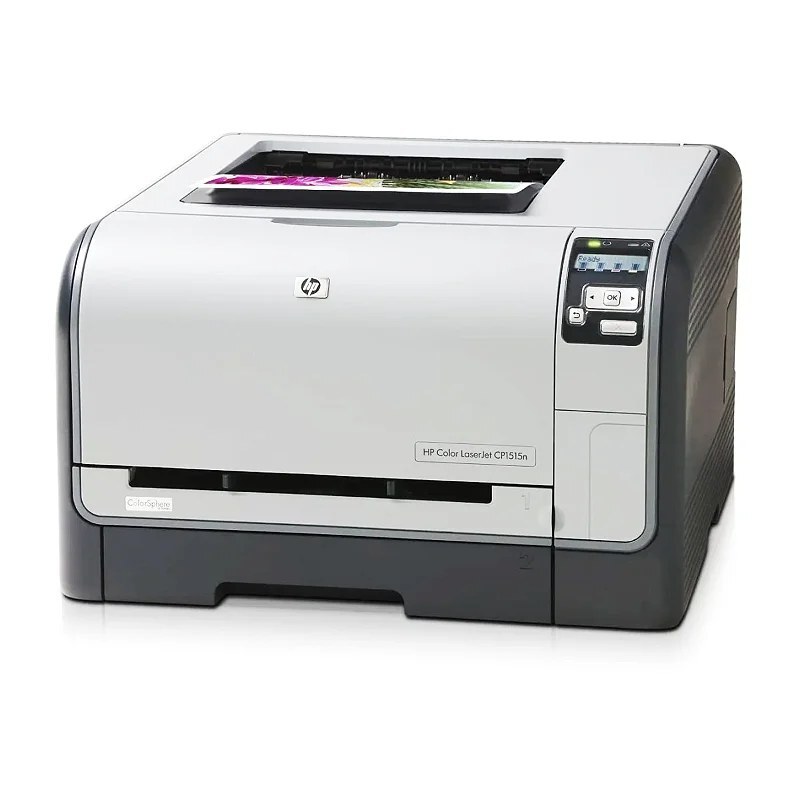
The Color LaserJet CP1515N is the networked member of HP's compact CP1515 line: the base color laser with built-in Ethernet added, so a small workgroup shares one machine instead of crowding around a single desk. It prints from the HP 125A toner family — CB540A black, CB541A cyan, CB542A yellow and CB543A magenta. Every cartridge on this page is a compatible replacement built for that family.
A shared printer lives a different life from a personal one. Print jobs arrive from several desks, color pages mix with long black-text documents, and nobody notices the toner warning until the queue backs up. The CP1515N was specced for exactly that pattern: one compact machine, wired into the office network, feeding a handful of users who print proposals, letterheads and the occasional photo handout. Because the whole CP15xx range drinks from the same toner bay, keeping this one stocked is a single, simple routine.
Toner Cartridges for CP1515N
| Cartridge | Color | Page Yield |
|---|---|---|
| CB540A | Black | See product page |
| CB541A | Cyan | See product page |
| CB542A | Yellow | See product page |
| CB541A | — | See product page |
Sets and multipacks stocked for this model — a full four-color set is the natural restock for a shared machine, and the black two-pack covers the cartridge a workgroup burns through fastest:
- CS Compatible Replacement for HP 125A Toner Cartridge 4 Color Set (CB540A/ CB541A/ CB543A/ CB542A)
- CS Compatible Replacement for HP CP1515N Toner Cartridge Color Laserjet 4 Color Set
- CS Compatible Replacement for HP 125A Black CB540A LaserJet Toner Cartridge 2 Pack
- Compatible HP 125A ( CB540A CB541A CB542A CB543A) Toner Cartridges 4 Color Set
- Compatible HP 125A ( CB540A CB541A CB542A CB543A) Toner Cartridges 8 Color Set
- Compatible HP 125A (CB541A, CB542A, CB543A) Toner Cartridge 3 Color Set
This shelf also carries sets named for sibling models in the same toner family. They are listed under their own names here; the cartridge codes inside are what decide fit, so match the code on the cartridge you are replacing. One listing is named for the Color LaserJet 2600n line and belongs to that family, not this one:
- CS Compatible Replacement for HP CM1300 Toner Cartridge Color Laserjet 4 Color Set
- Compatible HP CP1215n (CB540A, CB541A, CB542A, CB543A) Toner Cartridge 4 Color Set
- Compatible HP 2600N (Q6001A Q6002A Q6003A) Toner Cartridge 3 Color Set
Which cartridge should you buy?
On a workgroup printer, black almost always empties first, because shared machines print far more text than color. The economical rhythm is a black two-pack for the everyday churn, topped up with a complete four-color set when the colors start to fade together. Buying singles still makes sense when a single color runs out early — cyan, for instance, goes quickly in offices that print logo-heavy documents. Note that magenta is stocked on this page as part of the sets rather than as a single cartridge, so a set is the way to replace it. Every compatible cartridge here carries a 1-year warranty and 1-year returns.
Chip, toner and everyday use
These cartridges carry the chip the printer reads to report toner levels, and the CP1515N tracks all four from its control panel — worth a glance before a big shared print run. Seat each cartridge firmly until it clicks; a half-seated unit is the usual cause of a "not recognized" message. If a page comes out streaked late in a cartridge's life, remove it and rock it gently side to side to redistribute the toner, which often restores even coverage for a while. Store spares flat, sealed and away from direct sunlight, and keep one black in reserve so the office queue never stalls mid-document.
Frequently Asked Questions
Does the CP1515N use the same toner as the rest of the CP15xx line?
Yes. The networked badge changes the printer, not the toner bay: this model takes the same four cartridges as the Color LaserJet CP1515 and its other CP15xx siblings. If you stock for several of these machines, one cartridge family covers them all.
Can I replace just the magenta cartridge?
The magenta cartridge is stocked on this page inside the four-color and three-color sets rather than as a standalone single. If only magenta has run out, the three-color set is the closest match — you replace the three colors together and keep the black you already have.
What happens when one color runs out mid-print?
The printer stops the job and names the empty cartridge on its display, so there is no guessing which of the four bays to open. Black-only documents can often continue once you confirm the prompt, but color work waits until the empty cartridge is swapped.
Is the black cartridge different from the color ones?
It is a separate cartridge with its own code, and on a shared machine it typically empties two or three times for every color change. That is why the black two-pack exists: it matches how a workgroup printer actually consumes toner.
More printers that use the same cartridges
The same four cartridges serve a wide bench of HP color lasers and MFPs. Every model below takes them:
Color LaserJet 1600, Color LaserJet 2600, Color LaserJet 2600DN, Color LaserJet 2600N, Color LaserJet 2605, Color LaserJet 2605DN, Color LaserJet 2605DTN, Color LaserJet CM1015, Color LaserJet CM1015MFP, Color LaserJet CM1017, Color LaserJet CM1017MFP, Color LaserJet CM1300, Color LaserJet CM1312, Color LaserJet CM1312 MFP, Color LaserJet CM1312NFI, Color LaserJet CP1210, Color LaserJet CP1215, Color LaserJet CP1215N, Color LaserJet CP1217, Color LaserJet CP1312, Color LaserJet CP1312MFP, Color LaserJet CP1510, Color LaserJet CP1512, Color LaserJet CP1512MFP, Color LaserJet CP1515, Color LaserJet CP1515NI, Color LaserJet CP1518, Color LaserJet CP1518NI, HP 124A, HP 125A.