




Color LaserJet 2600N
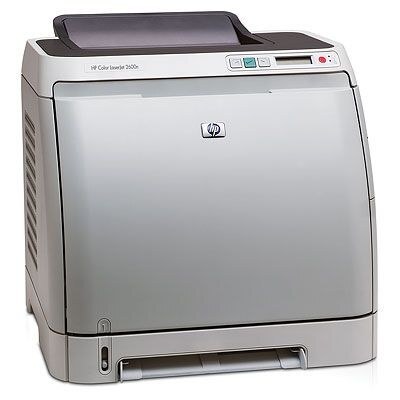
Same 2600 chassis, wired for the team: the Color LaserJet 2600N adds built-in Ethernet networking so a whole workgroup can share one color printer.
The toner bay is unchanged — HP 124A (Q6000A through Q6003A). Shared printers drink more toner, which is exactly where compatible Q6000A-family sets pay off; genuine OEM is here too.
Toner Cartridges for Color LaserJet 2600N
This printer works with the following toner cartridges:
- HP Q6000A
- HP Q6001A
- HP Q6002A
- HP Q6003A
More HP Printers
- Color LaserJet 1600
- Color LaserJet 2600
- Color LaserJet 2600DN
- Color LaserJet 2605
- Color LaserJet 2605DN
- Color LaserJet 2605DTN
- Color LaserJet CM1015
- Color LaserJet CM1015MFP
- Color LaserJet CM1017
- Color LaserJet CM1017MFP
Frequently Asked Questions
Will any HP toner cartridge work in the Color LaserJet 2600N, or does it need a specific family?
Use Q6000A, Q6001A, Q6002A, Q6003A in the Color LaserJet 2600N — that is the full HP 124A set. Compatible replacements work fine as long as they are made for HP 124A; the Color LaserJet 2600N will not accept cartridges from other HP families.
Do I need any tools to change the toner in the Color LaserJet 2600N?
No tools are needed — toner swaps on the Color LaserJet 2600N are a slide-in, slide-out job. Just be sure to pull the protective tape off the new cartridge before installing it in the Color LaserJet 2600N.
Why do documents from the Color LaserJet 2600N look faded even with new toner?
If one color looks wrong on the Color LaserJet 2600N, check that cartridge first — a near-empty or unseated cartridge is the usual cause. Reseat it, and if the problem persists, swap in a fresh one of that color.