




Color LaserJet 2600DN
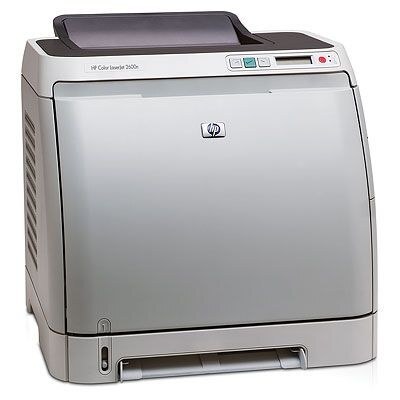
Two-sided printing and a network jack — the 2600DN gave mid-2000s small offices the shared duplex color printer they wanted. Feed a stack of paper and this machine prints both sides, serving the whole team over Ethernet.
HP 124A toner (Q6000A through Q6003A) powers the 2600DN. Genuine OEM cartridges for factory-spec output, compatible for budget-friendly printing — both stocked here. Broken down, the 2600DN's cyan cartridge is the Q6001A and its yellow is the Q6002A.
Toner Cartridges for Color LaserJet 2600DN
This printer works with the following toner cartridges:
- HP Q6000A
- HP Q6001A
- HP Q6002A
- HP Q6003A
More HP Printers
- Color LaserJet 1600
- Color LaserJet 2600
- Color LaserJet 2600N
- Color LaserJet 2605
- Color LaserJet 2605DN
- Color LaserJet 2605DTN
- Color LaserJet CM1015
- Color LaserJet CM1015MFP
- Color LaserJet CM1017
- Color LaserJet CM1017MFP
Frequently Asked Questions
What toner does the Color LaserJet 2600DN use?
Yes — the Color LaserJet 2600DN works with compatible HP 124A cartridges (Q6000A, Q6001A, Q6002A, Q6003A) as well as genuine HP. Just confirm the cartridge code matches, since cartridges for other HP printers will not fit the Color LaserJet 2600DN.
Which software do I need to get the Color LaserJet 2600DN working?
Setting up the Color LaserJet 2600DN on a new computer means grabbing the full driver package from HP support and running the installer. Avoid generic drivers if you want full access to the Color LaserJet 2600DN's features.
How do I enable double-sided printing on the Color LaserJet 2600DN?
The Color LaserJet 2600DN handles two-sided printing automatically; just select double-sided in your print settings. You'll save paper and keep the Color LaserJet 2600DN's output looking professional.