




Color LaserJet CP1518
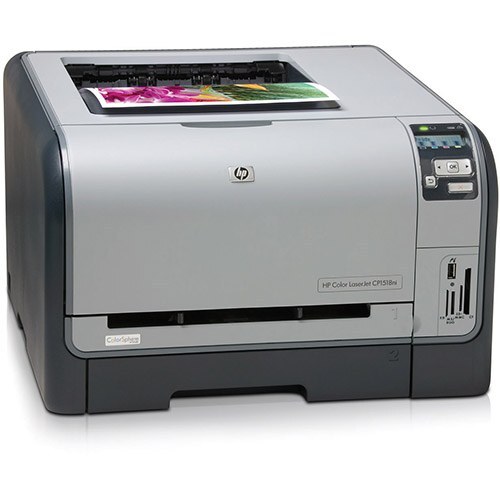
The Color LaserJet CP1518 is the retail-channel variant of the CP1515 family — same compact color printer, sold through stores with a bundle aimed at home offices.
Under the bundle it is pure CP15xx hardware, so it takes HP 125A toner (CB540A black, CB541A–CB543A color). Compatible or genuine OEM, restock it like any CP1515. Yellow on the CP1518 is the CB542A, the one cartridge the range shorthand leaves unnamed.
Toner Cartridges for Color LaserJet CP1518
This printer works with the following toner cartridges:
- HP CB540A
- HP CB541A
- HP CB542A
- HP CB543A
More HP Printers
- Color LaserJet CM1300
- Color LaserJet CM1312
- Color LaserJet CM1312 MFP
- Color LaserJet CM1312NFI
- Color LaserJet CP1210
- Color LaserJet CP1215
- Color LaserJet CP1215N
- Color LaserJet CP1217
- Color LaserJet CP1312
- Color LaserJet CP1312MFP
- Color LaserJet CP1510
- Color LaserJet CP1515
- Color LaserJet CP1515N
- Color LaserJet CP1515NI
- Color LaserJet CP1518NI
Frequently Asked Questions
Are third-party toner cartridges safe to use in the Color LaserJet CP1518?
Use CB540A, CB541A, CB542A, CB543A in the Color LaserJet CP1518 — that is the full HP 125A set. Compatible replacements work fine as long as they are made for HP 125A; the Color LaserJet CP1518 will not accept cartridges from other HP families.
How do I install a new CB540A cartridge in the Color LaserJet CP1518?
Open the front cover of the Color LaserJet CP1518, pull the empty cartridge out by its handle, slide the new one in until it clicks, and close the cover. The Color LaserJet CP1518 usually calibrates itself right after.
What should I do when the Color LaserJet CP1518 shows a toner-low warning?
A toner-low message on the Color LaserJet CP1518 is an early warning, not a hard stop — you can typically keep printing while a replacement is on the way. When output starts looking faded, remove the cartridge, rock it gently side to side, and reinstall it to squeeze out extra pages.