




Color LaserJet CP1515
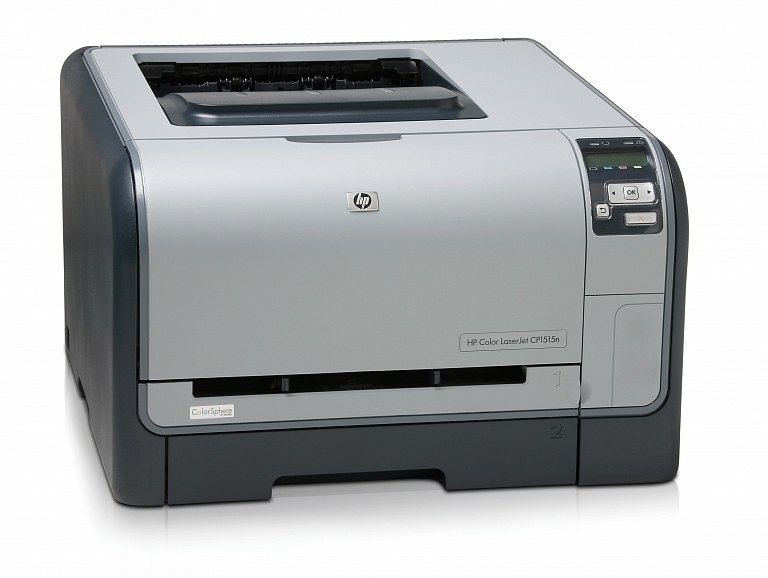
The Color LaserJet CP1515 sits in the middle of the CP15xx range — a compact color printer with a bit more capacity than the CP1510 for busier single desks.
The consumable stays familiar: HP 125A (CB540A through CB543A), compatible or genuine OEM. The CP1515's extra appetite is just a reason to keep a spare black on the shelf.
Toner Cartridges for Color LaserJet CP1515
This printer works with the following toner cartridges:
- HP CB540A
- HP CB541A
- HP CB542A
- HP CB543A
More HP Printers
- Color LaserJet CM1300
- Color LaserJet CM1312
- Color LaserJet CM1312 MFP
- Color LaserJet CM1312NFI
- Color LaserJet CP1210
- Color LaserJet CP1215
- Color LaserJet CP1215N
- Color LaserJet CP1217
- Color LaserJet CP1312
- Color LaserJet CP1312MFP
- Color LaserJet CP1510
- Color LaserJet CP1515N
- Color LaserJet CP1515NI
- Color LaserJet CP1518
- Color LaserJet CP1518NI
Frequently Asked Questions
Are third-party toner cartridges safe to use in the Color LaserJet CP1515?
Yes — the Color LaserJet CP1515 works with compatible HP 125A cartridges (CB540A, CB541A, CB542A, CB543A) as well as genuine HP. Just confirm the cartridge code matches, since cartridges for other HP printers will not fit the Color LaserJet CP1515.
How do I replace the toner cartridge in my Color LaserJet CP1515?
Changing toner on the Color LaserJet CP1515 is quick: with the printer on, open the toner access door, remove the spent cartridge, unwrap the new one, and seat it firmly. Print a test page to confirm everything is crisp.
Which software do I need to get the Color LaserJet CP1515 working?
Setting up the Color LaserJet CP1515 on a new computer means grabbing the full driver package from HP support and running the installer. Avoid generic drivers if you want full access to the Color LaserJet CP1515's features.