




COLOR LASERJET 5550
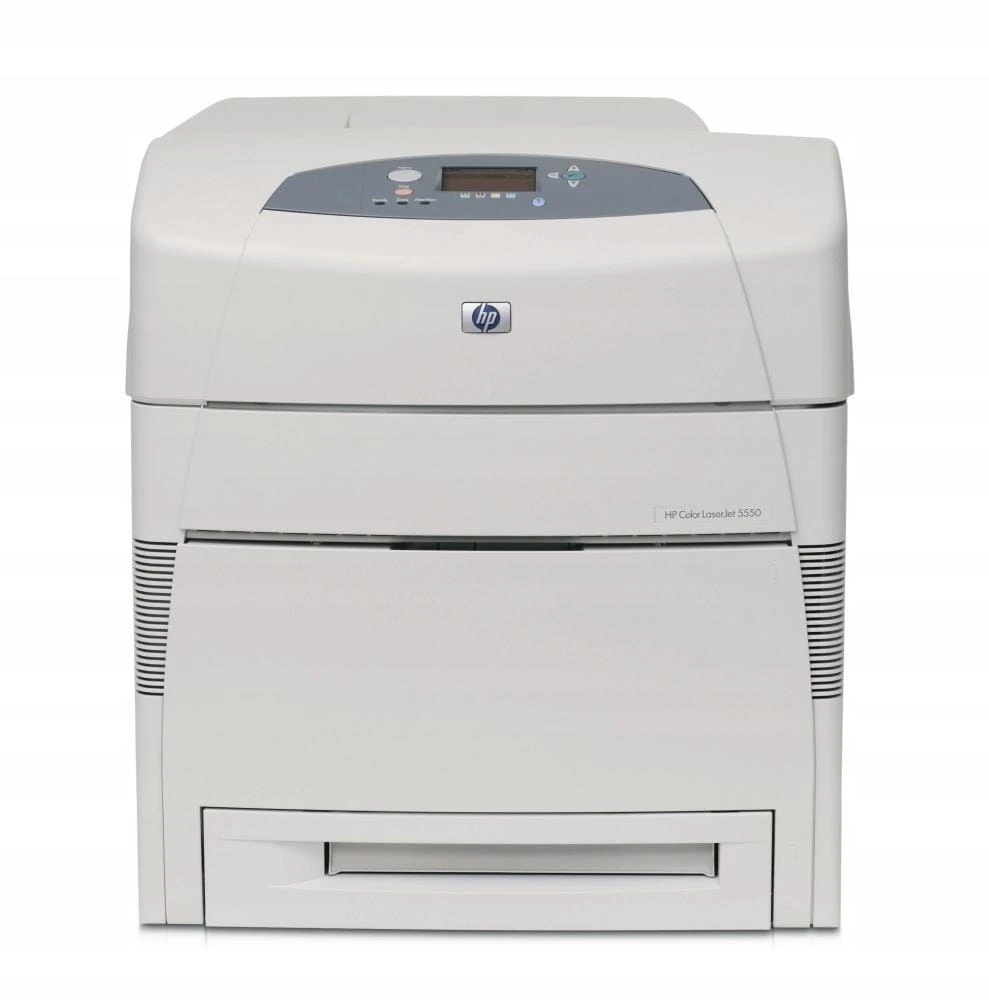
The HP Color LaserJet 5550 improved on the 5500 with better color quality for wide-format work — large documents looked noticeably sharper coming off this machine. Toner still comes from the HP 645A family: C9730A black plus cyan C9731A, yellow C9732A and magenta C9733A. Nothing about the supply shelf changed when the engine got better.
The 5550 was the refinement pass on a proven wide-format design: same A3 brief, better color output for the graphics and presentation work that justified a machine this size. It inherited the earlier generation's cartridge family wholesale, which is why 5500 and 5550 owners shop from the same list of cartridges today.
Toner Cartridges for COLOR LASERJET 5550
- 645A 4 Color Set (C9730A, C9731A, C9732A, C9733A) — Black, cyan, yellow and magenta; yield: see product page
- C9730A — Black; yield: see product page
- C9731A — Cyan; yield: see product page
- C9732A — Yellow; yield: see product page
- C9733A — Magenta; yield: see product page
- 4 Color Set (C9730A, C9731A, C9732A, C9733A) — Black, cyan, yellow and magenta; yield: see product page
- C9730A — 2 Black pack — Black; yield: see product page
- C9730A — Black; yield: see product page
- C9731A — Cyan; yield: see product page
- C9733A — Magenta; yield: see product page
- C9732A — Yellow; yield: see product page
- 645A 3 Color Set (C9731A, C9732A, C9733A) — Cyan, yellow and magenta; yield: see product page
- 642A (C9733A) — Magenta; yield: see product page
Listings labeled for the other models of the 5500/5550 family share this shelf as well; each is the same cartridge under its model's name:
- HP 5500 (C9730A) Toner 3 Black
- HP 5500 (C9730A) Toner Black
- HP 5500 (C9731A) Toner Cyan
- HP 5500dtn (C9730A) Toner 2 Black
- HP 5500dtn (C9730A) Toner 3 Black
- HP 5500dtn (C9730A) Toner Black
- HP 5500dtn (C9731A) Toner Cyan
- HP 5500dtn (C9733A) Toner Magenta
- HP 5500dtn (C9732A) Toner Yellow
- HP 5500n (C9730A) Toner 3 Black
- HP 5500n (C9730A) Toner Black
- HP 5500n (C9732A) Toner Yellow
- HP 5550dn (C9730A) Toner 2 Black
- HP 5550dn (C9730A) Toner 3 Black
- HP 5550dn (C9730A) Toner Black
- HP 5550dn (C9731A) Toner Cyan
- HP 5550dn (C9733A) Toner Magenta
- HP 5550dn (C9732A) Toner Yellow
- HP 5550dtn (C9730A) Toner 2 Black
- HP 5550dtn (C9730A) Toner 3 Black
- HP 5550dtn (C9730A) Toner Black
- HP 5550dtn (C9731A) Toner Cyan
- HP 5550dtn (C9733A) Toner Magenta
- HP 5550dtn (C9732A) Toner Yellow
- HP 5550n (C9730A) Toner Black
- HP 5550n (C9733A) Toner Magenta
- HP 5500hdn (C9731A) Toner Cyan
- HP 5550hdn (C9731A) Toner Cyan
- HP 5550hdn (C9733A) Toner Magenta
- HP 5550hdn (C9732A) Toner Yellow
Which cartridge should you buy?
Better color output makes color management the buying story here. Graphics work punishes a weak color: when one of cyan C9731A, yellow C9732A or magenta C9733A runs low, prints do not just fade, they shift — so replace a low color promptly with its single rather than nursing it. Black C9730A still carries the document volume, and the multi-black listings suit the mixed workload. For a machine whose colors have aged unevenly and no longer match each other, the 4 Color Set restores a matched family in one change. The 3 Color Set does the same for the color trio when black was recently replaced. Judge by output: consistent color across a big page is the standard this printer was bought for.
Chip, toner and everyday use
Color-critical work is unforgiving of a half-seated cartridge: push each one fully home and let the printer's recognition and calibration finish before the real job. If a freshly installed cartridge is not seen, remove it, check the code against the 645A family and reseat it once. Toner settles in storage, so rock a spare gently before installing to keep density even across an A3 page. Keep reserves sealed and flat, and replace a color as soon as output shifts — the page tells you before the panel does.
Frequently Asked Questions
What toner cartridges does the Color LaserJet 5550 use?
The HP 645A family: C9730A black, C9731A cyan, C9732A yellow and C9733A magenta — identical to the 5500 generation.
My colors look off but no cartridge is empty — what helps?
A low color can shift output before it reads empty. Replacing that color's single restores balance; if all three colors are old, the 3 Color Set renews them together.
Does the 5550 take the same cartridges as the 5500?
Yes. Both generations run 645A, so every listing on this page fits either machine.
When should I choose the 4 Color Set?
When the family has aged as a set — mismatched colors, general fading — and you want matched fresh cartridges in a single change.
More printers that use the same cartridges
The same cartridges also fit the related models in this family: COLOR LASERJET 5500, COLOR LASERJET 5500DN, COLOR LASERJET 5500DTN, COLOR LASERJET 5500HDN, COLOR LASERJET 5500N, COLOR LASERJET 5550DN, COLOR LASERJET 5550DTN, COLOR LASERJET 5550HDN, COLOR LASERJET 5550N, HP 645A.