






 See Compatible Printers
 Read more about our ink!
Hewlett Packard
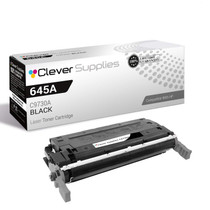
Compatible HP 5550dn (C9730A) Toner Cartridge Black
- Page Yield:
- Black: 13000
- Availability:
- In Stock
- Shipping:
- Free Shipping

Amazon Price:

- Page Yield:
- Black: 13000
- Availability:
- In Stock
- Shipping:
- Free Shipping
- Compatible Printers
- Color LaserJet 5500
- Color LaserJet 5500dn
- Color LaserJet 5500dtn
- Color LaserJet 5500hdn
- Color LaserJet 5500n
- Color LaserJet 5550
- Color LaserJet 5550dn
- Color LaserJet 5550dtn
- Color LaserJet 5550hdn
- Color LaserJet 5550n
- LaserJet 5500
- LaserJet 5500dn
- LaserJet 5500dtn
- LaserJet 5500hdn
- LaserJet 5500n
- LaserJet 5550
- LaserJet 5550dn
- LaserJet 5550dtn
- LaserJet 5550hdn
- LaserJet 5550ni>
- i>
- HP 645A
- Specifications
- SKU:
- CLS-HP-5550dn-BK
- Printer Brand:
- Hewlett Packard
- OEM Number:
- C9730A
- Ink Color:
- Black
- Page Yield:
- Black: 13000
- Printer Type:
- Laser Cartridge
- Condition:
- New Compatible
- Description
- Reviews



Explore the robust and reliable printing capabilities of the HP 645A Color LaserJet Series, offering a comprehensive range of printers to meet diverse printing requirements. The Color LaserJet 5500DN, 5500DTN, 5500HDN, and 5500N models provide high-quality color printing, while the 5550DN, 5550DTN, 5550HDN, and 5550N offer enhanced performance and versatility. Experience vibrant color printing with the C9730A Black, C9731A Cyan, C9733A Magenta, and C9732A Yellow toner cartridges, compatible with the HP 645A toner cartridge and toner cartridge options. These cartridges ensure consistent and reliable print quality for a variety of printing tasks, from documents to marketing materials. Invest in a printing solution that meets your business needs with the HP 645A Color LaserJet Series, known for its exceptional performance and professional-grade results. Whether it's the Color LaserJet 5500 series or 5550 series models, these printers deliver superior print quality and reliability for all your printing needs.
Frequently Asked Questions
Which black cartridge goes in the 5550dn?
The C9730A — the black unit of the HP 645A family. This listing is a single cartridge priced at $166.60, and the code matches what is printed on the cartridge already installed in the machine.
What does heavy duplex work mean for black consumption?
Every sheet carries two printed sides, and on reports both sides are mostly text. The black therefore works through the run at the pace of the page count, not the sheet count, which is why report-heavy dn models ask for black more often than their colors.
How many pages is one cartridge good for?
The rated figure is 13,000 pages at standard coverage. Two-sided reporting with typical office density tracks reasonably close to it; pages with dark charts and shaded tables use more.
Can I swap the black while jobs are queued?
Yes. Pause or let the current job finish, change the cartridge, and the queue continues — jobs already sent are stored by the printer and driver, not held in the cartridge, so nothing waiting is lost by the swap.
One side of our duplex pages is faint and the other is fine. Is that the cartridge?
Usually not by itself — the same cartridge prints both sides. Check the supply level first: a genuinely low black fades everywhere. If one side only is affected, our support team can help work through the printer-side causes.
Who do I reach if this cartridge gives trouble?
Our team is on hand Monday–Friday, 9 AM–5 PM CST for troubleshooting. Coverage is a 1-year warranty and 1-year free returns, and the shipping & returns page sets out how to send a unit back.
How do I make sure I reorder the black and not one of the colors?
Order by the full code, not the family name. Within the 645A family the last digit before the A identifies the slot: C9730A is black, while C9731A, C9732A and C9733A are the three colors. A single digit is the whole difference, so read the code off the empty cartridge or the supply page rather than ordering from memory.
What does a genuinely running-out black look like on the page?
A gradual, even lightening of text across the whole sheet, often with thin vertical streaks where toner is no longer being laid down uniformly. It develops over dozens of pages rather than appearing on one sheet, and it affects every page the same way — that evenness is what separates a spent C9730A from a one-off printing glitch.
When should the next cartridge be ordered — at the low warning, or when output fades?
At the low warning. The 5550dn's busiest weeks arrive in bursts, and a cartridge that is merely low on Monday can be visibly fading by the middle of a reporting run. Ordering when the warning first appears leaves delivery time in hand, and the fresh C9730A waits sealed on the shelf until the installed one truly gives out.
What do I do with the empty cartridge after the swap?
Put it straight into the new cartridge's box so it is never confused with a usable unit, then route it to toner recycling or a return program rather than general waste. Keeping the empty until the replacement has printed a few clean pages is also a sensible habit: if a question comes up about the old unit, you still have it.
About This Black Cartridge for the Color LaserJet 5550dn
Duplex, networked and built for reporting cycles, the Color LaserJet 5550dn leans on its black cartridge harder than most. This single C9730A, rated at 13,000 pages, is the replacement that keeps two-sided output dense and even.
Shipping is from the closest of our IL, PA, GA and CA warehouses. Browse the rest of the HP range here whenever the color positions need attention.
Related Items


Hewlett Packard
Compatible HP 5550dn (C9730A) Toner Cartridge 3 Black



Hewlett Packard
Compatible HP 5550dn (C9730A) Toner Cartridge 2 Black


Hewlett Packard
Compatible HP 5500n (C9730A) Toner Cartridge Black

Hewlett Packard
Compatible HP 5550 (C9730A) Toner Cartridge Black