




COLOR LASERJET 5550DN
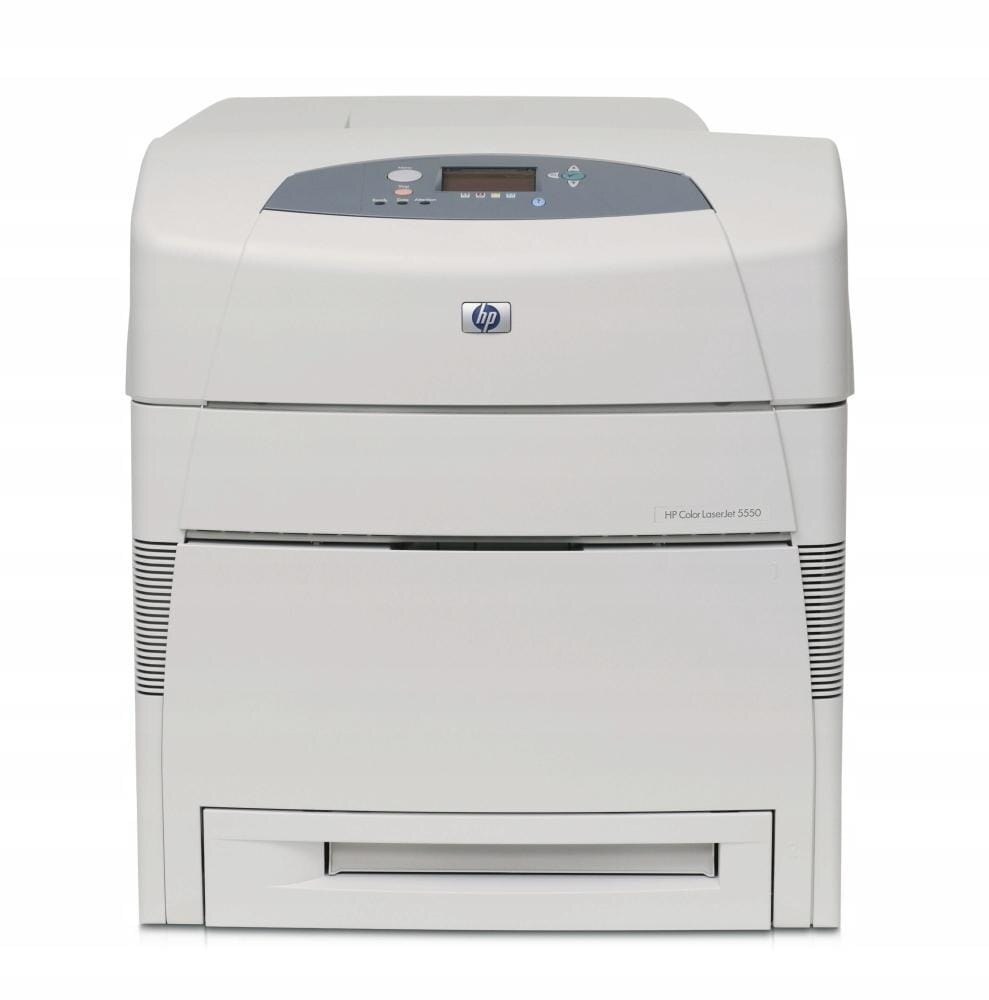
With duplexing and networking, the HP Color LaserJet 5550DN was the wide-format configuration most offices chose: two-sided A3 color, shared by the whole team. It uses HP 645A cartridges — black C9730A with cyan C9731A, yellow C9732A and magenta C9733A. Singles, multi-black packs and full sets are stocked below.
The DN combined the 5550's improved color with the two features offices actually asked for: a network connection so everyone could reach it, and a duplexer so long color documents bound neatly two-sided. It became the default departmental A3 machine of its generation, which is why so many are still in daily service.
Toner Cartridges for COLOR LASERJET 5550DN
| Cartridge | Color | Page Yield |
|---|---|---|
| 642A (C9733A) | Magenta | See product page |
| 645A 3 Color Set (C9731A, C9732A, C9733A) | Cyan, yellow and magenta | See product page |
| C9732A | Yellow | See product page |
| C9733A | Magenta | See product page |
| C9731A | Cyan | See product page |
| C9730A | Black | See product page |
| C9730A — 3 Black pack | Black | See product page |
| C9730A — 2 Black pack | Black | See product page |
| 4 Color Set (C9730A, C9731A, C9732A, C9733A) | Black, cyan, yellow and magenta | See product page |
| C9733A | Magenta | See product page |
| C9732A | Yellow | See product page |
| C9731A | Cyan | See product page |
| C9730A | Black | See product page |
| 645A 4 Color Set (C9730A, C9731A, C9732A, C9733A) | Black, cyan, yellow and magenta | See product page |
Also stocked here are the sibling-labeled listings from the rest of the family — identical cartridges, named for the model they were listed under:
- HP 5550hdn (C9732A) Toner Yellow
- HP 5550hdn (C9733A) Toner Magenta
- HP 5550hdn (C9731A) Toner Cyan
- HP 5500hdn (C9731A) Toner Cyan
- HP 5550n (C9733A) Toner Magenta
- HP 5550n (C9730A) Toner Black
- HP 5550dtn (C9732A) Toner Yellow
- HP 5550dtn (C9733A) Toner Magenta
- HP 5550dtn (C9731A) Toner Cyan
- HP 5550dtn (C9730A) Toner Black
- HP 5550dtn (C9730A) Toner 3 Black
- HP 5550dtn (C9730A) Toner 2 Black
- HP 5550 (C9732A) Toner Yellow
- HP 5550 (C9733A) Toner Magenta
- HP 5550 (C9731A) Toner Cyan
- HP 5550 (C9730A) Toner Black
- HP 5550 (C9730A) Toner 2 Black
- HP 5500n (C9732A) Toner Yellow
- HP 5500n (C9730A) Toner Black
- HP 5500n (C9730A) Toner 3 Black
- HP 5500dtn (C9732A) Toner Yellow
- HP 5500dtn (C9733A) Toner Magenta
- HP 5500dtn (C9731A) Toner Cyan
- HP 5500dtn (C9730A) Toner Black
- HP 5500dtn (C9730A) Toner 3 Black
- HP 5500dtn (C9730A) Toner 2 Black
- HP 5500 (C9731A) Toner Cyan
- HP 5500 (C9730A) Toner Black
- HP 5500 (C9730A) Toner 3 Black
Which cartridge should you buy?
Most offices chose this configuration, and most offices empty its cartridges in the same order: black first, one color at a time after that. Plan accordingly. The C9730A multi-black listings are the standing reserve for a shared DN — duplex report work is relentless and almost entirely black. Colors go individually: a quarter of design work can empty the cyan C9731A while magenta C9733A is barely touched, so the singles are the cost-effective replacements. Reserve the 4 Color Set for when the family is collectively worn, and use the 3 Color Set when only the colors need renewal. One printer serving a team should never wait on a cartridge that could have been on the shelf.
Chip, toner and everyday use
On a shared machine, swap cartridges in a batch: if two colors are low, change both while the cover is open and let the printer recognize each in turn. Seat every cartridge until it locks so the chip reads first time. A cartridge that waited in storage prints more evenly after a slow rock end to end. Keep the shelf stock sealed, flat and away from heat, and note the date a reserve goes in — on a team printer, the person who changes the cartridge is rarely the person who ordered it.
Frequently Asked Questions
Which cartridges does the Color LaserJet 5550DN take?
HP 645A: black C9730A, cyan C9731A, yellow C9732A, magenta C9733A — the family shared across the 5500 and 5550 ranges.
Does the duplexer affect toner choice?
No — duplexing is a paper-path feature. The same four cartridges serve every configuration of this printer.
What is the smart reserve for a shared 5550DN?
A multi-black C9730A listing for the constant document load, plus the set of color singles so whichever color empties is already on the shelf.
One color ran out mid-job — do I need a full set?
No. Replace only that color's single and the job can be resent; the other cartridges keep their remaining life.
More printers that use the same cartridges
One cartridge family serves this whole range of wide-format machines. The other models that take the same toner are: COLOR LASERJET 5500, COLOR LASERJET 5500DN, COLOR LASERJET 5500DTN, COLOR LASERJET 5500HDN, COLOR LASERJET 5500N, COLOR LASERJET 5550, COLOR LASERJET 5550DTN, COLOR LASERJET 5550HDN, COLOR LASERJET 5550N, HP 645A.