






 See Compatible Printers
 Read more about our ink!
Hewlett Packard
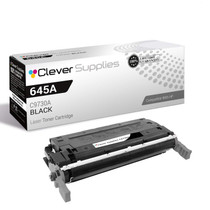
Compatible HP 5550dtn (C9730A) Toner Cartridge 2 Black

Amazon Price:

- Page Yield:
- Black: 13000
- Availability:
- In Stock
- Shipping:
- Free Shipping
- Compatible Printers
- Color LaserJet 5500
- Color LaserJet 5500dn
- Color LaserJet 5500dtn
- Color LaserJet 5500hdn
- Color LaserJet 5500n
- Color LaserJet 5550
- Color LaserJet 5550dn
- Color LaserJet 5550dtn
- Color LaserJet 5550hdn
- Color LaserJet 5550n
- LaserJet 5500
- LaserJet 5500dn
- LaserJet 5500dtn
- LaserJet 5500hdn
- LaserJet 5500n
- LaserJet 5550
- LaserJet 5550dn
- LaserJet 5550dtn
- LaserJet 5550hdn
- LaserJet 5550ni>
- i>
- HP 645A
- Specifications
- SKU:
- CLS-HP-5550dtn-2BK
- Printer Brand:
- Hewlett Packard
- OEM Number:
- C9730A
- Ink Color:
- Black
- Page Yield:
- Black: 13000
- Printer Type:
- Laser Cartridge
- Condition:
- New Compatible
- Description
- Reviews



Explore the robust and reliable printing capabilities of the HP 645A Color LaserJet Series, offering a comprehensive range of printers to meet diverse printing requirements. The Color LaserJet 5500DN, 5500DTN, 5500HDN, and 5500N models provide high-quality color printing, while the 5550DN, 5550DTN, 5550HDN, and 5550N offer enhanced performance and versatility. Experience vibrant color printing with the C9730A Black, C9731A Cyan, C9733A Magenta, and C9732A Yellow toner cartridges, compatible with the HP 645A toner cartridge and toner cartridge options. These cartridges ensure consistent and reliable print quality for a variety of printing tasks, from documents to marketing materials. Invest in a printing solution that meets your business needs with the HP 645A Color LaserJet Series, known for its exceptional performance and professional-grade results. Whether it's the Color LaserJet 5500 series or 5550 series models, these printers deliver superior print quality and reliability for all your printing needs.
Frequently Asked Questions
What does this pack contain for the 5550dtn?
Two C9730A black cartridges — the HP 645A family's black — in a single pack priced at $314.71. Both are the standard cartridge for the 5550dtn, ready to fit one now and one later.
Why pair a spare cartridge with a dtn's long runs?
The extra trays invite long, uninterrupted batches, and a black cartridge that gives out mid-batch breaks the run at the worst moment. Keeping the second unit beside the machine means the batch pauses for minutes instead of days.
How are the cartridges rated?
Each one is rated at 13,000 pages at standard coverage. Mixed letter and ledger work will vary the real count, since a ledger page carries more print than the standard page the rating assumes.
Can I swap between jobs without upsetting the printer's setup?
Yes. Change the cartridge between jobs, let the machine run its automatic calibration, and tray assignments, duplex defaults and network settings are all exactly where you left them — none of that lives in the cartridge.
Where is the best place to keep the second cartridge?
In its sealed box in the same room as the printer, flat and out of direct sunlight. Close at hand matters more than anything else, because the spare earns its place the day the installed cartridge fades during a run.
What if a cartridge in the pack prints poorly?
Speak to our support team Monday–Friday, 9 AM–5 PM CST. Every unit in the pack carries a 1-year warranty and 1-year free returns, and the shipping & returns page explains how to send one back.
The two cartridges look identical. Does it matter which one I fit first?
Not in performance terms — both are the same C9730A with the same 13,000-page rating. Fit them in arrival order anyway, so the stock rotates steadily and neither unit spends years longer on the shelf than the other. Marking the fitted date on the second box tells anyone in the office which unit is the standing spare.
How can we find out the pair's real replacement interval on our mixed trays?
Note the printer's page counter each time a cartridge goes in. The difference between the two readings, set against the 13,000-page rating, shows what your letter-and-ledger mix really costs per cartridge. After one full pair you will know whether a two-pack covers a quarter or a season, and reordering stops being reactive.
How much printing does the pair represent in total?
Two cartridges at 13,000 rated pages each give the 5550dtn a 26,000-page pool before the shelf is bare. For planning long batches, treat that as the ceiling at standard coverage rather than a promise: ledger sheets and dense tables draw more than a standard page, so schedule the biggest runs early in a cartridge's life, not at its end.
Can both empties go back together at the end?
Yes. As each C9730A comes out, box it in the packaging its replacement arrived in and set it aside; when the second unit is spent, the two empties leave in one recycling or return shipment. Batching them keeps the print area tidy and makes it obvious at a glance that the shelf is empty and a new pack is due.
About This Two-Pack of C9730A Black for the Color LaserJet 5550dtn
The Color LaserJet 5550dtn is configured for throughput — duplexing, extra trays, mixed paper sizes — and throughput consumes black cartridges on schedule. This two-pack keeps the schedule comfortable, with each C9730A rated at 13,000 pages.
Dispatch comes from the nearest of our IL, PA, GA and CA warehouses. Further HP cartridges for the same machine are stocked in this store.
Related Items

Hewlett Packard
Compatible HP 5550dtn (C9730A) Toner Cartridge Black



Hewlett Packard
Compatible HP 5550dtn (C9730A) Toner Cartridge 3 Black


Hewlett Packard
Compatible HP 5550dn (C9730A) Toner Cartridge 2 Black


Hewlett Packard
Compatible HP 5500dtn (C9730A) Toner Cartridge 2 Black