




COLOR LASERJET 5500DTN
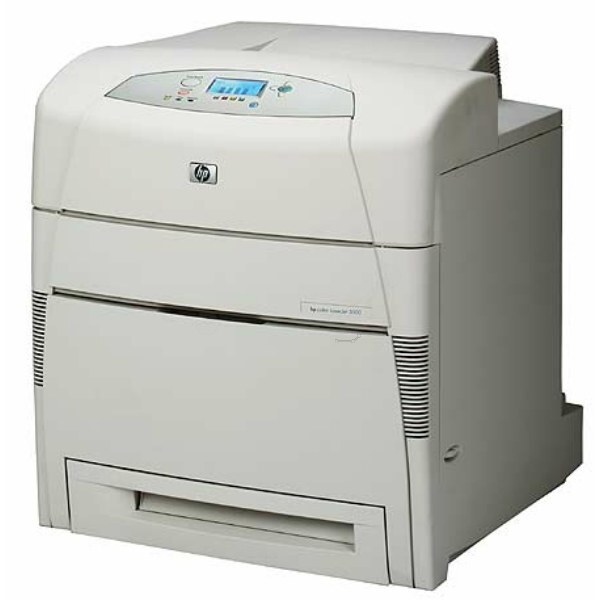
Extra paper capacity joined the feature list in the HP Color LaserJet 5500DTN, the high-volume wide-format configuration. Large color jobs ran with minimal supervision.
It uses HP 645A cartridges — black C9730A plus cyan C9731A, magenta C9732A, yellow C9733A. Compatible and genuine OEM toner for the 5500DTN is available.
Toner Cartridges for COLOR LASERJET 5500DTN
This printer works with the following toner cartridges:
- HP C9730A
- HP C9731A
- HP C9732A
- HP C9733A
More HP Printers
- COLOR LASERJET 5500
- COLOR LASERJET 5500DN
- COLOR LASERJET 5500HDN
- COLOR LASERJET 5500N
- COLOR LASERJET 5550
- COLOR LASERJET 5550DN
- COLOR LASERJET 5550DTN
- COLOR LASERJET 5550HDN
- COLOR LASERJET 5550N
Frequently Asked Questions
What toner does the COLOR LASERJET 5500DTN take?
The COLOR LASERJET 5500DTN needs all four of these cartridges installed: C9730A, C9731A, C9732A, C9733A. Any cartridge set marketed as a replacement for these exact codes will work in the COLOR LASERJET 5500DTN.
How do I get the COLOR LASERJET 5500DTN onto my office network?
Plug an Ethernet cable into the network port on the COLOR LASERJET 5500DTN and it will pick up an address automatically from most routers. Print a configuration page from the control panel to find the COLOR LASERJET 5500DTN's IP address for driver setup.
Why does my COLOR LASERJET 5500DTN not recognize a new toner cartridge?
Reseat the cartridge firmly in the COLOR LASERJET 5500DTN and make sure the protective seal was fully removed, since leftover seal or dirty contacts are the usual cause. If the COLOR LASERJET 5500DTN still rejects it, move the cartridge to a different slot to rule out a slot issue.