






 See Compatible Printers
 Read more about our ink!
Hewlett Packard
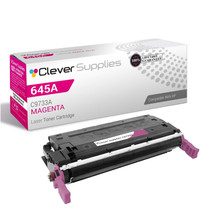
Compatible HP 5550 (C9733A) Toner Cartridge Magenta
- Page Yield:
- Color: 12000
- Availability:
- In Stock
- Shipping:
- Free Shipping

Amazon Price:

- Page Yield:
- Color: 12000
- Availability:
- In Stock
- Shipping:
- Free Shipping
- Compatible Printers
- Color LaserJet 5500
- Color LaserJet 5500dn
- Color LaserJet 5500dtn
- Color LaserJet 5500hdn
- Color LaserJet 5500n
- Color LaserJet 5550
- Color LaserJet 5550dn
- Color LaserJet 5550dtn
- Color LaserJet 5550hdn
- Color LaserJet 5550n
- LaserJet 5500
- LaserJet 5500dn
- LaserJet 5500dtn
- LaserJet 5500hdn
- LaserJet 5500n
- LaserJet 5550
- LaserJet 5550dn
- LaserJet 5550dtn
- LaserJet 5550hdn
- LaserJet 5550ni>
- i>
- HP 645A
- Specifications
- SKU:
- CLS-HP-5550-M
- Printer Brand:
- Hewlett Packard
- OEM Number:
- C9733A
- Ink Color:
- Magenta
- Page Yield:
- Color: 12000
- Printer Type:
- Laser Cartridge
- Condition:
- New Compatible
- Description
- Reviews



Explore the robust and reliable printing capabilities of the HP 645A Color LaserJet Series, offering a comprehensive range of printers to meet diverse printing requirements. The Color LaserJet 5500DN, 5500DTN, 5500HDN, and 5500N models provide high-quality color printing, while the 5550DN, 5550DTN, 5550HDN, and 5550N offer enhanced performance and versatility. Experience vibrant color printing with the C9730A Black, C9731A Cyan, C9733A Magenta, and C9732A Yellow toner cartridges, compatible with the HP 645A toner cartridge and toner cartridge options. These cartridges ensure consistent and reliable print quality for a variety of printing tasks, from documents to marketing materials. Invest in a printing solution that meets your business needs with the HP 645A Color LaserJet Series, known for its exceptional performance and professional-grade results. Whether it's the Color LaserJet 5500 series or 5550 series models, these printers deliver superior print quality and reliability for all your printing needs.
Frequently Asked Questions
Which code should I look for before ordering?
C9733A. That is the magenta cartridge of the 645A family, and the same code is stamped on the cartridge currently in your printer. Match the stamp and you have matched the cartridge — that is the whole procedure.
Why do our newsletter headings lose their punch before anything else fades?
Headings, logos and mastheads are usually printed in strong red-family colors, and those are mixed from magenta. It is the most visible color in a community newsletter, so it is also the first place a weakening cartridge announces itself.
This model has no built-in duplex. Does flipping pages by hand affect the cartridge?
Not at all. Manual two-sided printing is a paper routine, not a toner factor; each printed side simply uses the magenta its image contains, whether the sheet passed through once or twice.
We print one monthly newsletter run. How does that pattern suit the 12,000-page rating?
Very comfortably. A single monthly run of a few hundred copies, mostly text with a colored masthead, is light duty — this cartridge will typically serve many issues, and its level is worth a glance before each print day rather than constant watching.
Our reds have started printing orange-brown. What does that mean?
Red is magenta plus yellow; take magenta away and red collapses toward orange and brown. When the color that fails is red, the cartridge to check is this one, even if purples still look almost right.
What backing comes with this purchase?
A 1-year warranty and 1-year free returns stand behind it. Shipments leave our warehouses in Illinois, Pennsylvania, Georgia and California, support is available Monday through Friday, 9 AM to 5 PM CST, and the shipping and returns page has every detail.
Should a newsletter team keep a spare C9733A on the shelf?
It is cheap insurance for a fixed print day. If the installed cartridge turns weak on the morning the issue is due, a sealed spare turns a cancelled mailing into a short swap, and the issue still goes out on schedule. The spare simply waits, sealed, until that morning comes.
How can we test the cartridge before committing to the full run?
Print one copy of the first page and judge that sheet on its own. The masthead and headings carry the strongest reds in the issue, so if they print with full punch on the test sheet, the run is safe to start. If they already look tired, change the cartridge before hundreds of copies inherit the fault.
Does the cartridge mind sitting in the printer for weeks between issues?
No. Toner is spent only when pages actually print, so a cartridge resting in the machine between monthly runs keeps the level it had after the last issue. Nothing about the quiet weeks shortens its working life; the level check before print day remains the one habit that matters.
What should we do with the cartridge once it is finally empty?
Set the spent unit aside until its replacement has put out one clean issue, so you still have the old cartridge as evidence if the new one's first pages disappoint. After that, send the empty for recycling rather than into general waste, and note the date so the next reorder rhythm stays predictable.
About This Magenta Cartridge for the Color LaserJet 5550
At $166.60, rated for 12,000 pages, this C9733A magenta cartridge keeps the HP Color LaserJet 5550 printing the colors that community printing runs on: the red of a masthead, the warmth in a photo of last month's event, the highlight boxes nobody reads past if they print dull. It is a cartridge bought on a schedule of issues and deadlines, not emergencies.
Related Items


Hewlett Packard
Compatible HP 5500dtn (C9733A) Toner Cartridge Magenta



Hewlett Packard
Compatible HP 5550n (C9733A) Toner Cartridge Magenta


Hewlett Packard
Compatible HP 5550dtn (C9733A) Toner Cartridge Magenta

Hewlett Packard
Compatible HP 5550hdn (C9733A) Toner Cartridge Magenta