






 See Compatible Printers
 Read more about our ink!
Hewlett Packard
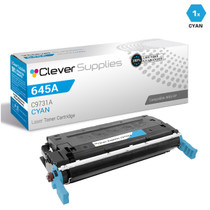
Compatible HP 5550hdn (C9731A) Toner Cartridge Cyan
- Page Yield:
- Color: 12000
- Availability:
- In Stock
- Shipping:
- Free Shipping

Amazon Price:

- Page Yield:
- Color: 12000
- Availability:
- In Stock
- Shipping:
- Free Shipping
- Compatible Printers
- Color LaserJet 5500
- Color LaserJet 5500dn
- Color LaserJet 5500dtn
- Color LaserJet 5500hdn
- Color LaserJet 5500n
- Color LaserJet 5550
- Color LaserJet 5550dn
- Color LaserJet 5550dtn
- Color LaserJet 5550hdn
- Color LaserJet 5550n
- LaserJet 5500
- LaserJet 5500dn
- LaserJet 5500dtn
- LaserJet 5500hdn
- LaserJet 5500n
- LaserJet 5550
- LaserJet 5550dn
- LaserJet 5550dtn
- LaserJet 5550hdn
- LaserJet 5550ni>
- i>
- HP 645A
- Specifications
- SKU:
- CS-HP-5550hdn-C
- Printer Brand:
- Hewlett Packard
- OEM Number:
- C9731A
- Ink Color:
- Cyan
- Page Yield:
- Color: 12000
- Printer Type:
- Laser Cartridge
- Condition:
- New Compatible
- Description
- Reviews



Explore the robust and reliable printing capabilities of the HP 645A Color LaserJet Series, offering a comprehensive range of printers to meet diverse printing requirements. The Color LaserJet 5500DN, 5500DTN, 5500HDN, and 5500N models provide high-quality color printing, while the 5550DN, 5550DTN, 5550HDN, and 5550N offer enhanced performance and versatility. Experience vibrant color printing with the C9730A Black, C9731A Cyan, C9733A Magenta, and C9732A Yellow toner cartridges, compatible with the HP 645A toner cartridge and toner cartridge options. These cartridges ensure consistent and reliable print quality for a variety of printing tasks, from documents to marketing materials. Invest in a printing solution that meets your business needs with the HP 645A Color LaserJet Series, known for its exceptional performance and professional-grade results. Whether it's the Color LaserJet 5500 series or 5550 series models, these printers deliver superior print quality and reliability for all your printing needs.
Frequently Asked Questions
Our forms are coming out with gray-looking blue headers. Is the cyan cartridge where we look?
Yes, first. Form headers, rules and logos are printed in cyan, and as the C9731A cartridge empties they lose saturation and slide toward gray. Print a test page: a pale cyan block confirms it, and the fix is a cartridge swap, not a form redesign.
How do we confirm which cartridge our 5550hdn takes?
Open the machine and read the stamp on the cyan cartridge: it should say C9731A, the cyan of the 645A family. The hdn hardware — hard disk, duplexing, network — shares that same supply, so the code on the old cartridge is the whole answer.
Forms are mostly white space. Does the 12,000-page rating stretch for us?
It usually does. The rating assumes standard coverage, and a form spends cyan only on its header, rules and logo, so a forms-heavy machine often runs well past the rated count. The header fading is therefore easy to miss — it creeps rather than stops.
What does the hard disk in the hdn have to do with toner?
Forms are stored on it and reprinted at the panel on demand, which spreads cyan use across many small runs by many people. Nobody sees a single big job drain the cartridge; the level simply arrives at empty one ordinary morning, which is why the spare belongs beside the machine.
When should we swap rather than shake the cartridge?
Shaking buys a little time on a cartridge that is merely uneven. On client-facing forms, swap as soon as headers lose their blue — a gray header on an invoice or a claim form looks like a photocopy, and the impression costs more than the pages saved.
What support comes with this cartridge?
It is covered by a 1-year warranty with 1-year free returns. Support is available Monday through Friday, 9 AM to 5 PM CST, orders ship from our warehouses in Illinois, Pennsylvania, Georgia and California, and the shipping and returns page carries the full terms.
How do we check the cyan level before a big month-end forms run?
Print the printer's supplies status page, or read the gauge on the machine, before the run starts. Forms spend cyan so lightly that the level drifts down unnoticed for weeks, and the run that finally empties the C9731A is usually the biggest one of the month. A thirty-second check beforehand turns a mid-batch scramble into a planned swap.
The supply cupboard holds several 645A boxes. How do we pick out the cyan one?
Read the last digit of the code. In the 645A family, C9730A is black, C9731A is this cyan, C9732A is yellow and C9733A is magenta — the digit before the A names the color. Grabbing by the full code rather than by box color avoids the classic mistake of fitting a sibling cartridge and wondering why the forms still look wrong.
Where should the spare not be kept?
Not on top of the printer and not beside a radiator or a sunny window. Heat and light work on a cartridge sitting in storage just as they do on one in the machine. Keep the C9731A sealed in its box, flat in the supply cabinet, and it will print like a fresh cartridge whenever the forms finally call for it.
If the cyan gives out halfway through a forms batch, how do we recover the batch?
Swap in the spare — it takes only a few minutes — and reprint just the tail of the batch that printed after the headers began to fade. The form itself is stored on the machine, so the reprinted pages come out identical to the good ones. There is no need to rerun the whole batch or to apologize for pages that were actually fine.
About This Cyan Cartridge for the Color LaserJet 5550hdn
This C9731A cyan cartridge, $166.60 and rated at 12,000 pages, serves the HP Color LaserJet 5550hdn in the office where forms are the product: stored on the machine, reprinted at the panel, and judged by whether the blue header still looks like the firm it came from. It is a small cartridge with a reputational job, and this listing exists so it gets changed on evidence — a pale test block — rather than on a complaint.
Related Items


Hewlett Packard
Compatible HP 5500hdn (C9731A) Toner Cartridge Cyan

Hewlett Packard
CS Compatible Replacement for HP C9731A Toner Cartridge Cyan/ HP 645A Toner
/>

Hewlett Packard
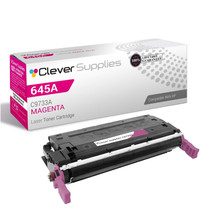
Compatible HP 5550hdn (C9733A) Toner Cartridge Magenta

Hewlett Packard
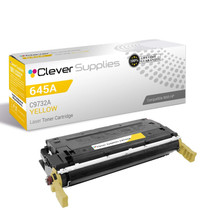
Compatible HP 5550hdn (C9732A) Toner Cartridge Yellow