




Multifunction B1160W
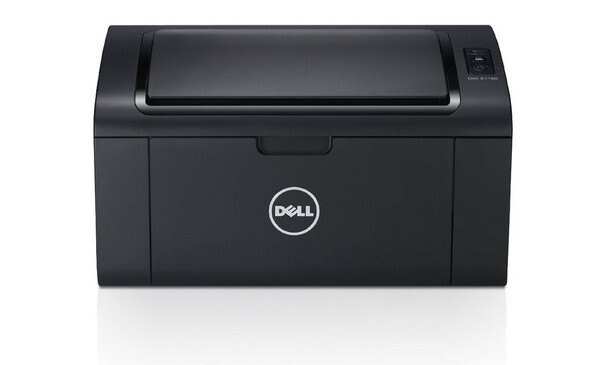
The Dell B1160W takes the compact monochrome multifunction formula and cuts the cord: built-in wireless means every laptop, tablet and phone in the house can print, copy and scan through it without a USB cable dictating where the machine lives. All of that traffic runs through a single supply, the black 331-7335 cartridge, so keeping this printer fed is a one-item shopping list — the options below are that cartridge under its part number and its model names, in singles and multipacks.
Wireless access changes how a small printer gets used. A machine anyone can reach from anywhere tends to collect jobs from the whole household — a recipe here, a return label there, a chapter of a report at midnight — and its cartridge drains faster than a tethered printer's would. The flip side is that one spare on the shelf covers everything the B1160W does, because printing, copying and fax-free scanning all draw on the same toner or, in the scanner's case, none at all.
Toner Cartridges for B1160W
- 331-7335 — the code-named single cartridge; page yield: see product page.
- 331-7335 3 Pack — three code-named cartridges; page yield: see product page.
- 331-7335 Premium 5 Pack — five premium-grade cartridges; page yield: see product page.
- B1160W — the model-named single cartridge; page yield: see product page.
- B1160W 5 Pack — five model-named cartridges; page yield: see product page.
- B1160 (331-7335) — the shared B1160-family single; page yield: see product page.
- B1160 (331-7335) 2 Pack — two shared-family cartridges; page yield: see product page.
- B1160 (331-7335) 3 Pack — three shared-family cartridges; page yield: see product page.
- B1160 (331-7335) 5 Pack — five shared-family cartridges; page yield: see product page.
- B1160 (331-7335) 10 Pack — ten shared-family cartridges; page yield: see product page.
- B1160 (331-7335) Cartridge — the alternate shared-family single; page yield: see product page.
Which cartridge should you buy?
Think about how many people print through this machine, not how many pages the spec sheet promises. A single user with light needs can run cartridge to cartridge with the single; a household sharing the wireless connection should lean toward the 2-pack or larger, since the printer that is easiest to reach is always the one that runs dry first — usually halfway through someone else's job. The bigger multipacks suit a home business that prints daily and prefers ordering a few times a year. Whichever size you pick, the cartridge itself is identical: the same 331-7335 unit the wired B1160 takes.
Chip, toner and everyday use
Install a fresh cartridge and give the printer a moment to recognize its chip before sending jobs from three different devices at once; the first print after a swap is the machine's handshake. Because a wireless unit often sits in a bedroom corner or hallway rather than an office, store its spare somewhere cool and dry, still sealed — heat from a sunny shelf shortens a stored cartridge's useful life. If pages emerge with a gray background wash, that is toner behavior worth watching: it usually means the installed cartridge is nearing the end or has been shaken too hard in the past.
Frequently Asked Questions
Can I scan wirelessly with the B1160W?
Yes — the wireless connection carries scanning as well as printing, so scans land on your computer without a cable. Scanning itself spends no toner; only printing and copying draw from the 331-7335 cartridge.
Which cartridges does the B1160W take?
The same single cartridge as the wired Multifunction B1160: the 331-7335 black unit. Listings named for either model fit both machines, which is why B1160-named cartridges appear in the list above.
Copies from my B1160W look streaky. Where do I start?
With the scanner glass. Streaks that appear on copies but not on computer prints almost always trace to a smudge or correction-fluid mark on the glass. If ordinary prints streak as well, the cartridge is the suspect and a replacement is the fix.
How are these cartridges guaranteed?
The compatible cartridges for the B1160W carry a one-year warranty and one-year returns, matching the cover you would want on a machine the whole household depends on.
More printers that use the same cartridges
This cartridge family stretches across Dell's compact B-series lasers, wired and wireless alike: Color Laser Laser B1160W, Color Laser Laser B1163W, Color Laser Laser B1165NFW, Color Laser Laser B1160, Dell 331-7335, Laser B1160, Laser B1160W, Laser B1163, Laser B1163W, Laser B1165, Laser B1165NFW, Multifunction B1160.