




Color Laser Laser B1163W
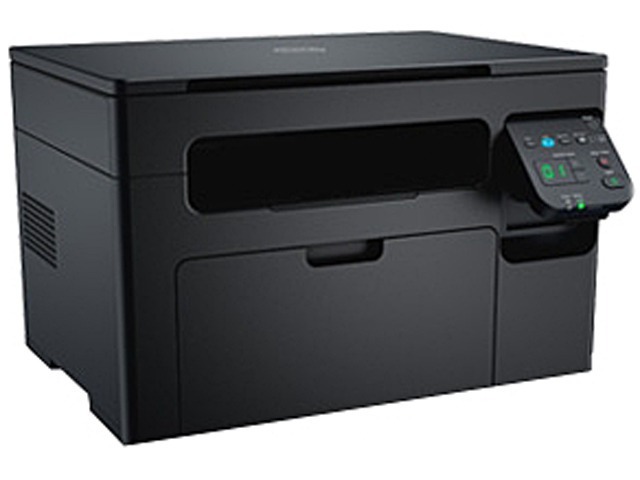
Some printers try to be everything. The Dell B1163W deliberately is not one of them: it is a print-only monochrome laser with built-in Wi-Fi, built for desks that need documents and nothing else. It draws from a single black cartridge, the 331-7335, and Clever Supplies stocks that cartridge on this page as a single and in 2, 3, 5 and 10 packs, so the size of your spare shelf can match the size of your workload.
The B1163W earns its place as a dedicated second printer. Set it beside a scanner or an aging all-in-one and let it take over the everyday document load — letters, invoices, shipping paperwork, school assignments — while the other machine handles the occasional copy. Because it only prints, there is less to configure, less to maintain, and only one supply to keep track of. Wireless printing means a laptop, phone or tablet anywhere in the room can send it work without a cable run.
Toner Cartridges for Dell B1163W
| Cartridge | Color | Page Yield |
|---|---|---|
| 331-7335 Black — Single cartridge | Black | See product page |
| 331-7335 Black — 2 Pack | Black | See product page |
| 331-7335 Black — 3 Pack | Black | See product page |
| 331-7335 Black — 5 Pack | Black | See product page |
| 331-7335 Black — 10 Pack | Black | See product page |
Which cartridge should you buy?
There is exactly one cartridge decision on this page, and it is about quantity rather than type. Every listing above is the same 331-7335 black cartridge; what changes is how many arrive in the box. A single cartridge suits a home desk that prints a few pages a week and would rather reorder rarely but lightly. Step up to a 2 pack or 3 pack if the printer supports a small business and a low-toner warning would land at an awkward moment — the spare is already in the drawer. The 5 and 10 packs serve genuinely busy document printers, where the cartridge is a consumable you plan around rather than an emergency purchase. Whichever size you pick, keeping one sealed spare on hand is the habit that prevents the only real failure mode of a machine this simple: running dry mid-job with nothing to swap in.
Chip, toner and everyday use
Each cartridge carries a chip the printer reads on installation, so seating it firmly until it clicks is the whole setup ritual — the B1163W should acknowledge the new cartridge without driver changes or resets. Page yields are always estimates based on light, roughly 5 percent page coverage, so dense documents with logos and shaded tables will finish a cartridge sooner than plain correspondence does. If output starts to fade unevenly, remove the cartridge and rock it gently side to side a few times to redistribute the toner inside; that often recovers the remaining pages. Store spares flat, sealed, and away from heat and direct sunlight.
Frequently Asked Questions
Which toner cartridge fits the Dell B1163W?
Only one: the Dell 331-7335 black cartridge listed in the table above. It is sold here as a single cartridge and in multi-packs of two, three, five and ten, and every option on this page is that same cartridge.
Can the B1163W scan or copy documents?
No. The B1163W is a print-only machine with no scanner or copier built in. That is its appeal as a dedicated document printer; if you need scans as well, pair it with a separate scanner or an all-in-one and let each device do one job well.
Can I print to the B1163W from a phone or tablet?
Yes. Wi-Fi is built in, so after the one-time network setup, any computer, phone or tablet on the same wireless network can print to it without a USB cable.
My prints are coming out light. Is the cartridge finished?
Not necessarily. Light or streaky output often means the toner has settled unevenly inside the cartridge. Take it out, rock it gently from side to side several times, and reinstall it — print density usually recovers for the remaining life of the cartridge.
More printers that use the same cartridges
The 331-7335 cartridge is shared across the wider B1160 family, including these models:
Color Laser Laser B1160W, Color Laser Laser B1165NFW, Color Laser Laser B1160, Dell 331-7335, Laser B1160, Laser B1160W, Laser B1163, Laser B1163W, Laser B1165, Laser B1165NFW, Multifunction B1160, Multifunction B1160W