




Color Laser Laser B1165NFW
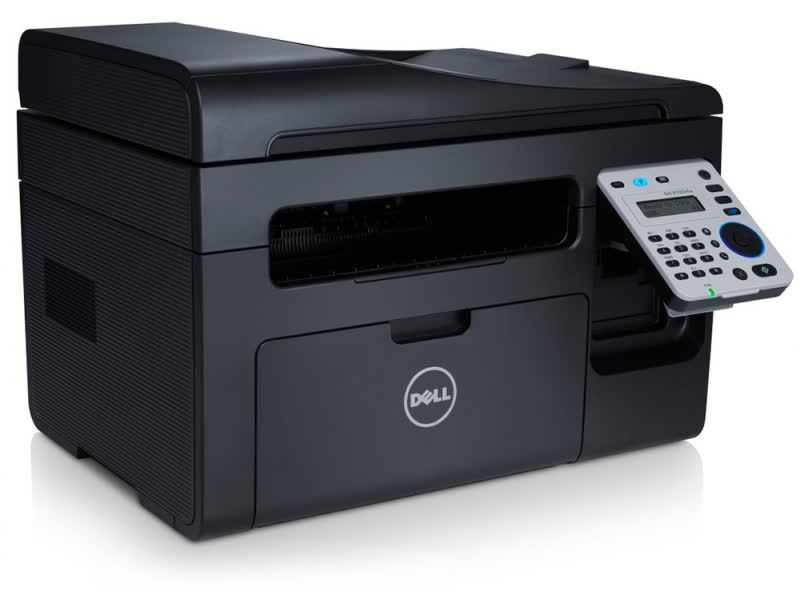
Fax refuses to die in some home offices, and the Dell B1165NFW is the machine Dell built for them: a compact monochrome laser that prints, scans, copies and faxes, with wireless networking tying it together. Every one of those jobs except scanning draws on the same black cartridge, the 331-7335, which Clever Supplies sells here as a single cartridge and in packs of two, three, five and ten.
What makes this multifunction different from a print-only box is the rhythm of its toner use. A printer waits for you to send it work; a fax machine receives work on its own schedule, at any hour, and prints it immediately. Contracts, signed forms and medical or school paperwork still arrive this way in plenty of small offices, and each one spends toner. Add walk-up copies and everyday printing, and the B1165NFW consumes its cartridge steadily even on days when nobody sits down to print a document.
Toner Cartridges for Dell B1165NFW
| Option | Cartridge Code | Color | Yield |
|---|---|---|---|
| One cartridge | 331-7335 | Black | See product page |
| Two cartridges (2 Pack) | 331-7335 | Black | See product page |
| Three cartridges (3 Pack) | 331-7335 | Black | See product page |
| Five cartridges (5 Pack) | 331-7335 | Black | See product page |
| Ten cartridges (10 Pack) | 331-7335 | Black | See product page |
Which cartridge should you buy?
Every option above is the same 331-7335 cartridge, so the real question is how much interruption risk you carry. An incoming fax does not wait for business hours, and a machine that runs dry overnight can miss pages you were sent. For that reason, most B1165NFW owners are better served by a multi-pack than by a single: the 2 pack keeps one working cartridge and one sealed spare, which is the minimum sensible buffer for a fax line. Busier offices that also copy and print through the same machine should look at the 3 and 5 packs, and the 10 pack suits anyone standardizing on this cartridge across several B1160-family machines. Singles still make sense for very light use, but buy them knowing the spare-drawer rule matters more on a fax-equipped machine than on any other kind.
Chip, toner and everyday use
The cartridge chip reports toner level to the printer, which matters more here than on a print-only model: heed the low warning early, because the next incoming fax will not check whether you are ready. Installation is a straight swap — open the front, pull the old cartridge, slide the new one in until it seats. Keep the printer reasonably close to your wireless router if you can; a weak signal, not the cartridge, is behind most complaints about this model dropping off the network, and a static IP address stops it vanishing after router restarts. Spares keep best sealed in their packaging, stored flat at room temperature.
Frequently Asked Questions
What cartridge does the Dell B1165NFW take?
It takes the Dell 331-7335 black cartridge, the same cartridge used across the B1160 family. This page lists it as a single and in 2, 3, 5 and 10 packs.
Does scanning on the B1165NFW use toner?
No. Scanning sends a document to your computer, a USB drive or email without printing anything, so it consumes no toner at all. Printing, copying and received faxes are the three jobs that draw on the cartridge.
Why does my B1165NFW seem to use toner when I barely print?
Usually the fax line is the quiet consumer: every received fax prints automatically, and copies made at the glass use toner too. If levels drop faster than your own printing explains, check the fax log and the copy counter before suspecting the cartridge.
The printer keeps dropping off Wi-Fi. What helps?
Move it closer to the router or pick a less crowded wireless channel, since weak signal is the usual cause. Assigning the printer a static IP address also prevents it from disappearing from your computers after the router restarts.
More printers that use the same cartridges
The whole B1160 family runs on this cartridge. The related model pages are:
Color Laser Laser B1160W, Color Laser Laser B1163W, Color Laser Laser B1160, Dell 331-7335, Laser B1160, Laser B1160W, Laser B1163, Laser B1163W, Laser B1165, Laser B1165NFW, Multifunction B1160, Multifunction B1160W