




Laser B1165
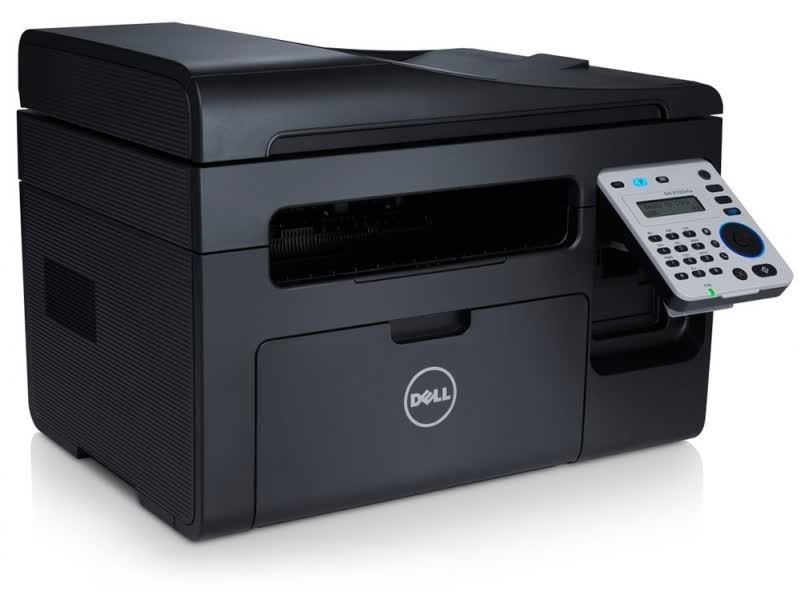
Start with the personal mono laser formula, then add the two functions home desks ask for most — that is the Dell B1165: a compact USB multifunction that prints, copies and scans, still without the networking hardware its office cousins carry. All three jobs draw on a single black cartridge, the 331-7335, so the supply cupboard for this machine holds exactly one product.
The economy of that arrangement is easy to miss. A copied page costs the same toner as a printed one, and there is no separate scanner supply or second cartridge type to stock, so a home office that copies forms, scans receipts and prints letters all week still reorders one box, by one code.
Toner Cartridges for B1165
| Cartridge | Color | Page Yield |
|---|---|---|
| 331-7335 | Black | See product page |
| 331-7335 3 Pack | Black | See product page |
| 331-7335 Premium 5 Pack | Black | See product page |
| B1165 | Black | See product page |
| B1165 5 Pack | Black | See product page |
Which cartridge should you buy?
Households that mostly print will be served well by the single cartridge. Desks that copy regularly — school paperwork, club admin, a small business run from home — go through toner noticeably faster, and the 3-pack or 5-pack listings trim both the per-cartridge cost and the reorder frequency. There is no wrong tier here because there is only one cartridge; pick the pack size that matches how often you want to think about it. Every option carries a 1-year warranty and 1-year returns.
Chip, toner and everyday use
Because the scanner sits on top, the B1165's cartridge bay sees a little more opening and closing than a plain printer's — after any swap, press the cartridge down until it seats fully and close the lid firmly so the chip registers. If the machine ever jams, resist blaming the toner first: overfilled trays, curled paper and a stray scrap in the path cause most jams on compact multifunctions, and reseating the cartridge is the last step of the check, not the first.
Frequently Asked Questions
What toner does the Dell B1165 use?
The 331-7335 black cartridge, also sold above under the B1165 name. One cartridge covers printing, copying and scanning output alike, since copies are simply pages the machine prints from its own scanner.
Does the B1165 share cartridges with the B1163?
It does — the B1165 was built on the same compact platform and drinks from the same cartridge family, so spares interchange freely between the two models and the rest of the B1160 series.
Does copying wear the cartridge out faster than printing?
A copy and a print of the same page use essentially the same toner. What changes your reorder rhythm is total pages, whatever their source, so a copy-heavy month simply looks like a print-heavy one to the cartridge.
More printers that use the same cartridges
One cartridge serves the entire B1160-series family:
Laser B1160W, Laser B1163W, Laser B1165NFW, Laser B1160, Dell 331-7335, Laser B1160, Laser B1160W, Laser B1163, Laser B1163W, Laser B1165NFW, Multifunction B1160, Multifunction B1160W