




Laser B1160
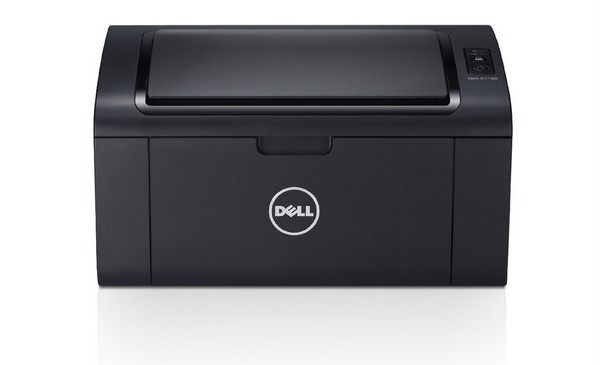
Some printers stay in service for a decade because they ask for almost nothing, and the Dell B1160 is one of them — a compact monochrome laser multifunction that prints, copies and scans for home offices without complexity or high running costs. Its appetite matches its size: a single black cartridge, the 331-7335, is the only supply it will ever ask for. The listing on this page is that cartridge, sized and priced for the light, steady document work this machine was designed for.
The B1160's appeal at home is the absence of fuss. There is no color set to balance, no second consumable on a different schedule, and no software drama — when output fades, one cartridge changes and work resumes. Owners tend to keep a single spare in a drawer, because a printer used for school forms, contracts and the occasional boarding pass does not burn through toner quickly. It is a machine that fits around a household or a one-person office rather than demanding attention of its own.
Toner Cartridges for B1160
| Cartridge | Color | Page Yield |
|---|---|---|
| 331-7335 black toner cartridge | Black | See product page |
Which cartridge should you buy?
There is exactly one choice to make, and the table above makes it: the 331-7335 black cartridge is the B1160's only consumable. Buy one when the installed cartridge fades, and consider keeping a second on hand if the printer supports a home business where a dead cartridge on a deadline day is a real problem. Because this model is a light-volume machine, there is no high-yield tier to weigh up — the standard cartridge is matched to the printer's pace, and its rated yield is shown on the product page. Our compatible version is covered by a 1-year warranty and 1-year returns.
Chip, toner and everyday use
Fitting a cartridge takes under a minute: open the top cover, lift the spent unit out by its handle, and lower the new one in until it settles. Give the new cartridge a gentle rock end to end first so the toner inside is evenly spread — the first pages will thank you with consistent darkness. If the printer ever fails to recognize a fresh cartridge, reseating it firmly almost always resolves the message. Store the spare in its bag in a drawer, not on a windowsill; toner keeps best cool, dry and out of direct sun. Yield figures, where quoted, assume the standard 5% coverage of a text page.
Frequently Asked Questions
Which toner cartridge does the Dell B1160 use?
The 331-7335 black toner cartridge is the machine's only supply. If an older cartridge in your printer shows a different Dell code on its label, the 331-7335 listing here is the cartridge sold for this model today.
Is the B1160 a good fit for a home office?
Yes — that is the use it was designed for. It is a compact mono laser multifunction whose small, affordable cartridge matches a light home-office print volume.
How do I install a new cartridge in the B1160?
Open the top cover, pull the old cartridge straight out, unpack the new one and rock it gently side to side, then slide it in until it seats. Close the cover and the printer is ready.
Does the B1160 share its cartridge with other models?
It does — the same cartridge serves the wider B1160 family, including the wireless and multifunction variants listed below.
More printers that use the same cartridges
The same black cartridge also fits these Dell models: Color Laser Laser B1160W, Color Laser Laser B1163W, Color Laser Laser B1165NFW, Color Laser Laser B1160, Dell 331-7335, Laser B1160W, Laser B1163, Laser B1163W, Laser B1165, Laser B1165NFW, Multifunction B1160, Multifunction B1160W.