




Color Laser Laser B1160W
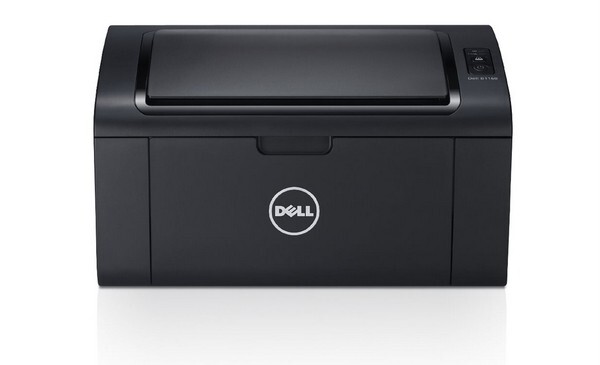
Placement freedom is the Dell B1160W's trick: a wireless monochrome laser multifunction printer that can live on a bookshelf, in a closet office, or anywhere with Wi-Fi — printing, copying and scanning for every device in the household. Wherever it sits, its appetite stays modest and singular: one 331-7335 black toner cartridge feeds every job it produces, and this page stocks that cartridge from a single up to a 10 pack.
A wireless printer gets used differently from a cabled one. Jobs arrive from laptops in the kitchen, phones on the couch and a desktop down the hall, usually in ones and twos rather than planned batches. The B1160W's owners rarely think about the printer at all — which is precisely why its one-cartridge design suits it. There is no color set to manage and no second supply to forget; when output eventually fades, there is exactly one thing to replace.
Toner Cartridges for Laser B1160W
| Cartridge | Color | Page Yield |
|---|---|---|
| 331-7335 Black Toner Cartridge — Single | Black | See product page |
| 331-7335 Black Toner Cartridges — 2 Pack | Black | See product page |
| 331-7335 Black Toner Cartridges — 3 Pack | Black | See product page |
| 331-7335 Black Toner Cartridges — 5 Pack | Black | See product page |
| 331-7335 Black Toner Cartridges — 10 Pack | Black | See product page |
Which cartridge should you buy?
Start with the single 331-7335 unless your household prints heavily. One cartridge covers a long run of the short, everyday jobs this printer specializes in. Homes where the B1160W doubles as a small-business machine — invoices, contracts, school paperwork for several kids — will appreciate the 2 pack, since the spare can wait in a drawer for months without losing anything. The 3, 5 and 10 packs serve the heaviest household and shared-housing setups. Because the same cartridge also fits the closely related models below, a pack bought for this printer is never stranded if the household's printer lineup changes.
Chip, toner and everyday use
Two different problems get confused on a wireless printer: a dropped Wi-Fi connection and a finished cartridge look similar from the couch, because the job simply does not come out. Check the printer itself before ordering — the cartridge chip reports toner status at the machine, and a truly empty cartridge usually announces itself with fading pages first. When you do swap, seat the new cartridge until it clicks and let the printer recognize it before sending the backlog of jobs.
Frequently Asked Questions
Does the B1160W really use only one cartridge?
Yes. It is a monochrome machine, so a single black 331-7335 cartridge supports every print and copy it makes. There are no color cartridges to buy or track.
Is this the same cartridge as the wired B1160 uses?
It is — both models take the 331-7335, and every listing on this page fits either printer. The wireless hardware is the difference between the machines, not the supply.
Where should I keep the spare cartridge?
Near the printer, wherever in the house it lives — a shelf or drawer in the same room, stored flat in its sealed packaging. A wireless printer often sits far from the household's usual supply spot, so co-locating the spare saves a search later.
What if pages start coming out faint?
Remove the cartridge and rock it gently side to side a few times to redistribute the toner, then reinstall it. If the fading returns quickly, the cartridge is genuinely near its end and the replacement should go in.
More printers that use the same cartridges
These relatives share the B1160W's single-cartridge design and the same supply, so one stock can cover any of them: Color Laser Laser B1163W, Color Laser Laser B1165NFW, Color Laser Laser B1160, Dell 331-7335, Laser B1160, Laser B1160W, Laser B1163, Laser B1163W, Laser B1165, Laser B1165NFW, Multifunction B1160, Multifunction B1160W.