




Laser B1160W
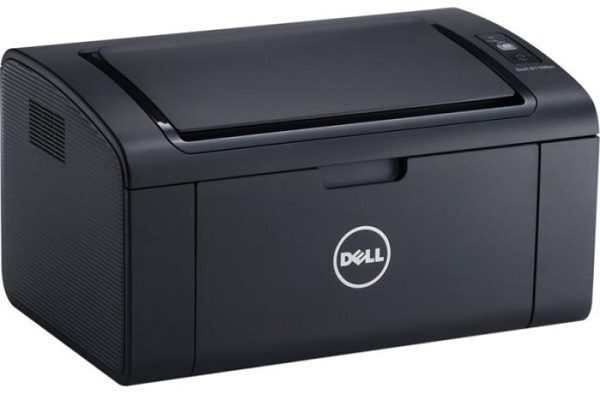
Wireless is the whole point of the Dell B1160W: a monochrome laser multifunction that joins the home Wi-Fi network and then quietly accepts print jobs from any phone, tablet or laptop in the house. It prints, copies and scans like its wired sibling, and it runs on the same single supply — the 331-7335 black toner cartridge, listed on this page under the B1160 name the cartridge carries. One cartridge, no cables to the computer, and a footprint small enough for a shelf: that is the complete ownership proposition.
Because the printer is not tethered to one desk, it tends to become the household's shared machine — homework from one room, a returns label from another, a contract printed from the kitchen table. That shared role makes the one-cartridge supply especially welcome: whoever discovers the toner is low deals with a single code and a two-minute swap, with no color cartridges to audit. Set it up once, keep a spare cartridge in the house, and the B1160W largely looks after itself.
Toner Cartridges for B1160W
| Cartridge | Color | Page Yield |
|---|---|---|
| 331-7335 black toner cartridge | Black | See product page |
Which cartridge should you buy?
Only one cartridge exists for this printer, so the buying decision is simply when to have a spare ready. The 331-7335 is a standard-capacity cartridge sized for home volumes; its page rating is shown on the product page. If the B1160W is the only printer in the house and it supports anything time-sensitive — a home business, school deadlines — a second cartridge in reserve is cheap insurance against a faded page at the wrong moment. There is no separate drum or color set to budget for. Our compatible cartridge includes a 1-year warranty and 1-year returns.
Chip, toner and everyday use
A fresh cartridge announces itself to the printer through its chip; if a "not recognized" message appears after a swap, open the cover and press the unit firmly back into its seat before trying anything else. Rock the cartridge gently before fitting so toner distributes evenly after its time in the box. Everyday care for this model is mostly about the connection rather than the consumable — the printer does its best work left powered on and within comfortable range of the router. Toner itself asks only for a cool, dry storage spot, away from radiators and sunny shelves. Page yield figures are estimates at 5% coverage.
Frequently Asked Questions
What does the "W" in B1160W stand for?
Wireless. The printer joins your Wi-Fi network through its setup routine, after which every device on that network can print to it without a USB cable.
What toner does the B1160W take?
The 331-7335 black cartridge — the same cartridge the standard B1160 uses, which is why the listing carries the B1160 name. It is the only supply the machine consumes.
My B1160W has dropped off the Wi-Fi network. What helps?
Restart both the printer and the router, then re-run the wireless setup so the printer rejoins with a fresh connection. If it keeps disappearing after idle periods, assigning it a static IP address in your router settings usually keeps it reachable.
Can the B1160W copy and scan as well as print?
Yes. It is a multifunction machine — print, copy and scan in one unit — while using toner only for the pages it prints or copies.
More printers that use the same cartridges
The same black cartridge also fits these Dell models: Color Laser Laser B1160W, Color Laser Laser B1163W, Color Laser Laser B1165NFW, Color Laser Laser B1160, Dell 331-7335, Laser B1160, Laser B1163, Laser B1163W, Laser B1165, Laser B1165NFW, Multifunction B1160, Multifunction B1160W.