




Color Laser H825CDW
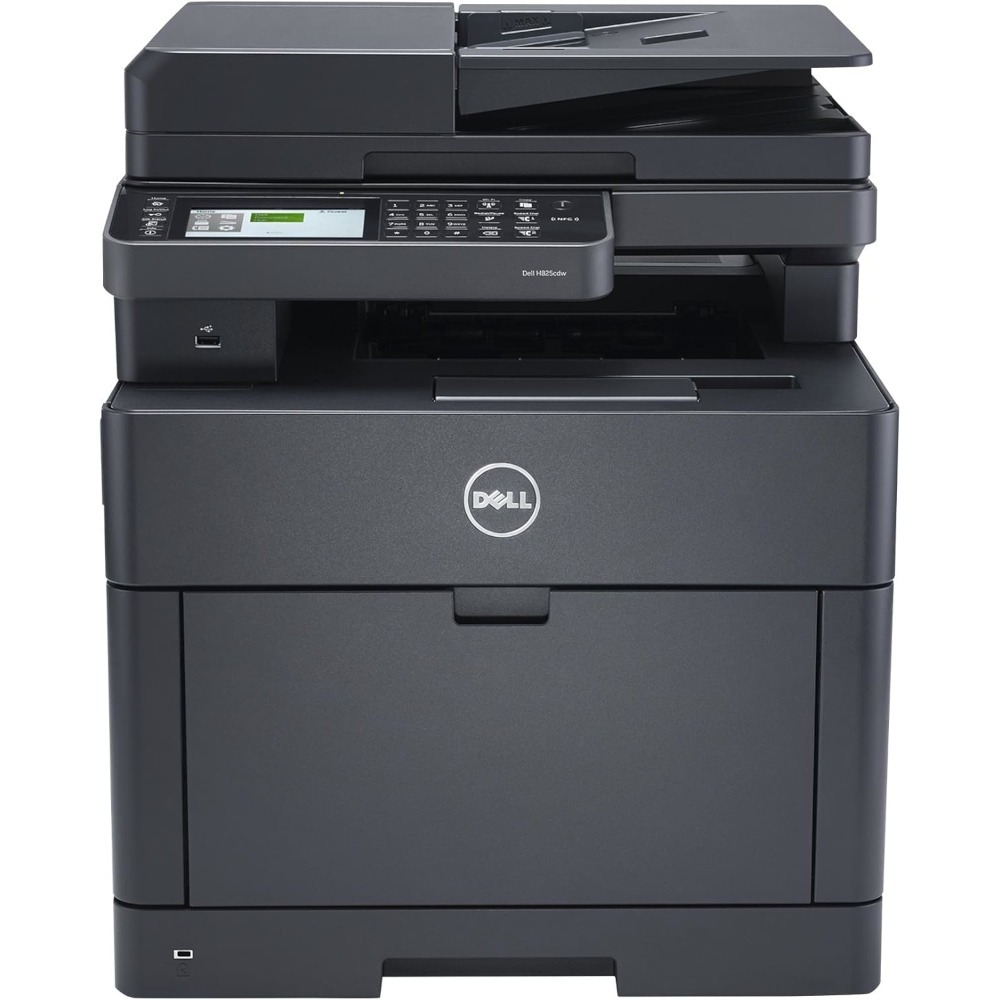
The Dell H825CDW pairs the faster 30-page-per-minute (letter) color engine with full cloud multifunction capability — print, scan, copy and fax, a 50-sheet single-pass duplex feeder, automatic two-sided printing and Dell Document Hub cloud connections — and a 50,000-page monthly duty cycle that specifies it for genuinely heavy color workloads. Each slot accepts either range of the family: standard NCH0D black, WG4T0 cyan, 042T1 magenta and 2RF0R yellow, or high-yield N7DWF black, P3HJK cyan, 5PG7P magenta and 3P7C4 yellow. The high-yield four also answer to Dell kit numbers 593-BBOW (black), 593-BBOX (cyan), 593-BBOY (magenta) and 593-BBOZ (yellow).
A flagship multifunction earns its keep by never being idle, and that is precisely the usage pattern that punishes small cartridges: every function it offers — printing, copying, scanning to email, faxing — draws on the same four slots. On a machine specified for this much work, supply management stops being a purchasing detail and becomes uptime management. The offices that run an H825CDW well are the ones that treat the high-yield range as standard equipment and keep the next set already on the shelf.
Toner Cartridges for H825CDW
| Cartridge | Color | Page Yield |
|---|---|---|
| 042T1 | Magenta | See product page |
| 2RF0R | Yellow | See product page |
| 3P7C4 — High Yield | Yellow | See product page |
| 5PG7P — High Yield | Magenta | See product page |
| Color Laser H825 Laser Toner Cartridges 4 Color Set | Black / Cyan / Magenta / Yellow | See product page |
| Color Laser H825CDW Laser Toner Cartridges 4 Color Set | Black / Cyan / Magenta / Yellow | See product page |
| Color Laser H825CDW Premium Quality Laser Toner Cartridges 4 Color Set | Black / Cyan / Magenta / Yellow | See product page |
| N7DWF, P3HJK, 5PG7P, 3P7C4 — High Yield, 4 Color Set | Black / Cyan / Magenta / Yellow | See product page |
| N7DWF, P3HJK, 5PG7P, 3P7C4 — High Yield, 5 Color Set | Black / Cyan / Magenta / Yellow | See product page |
| N7DWF, P3HJK, 5PG7P, 3P7C4 — High Yield, 8 Color Set | Black / Cyan / Magenta / Yellow | See product page |
| NCH0D, WG4T0, 042T1, 2RF0R — 4 Color Set | Black / Cyan / Magenta / Yellow | See product page |
| NCH0D, WG4T0, 042T1, 2RF0R — 5 Color Set | Black / Cyan / Magenta / Yellow | See product page |
| NCH0D, WG4T0, 042T1, 2RF0R — 8 Color Set | Black / Cyan / Magenta / Yellow | See product page |
| P3HJK, 5PG7P, 3P7C4 — High Yield, 3 Color Set | Cyan / Magenta / Yellow | See product page |
| WG4T0, 042T1, 2RF0R — 3 Color Set | Cyan / Magenta / Yellow | See product page |
| WG4T0, 042T1, 2RF0R — 6 Color Set | Cyan / Magenta / Yellow | See product page |
| N7DWF — High Yield, 2 Pack | Black | See product page |
| N7DWF — High Yield, 3 Pack | Black | See product page |
| N7DWF — High Yield, 5 Pack | Black | See product page |
| N7DWF — High Yield | Black | See product page |
| NCH0D — 2 Pack | Black | See product page |
| NCH0D — 3 Pack | Black | See product page |
| NCH0D — 5 Pack | Black | See product page |
| NCH0D | Black | See product page |
| P3HJK, 5PG7P, 3P7C4 — High Yield, 6 Color Set | Cyan / Magenta / Yellow | See product page |
| P3HJK — High Yield | Cyan | See product page |
| WG4T0 | Cyan | See product page |
| 593-BBOW, 593-BBOX, 593-BBOY, 593-BBOZ — 4 Color Set | Black / Cyan / Magenta / Yellow | See product page |
| 593-BBOW — 2 Pack | Black | See product page |
| 593-BBOW — 3 Pack | Black | See product page |
| 593-BBOW — 5 Pack | Black | See product page |
| 593-BBOY | Magenta | See product page |
| 593-BBOZ | Yellow | See product page |
| 593-BBOX | Cyan | See product page |
| 593-BBOW | Black | See product page |
| 593-BBOW, 593-BBOX, 593-BBOY, 593-BBOZ — 5 Color Set | Black / Cyan / Magenta / Yellow | See product page |
| 593-BBOW, 593-BBOX, 593-BBOY, 593-BBOZ — 8 Color Set | Black / Cyan / Magenta / Yellow | See product page |
| 593-BBOX, 593-BBOY, 593-BBOZ — 6 Color Set | Black | See product page |
| 593-BBOX, 593-BBOY, 593-BBOZ — 3 Color Set | Cyan / Magenta / Yellow | See product page |
Which cartridge should you buy?
For this machine the question answers itself at any real volume: buy the high-yield range. Fewer changeovers on a shared flagship means less downtime in the middle of the workday, and the larger cartridges lower cost per page at the same time — the two savings stack. A high-yield 4-color set is the cleanest full refresh, and the black multi-packs exist because document traffic always empties the black slot between set changes. Standard cartridges belong on this model only in one scenario: a color slot your office almost never prints, where a smaller cartridge avoids toner sitting unused for years. Order by the number on the cartridge you removed — the short codes and the 593-BB0x kit numbers in the table identify the same cartridges.
Chip, toner and everyday use
After installing a cartridge, give the machine a moment: if the display still shows the old level or reports the cartridge as unsupported, reseat it firmly and power-cycle the printer — the chip reading usually settles on the restart, and a genuinely wrong part number is the other common cause, so compare the code before assuming a defect. Repeat paper jams on a machine this busy almost always mean a torn scrap left inside from the last clearance; open every cover and check the full path before blaming the rollers. Store the spare set sealed and flat, and rotate it so the oldest cartridges install first.
Frequently Asked Questions
My H825CDW needs new toner — which cartridges should I order?
Order by part number for the slot that is empty: standard NCH0D, WG4T0, 042T1 and 2RF0R, or high-yield N7DWF, P3HJK, 5PG7P and 3P7C4 — the high-yield four are also listed under kit numbers 593-BBOW through 593-BBOZ. Keeping this page bookmarked is the simplest way to reorder the right codes.
I installed new toner but the level still shows the old reading. Why?
First confirm the part number matches this machine's list — a wrong-number cartridge is the most common cause of an unsupported message. Then reseat the cartridge and restart the printer; the chip level normally updates on the fresh boot.
The printer keeps jamming. What should I check?
After any jam, close every cover firmly and inspect the paper path for a torn corner left behind — repeat jams almost always trace to a missed scrap. If jams continue with fresh, dry paper loaded correctly, the pickup rollers likely need cleaning.
Is the 50,000-page duty cycle a reason to buy high-yield?
It is the clearest one. A machine built to sustain that monthly volume will cycle standard cartridges constantly; high-yield sizes are how the supply schedule keeps up with the engine.
More printers that use the same cartridges
These pages cover the same H-series cartridge family and its models: Color Laser H625, Color Laser H625CDW, Color Laser H825, Color Laser S2825, Color Laser S2825CDN, Dell (N7DWF, P3HJK, 5PG7P, 3P7C4), Dell (NCH0D, WG4T0, 042T1, 2RF0R).