




Color Laser H625
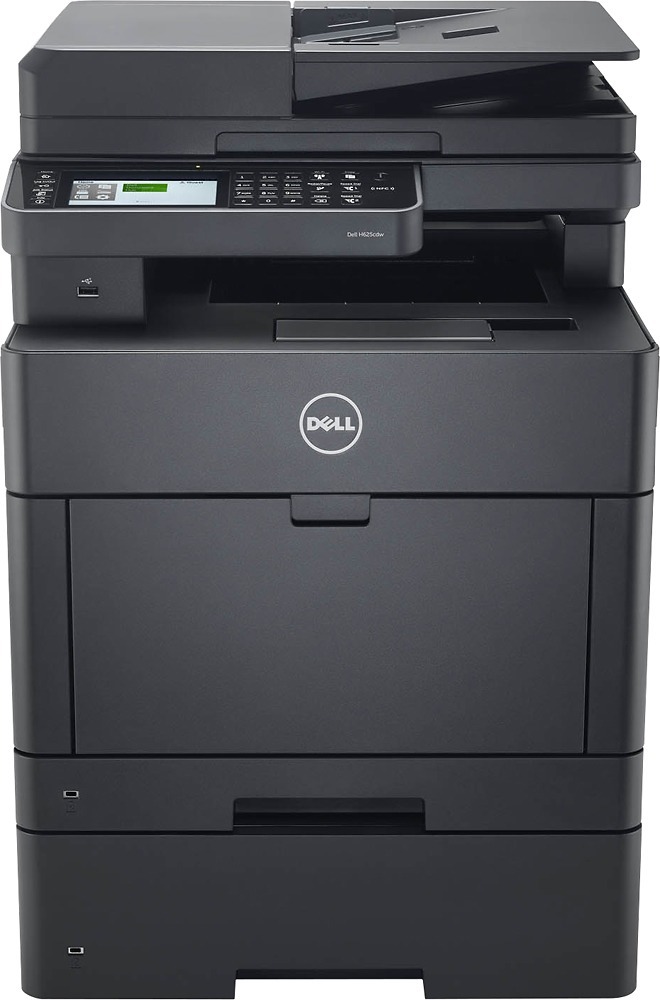
The Dell H625 is the single-function color laser of Dell's H-series: up to 25 pages per minute in black and color, automatic two-sided printing and network connectivity in a compact desktop unit — no scanner, no fax, just fast shared color output. It runs two complete cartridge ranges. The standard range is rated at 1,200 pages per cartridge: NCH0D in black, WG4T0 in cyan, 042T1 in magenta and 2RF0R in yellow. The high-yield range stretches each slot: N7DWF black is rated at 3,000 pages, while P3HJK cyan, 5PG7P magenta and 3P7C4 yellow are each rated at 2,500 pages.
Workgroups choose a printer like this when color output is the job and multifunction extras would sit unused — marketing handouts, presentation decks, color-coded reports rolling off a shared machine all day. That focus cuts both ways for supplies: everything the H625 does passes through the same four cartridges, so their cost decides what the printer really costs to own. With a full high-yield range available in every color, a busy H625 can be tuned slot by slot to the way the office actually prints.
Toner Cartridges for H625
| Cartridge | Color | Page Yield |
|---|---|---|
| 042T1 | Magenta | 1,200 pages |
| 2RF0R | Yellow | 1,200 pages |
| 3P7C4 — High Yield | Yellow | 2,500 pages |
| 5PG7P — High Yield | Magenta | 2,500 pages |
| Color Laser H625 Laser Toner Cartridges 4 Color Set | Black / Cyan / Magenta / Yellow | See product page |
| Color Laser H625 Premium Quality Laser Toner Cartridges 4 Color Set | Black / Cyan / Magenta / Yellow | See product page |
| N7DWF, P3HJK, 5PG7P, 3P7C4 — High Yield, 4 Color Set | Black / Cyan / Magenta / Yellow | See product page |
| N7DWF, P3HJK, 5PG7P, 3P7C4 — High Yield, 5 Color Set | Black / Cyan / Magenta / Yellow | See product page |
| N7DWF, P3HJK, 5PG7P, 3P7C4 — High Yield, 8 Color Set | Black / Cyan / Magenta / Yellow | See product page |
| NCH0D, WG4T0, 042T1, 2RF0R — 4 Color Set | Black / Cyan / Magenta / Yellow | See product page |
| NCH0D, WG4T0, 042T1, 2RF0R — 5 Color Set | Black / Cyan / Magenta / Yellow | See product page |
| NCH0D, WG4T0, 042T1, 2RF0R — 8 Color Set | Black / Cyan / Magenta / Yellow | See product page |
| P3HJK, 5PG7P, 3P7C4 — High Yield, 3 Color Set | Cyan / Magenta / Yellow | See product page |
| WG4T0, 042T1, 2RF0R — 3 Color Set | Cyan / Magenta / Yellow | See product page |
| WG4T0, 042T1, 2RF0R — 6 Color Set | Cyan / Magenta / Yellow | See product page |
| N7DWF — High Yield, 2 Pack | Black | See product page |
| N7DWF — High Yield, 3 Pack | Black | See product page |
| N7DWF — High Yield, 5 Pack | Black | See product page |
| N7DWF — High Yield | Black | 3,000 pages |
| NCH0D — 2 Pack | Black | See product page |
| NCH0D — 3 Pack | Black | See product page |
| NCH0D — 5 Pack | Black | See product page |
| NCH0D | Black | 1,200 pages |
| P3HJK, 5PG7P, 3P7C4 — High Yield, 6 Color Set | Cyan / Magenta / Yellow | See product page |
| P3HJK — High Yield | Cyan | 2,500 pages |
| WG4T0 | Cyan | 1,200 pages |
Which cartridge should you buy?
Compare the two ranges honestly against your volume. A high-yield cartridge holds roughly two to two-and-a-half times the toner of its standard counterpart — black jumps from 1,200 to 3,000 pages — and costs less per page every time, so any slot that empties more than a couple of times a year belongs on high-yield. Standard cartridges still make sense for a color you print rarely: a slot that takes a year to empty gains nothing from the larger size. Most offices land on a mix — high-yield black for the document traffic, high-yield colors if the machine feeds presentations and graphics, standard colors if color is occasional. When several slots run low at once, the 4-color sets bundle the refresh into one order in either range.
Chip, toner and everyday use
The H625 identifies each cartridge by its chip and reports levels per color, which is what makes slot-by-slot planning possible — check the levels before a big run rather than discovering an empty color halfway through it. Swap cartridges with the machine on and the cover fully open, and avoid touching the green drum surface on the underside; fingerprints there print as repeating marks. A color that starts banding before its level is empty often just needs its toner leveled: remove it, rock it gently end to end, and put it back. Keep the next set sealed and stored flat at room temperature, and it will be ready the moment a slot calls for it.
Frequently Asked Questions
What cartridges fit the Dell H625?
Eight singles across two ranges: standard NCH0D, WG4T0, 042T1 and 2RF0R at 1,200 pages each, or high-yield N7DWF (3,000 pages, black), P3HJK, 5PG7P and 3P7C4 (2,500 pages each). Any slot accepts either range.
Is there a high-yield black cartridge for the H625?
Yes — N7DWF, rated at 3,000 pages against the standard NCH0D's 1,200. On a shared workgroup printer, black is normally the slot that benefits most from the bigger cartridge.
Can I keep a spare set of cartridges on the shelf?
Yes, and a shared printer argues for it. Sealed cartridges keep well in a cool, dry, climate-controlled spot — avoid garages and attics — so a spare black at minimum means an empty slot never idles the workgroup.
Do I have to replace all four cartridges together?
No. The four slots are independent; replace the color that is empty and leave the rest until they run down on their own schedules.
More printers that use the same cartridges
The printers and cartridge pages below share this exact H-series family: Color Laser H625CDW, Color Laser H825, Color Laser H825CDW, Color Laser S2825, Color Laser S2825CDN, Dell (N7DWF, P3HJK, 5PG7P, 3P7C4), Dell (NCH0D, WG4T0, 042T1, 2RF0R).