




Color Laser S2825CDN
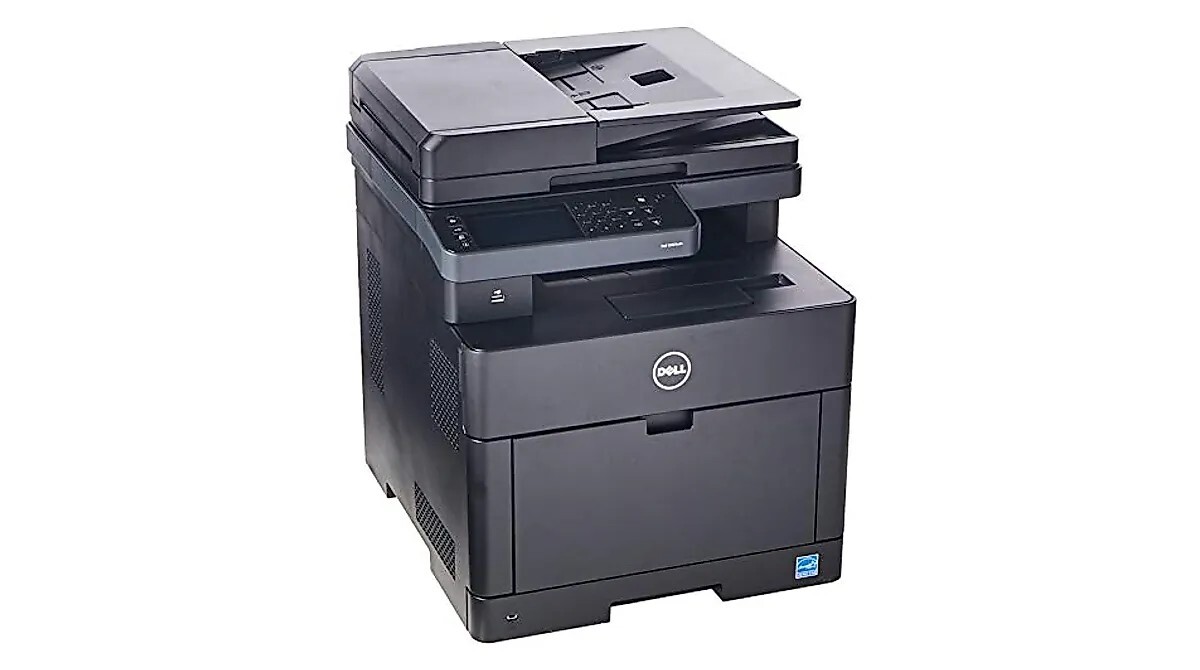
The Dell S2825CDN is Dell's smart color multifunction: up to 28 pages per minute (A4) and 30 in letter size across print, scan, copy and fax, a 50-sheet single-pass duplex automatic document feeder, scan-to-email and scan-to-network-folder, and paper handling that grows from 300 to 850 sheets with the optional tray — a machine built for offices that live in their documents. Its standard set is NCH0D for black, WG4T0 for cyan, 042T1 for magenta and 2RF0R for yellow; its high-yield set is N7DWF for black, P3HJK for cyan, 5PG7P for magenta and 3P7C4 for yellow — and those four high-yield cartridges also answer to Dell kit numbers 593-BBOW, 593-BBOX, 593-BBOY and 593-BBOZ.
Document-centric offices ask a lot of one machine: the feeder digitizes a contract in the morning, the copier runs a packet at noon, and print jobs land all day between them. Every one of those pages comes out of the same four cartridges, which is why this model's supply story is dominated by a single fact — fax, copy, scan and print traffic all share one toner budget. Offices that plan for that shared draw keep this machine invisible; offices that don't, meet it at the worst times.
Toner Cartridges for S2825CDN
| Cartridge | Color | Page Yield |
|---|---|---|
| 042T1 | Magenta | See product page |
| 2RF0R | Yellow | See product page |
| 3P7C4 — High Yield | Yellow | See product page |
| 5PG7P — High Yield | Magenta | See product page |
| N7DWF, P3HJK, 5PG7P, 3P7C4 — High Yield, 4 Color Set | Black / Cyan / Magenta / Yellow | See product page |
| N7DWF, P3HJK, 5PG7P, 3P7C4 — High Yield, 5 Color Set | Black / Cyan / Magenta / Yellow | See product page |
| N7DWF, P3HJK, 5PG7P, 3P7C4 — High Yield, 8 Color Set | Black / Cyan / Magenta / Yellow | See product page |
| NCH0D, WG4T0, 042T1, 2RF0R — 4 Color Set | Black / Cyan / Magenta / Yellow | See product page |
| NCH0D, WG4T0, 042T1, 2RF0R — 5 Color Set | Black / Cyan / Magenta / Yellow | See product page |
| NCH0D, WG4T0, 042T1, 2RF0R — 8 Color Set | Black / Cyan / Magenta / Yellow | See product page |
| P3HJK, 5PG7P, 3P7C4 — High Yield, 3 Color Set | Cyan / Magenta / Yellow | See product page |
| Color Laser S2825CDN Laser Toner Cartridges 4 Color Set | Black / Cyan / Magenta / Yellow | See product page |
| WG4T0, 042T1, 2RF0R — 3 Color Set | Cyan / Magenta / Yellow | See product page |
| WG4T0, 042T1, 2RF0R — 6 Color Set | Cyan / Magenta / Yellow | See product page |
| N7DWF — High Yield, 2 Pack | Black | See product page |
| N7DWF — High Yield, 3 Pack | Black | See product page |
| N7DWF — High Yield, 5 Pack | Black | See product page |
| N7DWF — High Yield | Black | See product page |
| NCH0D — 2 Pack | Black | See product page |
| NCH0D — 3 Pack | Black | See product page |
| NCH0D — 5 Pack | Black | See product page |
| NCH0D | Black | See product page |
| P3HJK, 5PG7P, 3P7C4 — High Yield, 6 Color Set | Cyan / Magenta / Yellow | See product page |
| P3HJK — High Yield | Cyan | See product page |
| WG4T0 | Cyan | See product page |
| 593-BBOW, 593-BBOX, 593-BBOY, 593-BBOZ — 4 Color Set | Black / Cyan / Magenta / Yellow | See product page |
| 593-BBOW — 2 Pack | Black | See product page |
| 593-BBOW — 3 Pack | Black | See product page |
| 593-BBOW — 5 Pack | Black | See product page |
| 593-BBOY | Magenta | See product page |
| 593-BBOZ | Yellow | See product page |
| 593-BBOX | Cyan | See product page |
| 593-BBOW | Black | See product page |
| 593-BBOW, 593-BBOX, 593-BBOY, 593-BBOZ — 5 Color Set | Black / Cyan / Magenta / Yellow | See product page |
| 593-BBOW, 593-BBOX, 593-BBOY, 593-BBOZ — 8 Color Set | Black / Cyan / Magenta / Yellow | See product page |
| 593-BBOX, 593-BBOY, 593-BBOZ — 6 Color Set | Black | See product page |
| 593-BBOX, 593-BBOY, 593-BBOZ — 3 Color Set | Cyan / Magenta / Yellow | See product page |
Which cartridge should you buy?
With four functions feeding from four slots, treat the high-yield set as the default restock for the S2825CDN. If the machine prints more than a few hundred color pages a month — a low bar once copying and scanning-to-print workflows are counted — the higher-capacity cartridges cut cost per page noticeably and, just as valuable on a shared machine, mean fewer interruptions. The standard range has one honest use case: light, occasional printing, where a cartridge might sit in its slot for a very long time and a smaller fill is the safer buy. Black multi-packs bridge the gap between full set changes, since document traffic always empties black first. Order by the code on the cartridge you removed, in either numbering.
Chip, toner and everyday use
The printer's status page shows each cartridge's level from its chip — check it there before a long feeder run, because a scan-and-print job that fades halfway wastes both paper and the original handling. Fading or streaking confined to one color almost always means that cartridge is running low: pull it, rock it gently side to side to redistribute the toner, and reseat it; if vertical streaks persist after that, the cartridge itself is due for replacement. Keep the incoming set sealed until the day it is needed, and store it flat in the same room climate as the office — toner dislikes heat swings more than time.
Frequently Asked Questions
Which toner cartridges fit the Dell S2825CDN?
A four-cartridge color set in two ranges: N7DWF, P3HJK, 5PG7P and 3P7C4 as the high-yield cartridges, with NCH0D, WG4T0, 042T1 and 2RF0R as the standard-capacity options for the same slots. Dell also lists the high-yield four under kit numbers 593-BBOW, 593-BBOX, 593-BBOY and 593-BBOZ, so either numbering identifies the correct cartridge.
Is it worth buying the high-yield cartridges for the S2825CDN?
For most offices, yes: the higher-capacity set lowers cost per page and spaces out changeovers on a machine that four functions depend on. Only genuinely light users are better served by the standard range, since toner can clump in a cartridge that sits unused for very long stretches.
Why are my color prints coming out faded or streaky?
Fading in one color almost always means that cartridge is nearly empty — check the levels on the status page and replace the depleted color. If the level looks fine, remove the cartridge, rock it gently to redistribute the toner, and reseat it; streaks that survive that are the cartridge asking to be replaced.
Can I mix standard and high-yield cartridges in the same machine?
Yes. Each slot accepts either range independently, so a high-yield black can run alongside standard colors, or the other way around, without any setting change.
More printers that use the same cartridges
Everything below runs on this same standard-and-high-yield cartridge family: Color Laser H625, Color Laser H625CDW, Color Laser H825, Color Laser H825CDW, Color Laser S2825, Dell (N7DWF, P3HJK, 5PG7P, 3P7C4), Dell (NCH0D, WG4T0, 042T1, 2RF0R).