




Color Laser 1235CN
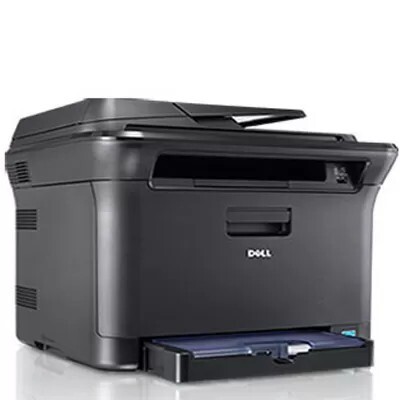
The Dell 1235CN is the networked multifunction of the compact color line — one of the smallest color laser MFPs of its era, with an automatic document feeder, Ethernet networking, and fax added to the print engine. It still prints at up to 17 ppm mono and 4 ppm color, and it can scan directly to a USB flash drive.
Busy small offices value the 1235CN because it replaces four devices with one supply stream: the 330-3012 black and 330-3013/3014/3015 color cartridges. Keep a spare black on hand — at roughly 1,500 pages per cartridge, it's the one that runs out first. The three colors are numbered separately for the 1235CN: 330-3013 for yellow, 330-3014 for magenta and 330-3015 for cyan.
Toner Cartridges for Dell 1235CN
This printer works with the following toner cartridges:
- Dell 330-3012
- Dell 330-3013
- Dell 330-3014
- Dell 330-3015
Frequently Asked Questions
Which Dell cartridges work in the Dell 1235CN?
For the Dell 1235CN, Dell's cartridges include 330-3015 and 330-3014. Check that the code on your current cartridge matches one of the listed options before you buy.
How many toner cartridges does the Dell 1235CN hold?
Four — one each for black, cyan, magenta and yellow. Cartridges such as 330-3015 and 330-3014 cover the Dell 1235CN's colors, and each is replaced individually as it empties.
The Dell 1235CN prints blurry text — is the cartridge bad?
Not necessarily — blurry text on the Dell 1235CN can come from damp paper or the wrong paper-type setting as well as a failing cartridge. Try fresh, dry paper first; if the blur persists with a new 330-3015 cartridge, look at the drum.