




Color Laser 1235C
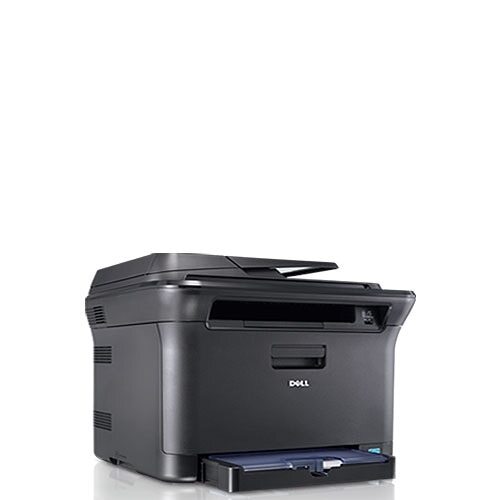
The Dell 1235C is the color-focused variant of the compact 1235 color laser, tuned for users who print more color documents than the average home office. Its engine delivers up to 17 pages per minute in black and 4 in color, and the small 16.3 x 14.7 inch footprint slides into spaces bigger color lasers cannot. All four toner slots accept the same cartridge family used across the line: 330-3012 black, 330-3015 cyan, 330-3014 magenta and 330-3013 yellow, each carrying its own number so you replace only the cartridge that has emptied.
Color-leaning workloads change the supply math. A household or small office printing newsletters, worksheets and color handouts burns through cyan, magenta and yellow at rates much closer to black than a text-only office ever does, so the color singles stop being occasional purchases and become the regular ones. Offices running several machines from this family get a second benefit: one shared cartridge list keeps the supply shelf simple, with no per-printer sorting. The table below keeps it that simple - four singles by code, one code-listed set, and two sets under the 1235C name.
Toner Cartridges for Dell 1235C
| Cartridge | Color | Page Yield |
|---|---|---|
| 330-3012 | Black | See product page |
| 330-3015 | Cyan | See product page |
| 330-3014 | Magenta | See product page |
| 330-3013 | Yellow | See product page |
| 330-3012 / 330-3015 / 330-3014 / 330-3013, 4 Color Set | Black, cyan, magenta, yellow | See product page |
| Dell 1235C, 4 Color Set | Black, cyan, magenta, yellow | See product page |
| Dell 1235C Premium Quality, 4 Color Set | Black, cyan, magenta, yellow | See product page |
Which cartridge should you buy?
Replace colors one at a time as they empty - that is the whole design. The 1235C holds a separate cartridge per color, so when yellow runs dry you buy yellow and the other three cartridges, however full they are, stay in the machine. The four singles above are listed by their Dell codes, which are printed on every cartridge for easy matching. A 4 Color Set is the better move when a heavy color workload has drained several cartridges together, or for an office standardizing spares across multiple machines from this family; the Premium Quality set is there for buyers who prefer the closest equivalent to the original cartridges. All of the compatible options on this page carry a 1-year warranty with 1-year returns.
Chip, toner and everyday use
On a color-heavy machine, low cartridges announce themselves in the output first: a tint that was not in the file, a color that looks thinner than its neighbors. Pull the suspect cartridge and rock it gently side to side; redistributed toner often restores even coverage long enough to finish the job at hand. When fitting a replacement, use the code and color label on the cartridge to match its slot, and push it fully home so the chip registers the new supply level. Keep unopened spares in a cool drawer - color toner sitting in a hot room ages faster than the modest shelf life owners assume.
Frequently Asked Questions
What is the correct cartridge number for the Dell 1235C?
Black is 330-3012, cyan is 330-3015, magenta is 330-3014 and yellow is 330-3013. If your printer was bought as part of a bundle or in another region, double-check the code on the installed cartridge first.
Can I replace just the black cartridge in the 1235C?
Yes. The 1235C uses one cartridge per color, so when black runs low you replace only the black cartridge and leave the colors alone. The same applies in reverse: a single empty color never forces a full set change.
Why are there black lines down the page on my 1235C?
A repeating black line down the page often traces to a mark on the imaging drum rather than the toner itself. Try a fresh black cartridge first; if the line stays in exactly the same place with the new cartridge fitted, the drum or imaging unit needs attention instead.
Do other Dell printers take the same cartridges as the 1235C?
Several do. This four-cartridge family is shared across the compact 1230 and 1235 models, which is why the family section at the bottom of this page exists - an office running two different models from the line still stocks one set of spares.
More printers that use the same cartridges
The same four cartridges serve every model in this family, including the printers listed here: Color Laser 1230, Color Laser 1230C, Color Laser 1230CN, Color Laser 1235, Color Laser 1235CN, Dell (330-3012, 330-3015, 330-3014, 330-3013).