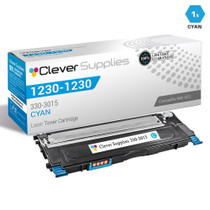
Embark on a printing journey with the Dell 1235, 1230, 1230c, 1230cn, and 1235c printers. These printers are designed to meet the demands of both home and office environments, offering reliable performance and exceptional print quality. From everyday documents to vibrant graphics, these printers deliver impressive results with ease.
Explore the range of printing supplies compatible with these printers, including the 330-3012 black, 330-3015 cyan, 330-3014 magenta, and 330-3013 yellow cartridges. These compatible Dell cartridges ensure seamless compatibility and consistent output. Whether it's presentations or reports, these cartridges deliver sharp and vivid prints, enhancing your overall printing experience.
Experience enhanced printing performance with the Dell 1235 toner cartridge and Dell 1235 toner cartridge. Engineered to deliver optimal results, these cartridges provide reliable and long-lasting printing solutions. Say goodbye to smudges and streaks, and hello to professional-quality prints with these trusted cartridges.
In summary, the Dell printers and cartridges, including the Dell 1235, 1230, 1230c, 1230cn, and 1235c models, offer the perfect combination of performance and reliability. With Dell's commitment to innovation and quality, you can trust these printers to meet all your printing needs, ensuring exceptional results every time.
Frequently Asked Questions
Our 1235 prints look cold and blue-green tinted, but text is still sharp. What is happening?
That combination — sharp text, wrong-looking color — is the classic signature of one color running low rather than a printer fault. On the Dell Color Laser 1235, the cyan cartridge is the 330-3015, and as it empties, blues and greens lose their balance while black text, printed from its own cartridge, stays crisp. Check the supplies levels in the printer menu: if cyan is at or near zero while the others still show life, replacing this single cartridge is the fix.
What does this cartridge cost per page?
The 330-3015 is priced at $37.13 and rated at 1,000 pages, so the arithmetic lands at about 3.71 cents per page. We are not going to call that cheap, because it is not: this is the small standard cyan cartridge for the compact Color Laser 1235 line, and small cartridges spread their cost over fewer pages. The honest case for it is fit and immediacy — it is the exact cyan supply your printer takes, available as a single cartridge when only cyan is gone.
Is 1,000 pages the real yield, or a best-case number?
It is a measured rating, not a guarantee. Like Dell's own figure for the original, it is calculated at about 5% page coverage — a typical letter or document page. Real life varies: a month of color charts and photo-heavy pages will finish a 330-3015 sooner, while mostly-text printing with occasional color accents can carry it past the rating. Treat 1,000 pages as the yardstick for comparing cartridges, and the tint symptom above as the real-world signal that yours is done.
Can I swap just the cyan, or does the 1235 want a full set?
Just the cyan. The Color Laser 1235 uses four separate cartridges, each replaced on its own schedule, and there is no need to touch black, magenta or yellow cartridges that still have toner. Pull the empty cyan unit from its slot, rock the new 330-3015 gently side to side to loosen the toner, and slide it in. The printer will recognize the fresh cartridge and the color balance should return on the next prints.
What happens if a new cartridge does not fix the tint?
First, run the printer's own color calibration from the menu — after a cartridge change, that resolves most balance complaints. If prints still look wrong, our support team is available Monday through Friday, 9 AM to 5 PM CST to work through it. And if the cartridge itself is at fault, it is covered by a 1-year warranty and 1-year free returns; the full terms are on our shipping and returns page.
How quickly can I get one, and where does it ship from?
We stock this cartridge across four warehouses — Illinois, Pennsylvania, Georgia and California — and ship from the closest one with stock, so most orders arrive within a few business days. That matters with a 1,000-page cartridge: when the 330-3015 in a 1235 runs out, it tends to do so mid-project rather than at a convenient moment. You can also browse the remaining supplies for this printer family on the Dell toner page.
How can we see what a 330-3015 actually delivers in our printer?
Let the page counter arbitrate. Note the 1235's count on the day the new cyan goes in, and again when the cold, blue-green tint returns. The pages between the two readings are your cartridge's true yield on your documents, to compare with the 1,000-page rating. A color-heavy month will land under it and a text-heavy month can pass it — either way, two cycles give you a personal figure for planning spares.
How do we make sure the cartridge that arrives is really the cyan?
Check the code on the carton and the label before the seal comes off: it must read 330-3015. This family's color cartridges differ by a single digit — cyan 330-3015, magenta 330-3014, yellow 330-3013 — and look alike, so the number, not the box color or the listing title, is the check that counts. A wrong code caught while the cartridge is still sealed is a quick exchange; support answers Monday to Friday, 9 AM to 5 PM CST.
Is it worth keeping a spare 330-3015 on hand?
For most 1235 owners, yes. Cyan's 1,000-page rating is the shortest leash in the machine alongside the other colors, and it tends to run out mid-project rather than between jobs. A sealed spare in a drawer — kept flat, cool and out of sunlight, where it waits without harm — turns a tinted-output emergency into a two-minute swap. Date the carton when it arrives and it will still be the right cartridge when its turn comes.
What should happen to the empty cyan once the new one is in?
Set it in the fresh cartridge's box and keep it a few days rather than discarding it on the spot. It preserves the 330-3015 code in case you need it for a reorder or a support question, and if the new cartridge misbehaves, the removed unit documents exactly what came out of the machine — while the replacement itself is covered by a 1-year warranty and 1-year free returns. After a few clean days, send the empty out with your other spent cartridges for recycling or disposal.
About This Cartridge
This is a compatible Dell 330-3015 cyan toner cartridge for the Color Laser 1235, rated at 1,000 pages and priced at $37.13 — roughly 3.71 cents per page, which we state plainly rather than dressing up: compact-printer cartridges in this class are not inexpensive per page. It is the correct single-color replacement when your 1235's cyan is the cartridge that has run out. It ships from our IL, PA, GA or CA warehouses and is backed by a 1-year warranty with 1-year free returns and weekday support, 9 AM to 5 PM CST.
Fitment spans the Color Laser 1235, Color Laser 1235c, Color Laser 1235cn, Color Laser 1230, Color Laser 1230c and Color Laser 1230cn. The family shelf also holds the black cartridge, the magenta cartridge, the yellow cartridge and the 4-color set.







 See Compatible Printers
 Read more about our ink!