




MFC-L3780CDW
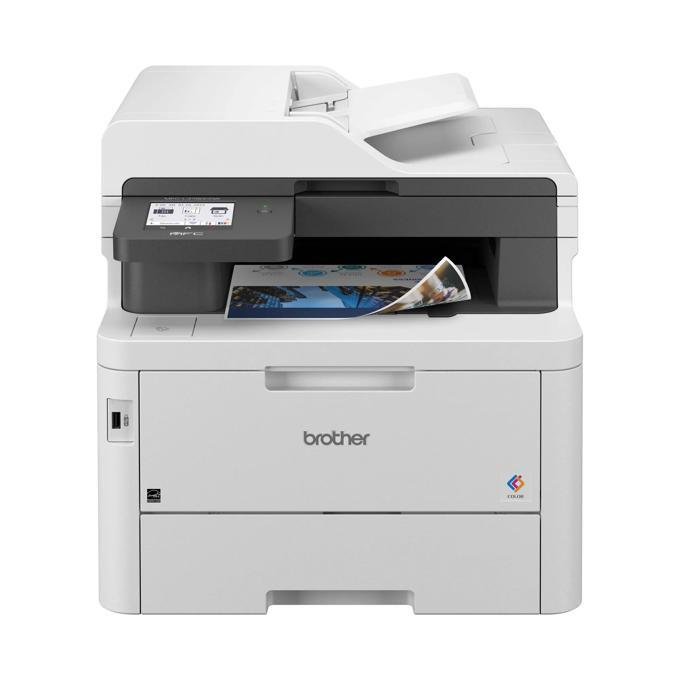
Plan the Brother MFC-L3780CDW around its drum and the toner almost takes care of itself. All four toner slots draw on the TN229 (TN-229) family — standard TN229BK black (~1,500 pages) with TN229C, TN229M and TN229Y colors (~1,200 each); high-yield TN229XL (TN-229XL) with TN229XLBK black (~3,000) and TN229XLC, TN229XLM, TN229XLY colors (~2,300); and super high-yield TN229XXL (TN-229XXL) with TN229XXLBK black (~4,500) and TN229XXLC, TN229XXLM, TN229XXLY colors (~4,000). The DR229CL (DR-229CL) drum unit under them is rated ~20,000 pages — roughly the span of four to thirteen toner cartridges, depending on tier.
Interruption is the real cost in a busy office, not toner. A printer that stops mid-run for a cartridge swap steals minutes from everyone queued behind it, and this model's supply system is built to make those stops rare and predictable: high-yield cartridges stretch the interval, per-color chips forecast it, and the long-life drum removes the most disruptive replacement from the calendar for years at a time. Offices that load XL or XXL cartridges and glance at the level readouts weekly tend to experience toner as a scheduled errand instead of an emergency.
Toner Cartridges for MFC-L3780CDW
- TN229BK — black, ~1,500 pages
- TN229C — cyan, ~1,200 pages
- TN229M — magenta, ~1,200 pages
- TN229Y — yellow, ~1,200 pages
- TN229BK 2 Pack — black, ~1,500 pages per cartridge
- TN229 4 Color Set — black, cyan, magenta, yellow, ~1,500 pages black
- TN229 5 Color Set — black, cyan, magenta, yellow, ~1,500 pages black
- TN229XLBK — black, ~3,000 pages
- TN229XLC — cyan, ~2,300 pages
- TN229XLM — magenta, ~2,300 pages
- TN229XLY — yellow, ~2,300 pages
- TN229XLBK 2 Pack — black, ~3,000 pages per cartridge
- TN229XL 4 Color Set — black, cyan, magenta, yellow, ~3,000 pages black
- TN229XL 5 Color Set — black, cyan, magenta, yellow, ~3,000 pages black
- TN229XXLBK — black, ~4,500 pages
- TN229XXLC — cyan, ~4,000 pages
- TN229XXLM — magenta, ~4,000 pages
- TN229XXLY — yellow, ~4,000 pages
- TN229XXLBK 2 Pack — black, ~4,500 pages per cartridge
- TN229XXL 4 Color Set — black, cyan, magenta, yellow, ~4,500 pages black
- TN229XXL 5 Color Set — black, cyan, magenta, yellow, ~4,500 pages black
The genuine Brother range for this model:
| Cartridge | Color | Page Yield |
|---|---|---|
| Genuine TN229BK | Black | ~1,500 pages |
| Genuine TN229C | Cyan | ~1,200 pages |
| Genuine TN229M | Magenta | ~1,200 pages |
| Genuine TN229Y | Yellow | ~1,200 pages |
| Genuine TN229 4 Color Set | Black, cyan, magenta, yellow | See product page |
| Genuine TN229XLBK | Black | ~3,000 pages |
| Genuine TN229XLC | Cyan | ~2,300 pages |
| Genuine TN229XLM | Magenta | ~2,300 pages |
| Genuine TN229XLY | Yellow | ~2,300 pages |
| Genuine TN229XLBK 2 Pack | Black | ~3,000 pages per cartridge |
| Genuine TN229XL 4 Color Set | Black, cyan, magenta, yellow | ~3,000 pages black |
| Genuine TN229XLC/M/Y 3 Color Set | Cyan, magenta, yellow | ~2,300 pages each |
| Genuine TN229XXLBK | Black | ~4,500 pages |
| Genuine TN229XXLC | Cyan | ~4,000 pages |
| Genuine TN229XXLM | Magenta | ~4,000 pages |
| Genuine TN229XXLY | Yellow | ~4,000 pages |
| Genuine TN229XXL 4 Color Set | Black, cyan, magenta, yellow | ~4,500 pages black |
Drum unit: the DR229CL (DR-229CL) genuine Brother drum unit, rated for ~20,000 pages, is sold separately from the toner cartridges above.
Which cartridge should you buy?
Choose the tier that makes replacements boring. If the MFC-L3780CDW serves a whole office, TN229XXL across the board gives the longest quiet stretches — up to roughly 4,500 black pages and 4,000 per color between swaps — and the lowest cost per page while it is at it. TN229XL suits the middle ground of steady but not relentless use. Keep the standard TN229 for a lightly used satellite machine, where paying for capacity you will not reach for a year makes little sense. One planning note: because the DR229CL drum lasts about 20,000 pages, a printer loaded with XXL cartridges may meet its drum change after only five black cartridges — worth penciling in rather than discovering.
Chip, toner and everyday use
Toner and drum live on different clocks, and the printer tracks both: cartridge chips report toner per color, while the drum has its own page counter that should be reset only when a new drum actually goes in — resetting it early corrupts the forecast for everyone. Fading that follows a toner swap within a few hundred pages usually points at the drum, not the new cartridge. Handle cartridges by their ends, keep them out of bright light while they wait, and give a low cartridge the traditional gentle rock to redistribute toner before you declare it finished; rated yields, as ever, assume roughly 5% page coverage.
Frequently Asked Questions
How long does the DR229CL drum last in the MFC-L3780CDW?
About 20,000 pages. That is several times the life of any single toner cartridge — roughly thirteen standard black cartridges or four to five TN229XXL blacks — so drum changes are rare, planned events rather than routine ones.
What is the highest-yield toner for this model?
The TN229XXL tier: about 4,500 pages for black and 4,000 for each color. It is the tier to choose when minimizing swaps and cost per page matters more than the upfront price of the cartridge.
My prints faded right after I changed toner. Is the new cartridge faulty?
Not necessarily. Persistent fading, streaks or a gray background with a fresh cartridge usually means the DR229CL drum is worn. Check the drum's page count and condition before returning a cartridge that is probably fine.
More printers that use the same cartridges
The TN229 family is shared well beyond this model — the printers below accept the same cartridges and drum unit: HL-L3300CDW, HL-L8245CDW, MFC-L3720CDW, MFC-L3765CDW, MFC-L8395CDW, DCP-L3560CDW, HL-L3220CDW, HL-L3280CDW, HL-L3295CDW.