






 See Compatible Printers
 Read more about our ink!
Brother
Brother TN229XLM Magenta High-yield Genuine OEM Toner Cartridge - 2,300 pages

Amazon Price:

- Page Yield:
- Color: 2300
- Availability:
- In Stock
- Shipping:
- Free Shipping
- Compatible Printers
- Specifications
- SKU:
- CS-Brother-OEM-TN229XL-M
- Printer Brand:
- Brother
- OEM Number:
- TN229XLM
- Ink Color:
- Magenta
- Page Yield:
- Color: 2300
- Printer Type:
- Laser Cartridge
- Condition:
- New
- Description
- Reviews

/> 

Power through your printing tasks with the Brother TN229XL, including the high-yield TN229XLBK Black, TN229XLC Cyan, TN229XLM Magenta, and TN229XLY Yellow toner cartridges. These cartridges are designed to produce sharp text and vibrant colors, making them ideal for both everyday documents and high-impact graphics. Built for high efficiency, the Brother TN229XL toner cartridge and Brother TN229XL toner cartridge deliver outstanding performance and long-lasting results. With higher page yields, youll spend less time replacing cartridges and more time printing without interruption. These cartridges work seamlessly with models like MFC-L3720CDW, MFC-L3780CDW, HL-L3220CDW, HL-L3280CDW, HL-L3300CDW, and HL-L3295CDW. Each print is clean, consistent, and professionally finished to meet the needs of home offices or busy workplaces. Optimized for extended use in devices such as the HL-L8245CDW, MFC-L8395CDW, and MFC-L3765CDW, the TN229XLBK Black, TN229XLC Cyan, TN229XLM Magenta, and TN229XLY Yellow cartridges ensure your prints look sharp and stay vividpage after page. Trust these high-yield solutions to deliver the quality and reliability Brother is known for.
Frequently Asked Questions
Why does magenta decide whether your photos and logos look right?
Because magenta is the color of skin and fire. It builds every red, warms every skin tone and gives photographs their living color — which is why a fading TN229XLM announces itself as prints that look subtly wrong before they look faded: faces go sallow, brand reds drift orange, purples flatten. Offices that print anything photographic or client-facing feel magenta's decline more than any other color's. The cartridge in this listing is the genuine high-yield replacement, rated at 2,300 pages, and a fresh one restores the palette in a single swap.
The TN229XLM costs $135.44 — how does that compare?
Against its $189.62 list price, it is $54.18 under list for the factory-sealed genuine cartridge. The more useful comparison is with its standard-yield sibling: the TN229M is $110.16 for 1,200 pages (about 9.2 cents a page), while this XL is $135.44 for 2,300 pages (about 5.9 cents a page). The extra $25.28 buys 1,100 additional rated pages — nearly a second cartridge's worth of toner. Genuine color toner is priced at a premium everywhere; within the genuine range, the XL yield class is where the per-page figure stops stinging.
Which printers does the TN229XLM fit?
Brother's TN229 platform: HL-L3220CDW, HL-L3280CDW, HL-L3295CDW, HL-L3300CDW and HL-L8245CDW printers, plus the MFC-L3720CDW, MFC-L3765CDW, MFC-L3780CDW and MFC-L8395CDW all-in-ones. The TN229XLM takes the magenta slot, flanked by the TN229XLC cyan and TN229XLY yellow with the TN229XLBK on black duty. Verify the code on the cartridge you remove — TN229XLM is the high-yield magenta; if the spent unit reads TN229M, this is its longer-life upgrade for the same slot, and the machine accepts it without any fuss.
How quickly does a color-heavy office get through 2,300 pages?
It depends entirely on coverage. The 2,300-page rating assumes standard document coverage; a page of full-color photography can draw several times that density of toner. A design or marketing desk printing color proofs daily may see a few months from a TN229XLM; a general office printing a color report here and there will see a year or more, because most of its pages never touch magenta at all. Judge against your black cartridge: if blacks last you two months, a magenta typically lasts four to six.
Reds still look off after fitting the new magenta — what else could it be?
Work through the cheap explanations first. A new cartridge needs a few pages to settle — print several full-color pages before judging. Check the printer's color calibration or density adjustment in its menu; these machines offer one and it drifts over a cartridge's life. Then look at the rest of the row: red is magenta plus yellow, so a tired TN229XLY will corrupt reds no matter how fresh the magenta is, and a worn drum unit eventually dulls every color at once. If only reds were wrong and the new magenta fixed them, nothing else was ever broken.
Returns and warranty on this genuine cartridge?
A 30-day return window in all cases, and warranty protection through Brother's manufacturer warranty — the standard genuine terms, detailed on our shipping and returns page. The longer terms on this site apply to the compatible range only. Faulty on arrival? Contact support Monday to Friday, 9 AM to 5 PM CST, within the 30 days.
Do two-sided color pages count double against the TN229XLM?
They count as two printed sides, yes. The 2,300-page rating is a count of printed pages, and a duplexed sheet carries two of them, so a double-sided color brochure consumes magenta life at the same rate per side as two single-sided sheets. Duplexing remains worth doing — it halves your paper — but when you estimate how long a TN229XLM will last, work from sides printed, not from the height of the paper stack.
How can I learn my own magenta rhythm instead of guessing?
Write the install date and the printer's page count on the TN229XLM box when it goes in, and note the same figures when it comes out. One cycle of that simple log tells you your real interval at your real coverage — far more useful than the rated figure for planning. If the log shows magenta lasting roughly two black cartridges, you can time future orders to the black slot's faster rhythm and never think about magenta separately again.
The magenta warning appears in the middle of an urgent run — can I bridge it?
Usually, for a short distance. Remove the TN229XLM, rock it gently side to side to level the remaining toner, refit it and continue. That redistributes what is left and commonly restores presentable reds for the rest of the run. Treat it strictly as a bridge: the cartridge is still nearly empty, density will fall again, and the replacement should be ordered the same day rather than after the next warning.
Should I keep the empty magenta until the new one has proved itself?
Briefly, yes. Retain the spent TN229XLM for a few days after the swap. If reds still look wrong with the fresh cartridge fitted, the old unit is evidence that the problem sits elsewhere — another color or the machine — rather than in the cartridge you just replaced. Once a known document prints with true reds again, the empty has done its last job and can go out for recycling with a clear conscience.
About This Genuine Brother TN229XLM High-Yield Magenta Toner Cartridge
The genuine Brother TN229XLM — high-yield magenta for the TN229 color laser family (HL-L3220CDW to MFC-L8395CDW), rated at 2,300 pages, priced at $135.44 against a $189.62 list. It is the color your reds and skin tones are made from, at close to half the standard yield's cost per page. The rest of the genuine family sits in the Brother range at Clever Supplies. Ships from our IL, PA, GA or CA warehouse.
Related Items
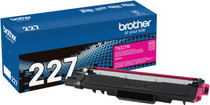
Brother
Brother TN227M High-yield Magenta Genuine OEM Toner Cartridge - 2,300 pages


Brother
Brother TN229XLC TN229XLM TN229XLY High-yield Cyan Magenta Yellow Genuine OEM Toner Cartridge 3 Color Set - 2,300 pages each
/>

Brother
Brother TN229XLBK TN229XLC TN229XLM TN229XLY High-yield Black Cyan Magenta Yellow Genuine OEM Toner Cartridge 4 Color Set - Black: 3,000 pages, Color: 2,300 pages each
/>
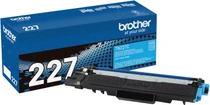
Brother
Brother TN227C High-yield Cyan Genuine OEM Toner Cartridge - 2,300 pages