






 See Compatible Printers
 Read more about our ink!
Brother
Compatible Brother TN229 (TN229M) Toner Cartridge Magenta
- Page Yield:
- Color: 1200
- Availability:
- In Stock
- Shipping:
- Calculated at Checkout

Amazon Price:

- Page Yield:
- Color: 1200
- Availability:
- In Stock
- Shipping:
- Calculated at Checkout
- Compatible Printers
- Specifications
- SKU:
- CS-Brother-TN229-M
- Printer Brand:
- Brother
- OEM Number:
- TN229M
- Ink Color:
- Magenta
- Page Yield:
- Color: 1200
- Printer Type:
- Laser Cartridge
- Condition:
- New Compatible
- Description
- Reviews

/> 
Power through your printing tasks with the Brother TN229, including the high-yield TN229BK Black, TN229C Cyan, TN229M Magenta, and TN229Y Yellow toner cartridges. These cartridges are designed to produce sharp text and vibrant colors, making them ideal for both everyday documents and high-impact graphics. Built for high efficiency, the Brother TN229 toner cartridge and Brother TN229 toner cartridge deliver outstanding performance and long-lasting results. With higher page yields, youll spend less time replacing cartridges and more time printing without interruption. Compatible with a wide range of Brother printers, these cartridges work seamlessly with models like MFC-L3720CDW, MFC-L3780CDW, HL-L3220CDW, HL-L3280CDW, HL-L3300CDW, and HL-L3295CDW. Each print is clean, consistent, and professionally finished to meet the needs of home offices or busy workplaces. Optimized for extended use in devices such as the HL-L8245CDW, MFC-L8395CDW, and MFC-L3765CDW, the TN229BK Black, TN229C Cyan, TN229M Magenta, and TN229Y Yellow cartridges ensure your prints look sharp and stay vividpage after page. Trust these high-yield solutions to deliver the quality and reliability Brother is known for.
Frequently Asked Questions
What happens to my colors when magenta gets low?
Reds wash out first, skin tones turn greyish and purple shades drift toward blue. Magenta does quiet but essential work in almost every color mix, so a fading magenta cartridge usually shows up as prints that look "off" long before the printer flags it.
My reds are printing orange — is magenta the culprit?
Very likely. Red is built from magenta plus yellow, so when magenta drops, the balance tips and reds slide toward orange. Replacing this standard magenta, rated for up to 1,200 pages, restores the balance without touching the other cartridges.
Which printers take this magenta cartridge?
Any Brother model on the TN229 platform, including DCP-L3560CDW, HL-L3220CDW, HL-L3280CDW, HL-L3295CDW, HL-L3300CDW, HL-L8245CDW, MFC-L3720CDW, MFC-L3765CDW, MFC-L3780CDW and MFC-L8395CDW. The cartridge slot is shared across the whole family, so this standard magenta also fits machines running XL or XXL versions of the other colors.
Can I swap in a fresh magenta while the others are mid-life?
Absolutely — the four cartridges live independent lives. There is no need to wait for a "full set moment"; replace magenta when magenta is the problem and leave healthy cartridges in place until they genuinely run down.
How quickly can I get one if the printer stops today?
Orders ship from whichever of our warehouses — Illinois, Pennsylvania, Georgia or California — gets it to you fastest. If you want to check timing before ordering, our support team answers Monday to Friday, 9 AM to 5 PM CST.
Am I covered if this cartridge disappoints me?
You are. It comes with a one-year warranty, and you have a full year to return it free if it does not perform — details live on the shipping and returns page. That coverage applies to every color on this platform, not just the black.
About This TN229 Magenta Toner Cartridge
The standard-yield magenta for Brother's TN229 platform: up to 1,200 pages at $36.19, made for the moment reds start slipping and brand colors stop matching the screen. It installs on its own in seconds, mixes freely with standard, XL and XXL cartridges in the other slots, and is part of the wider Brother toner collection stocked for this printer family.
Printer showing "Replace Toner" or "No Toner" after a cartridge change? Our TN229 troubleshooting guide walks through the reseat, contact-cleaning and counter-reset steps for this family.
Related Items

Brother
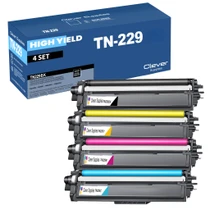
Compatible Brother TN229 (TN229BK, TN229C, TN229Y, TN229M) Toner Cartridge 4 Color Set
/>



Brother
Compatible Brother TN229 (TN229BK, TN229C, TN229Y, TN229M) Toner Cartridge 5 Color Set
#N/A Frequently Asked Questions When does changing all four cartridges at once make more sense than one at a time? When several colors are fading together — the usual story with a printer that has...


Brother
Compatible Brother TN229 (TN229BK) Toner Cartridge Black
/>


Brother
Compatible Brother TN229 (TN229C) Toner Cartridge Cyan
/>